We remain fully operational. Our teams are working around the clock to ensure your deliveries continue safely.

DOWNLOAD THE APP


Copyright © 2025 Desertcart Holdings Limited
DOWNLOAD THE APP




Buy anything from 5,000+ international stores. One checkout price. No surprise fees. Join 2M+ shoppers on Desertcart.
Desertcart purchases this item on your behalf and handles shipping, customs, and support to India.
🔒 Elevate your security game with 4K clarity and smart alerts—because peace of mind is priceless.
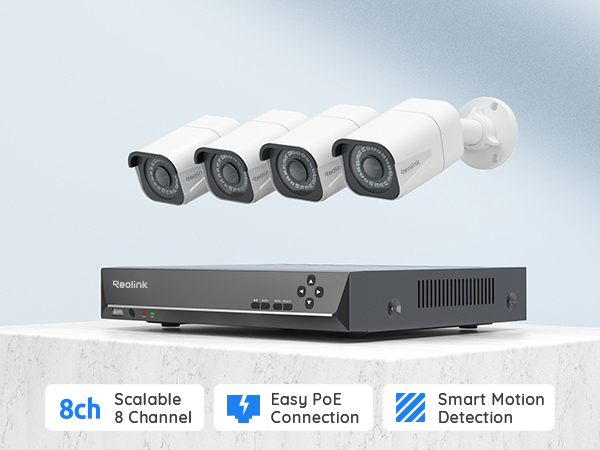
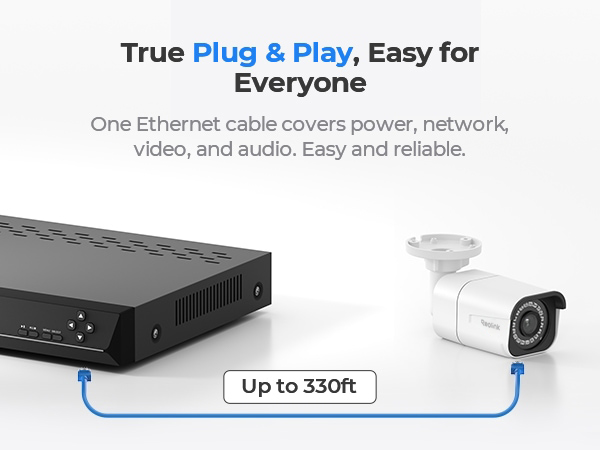
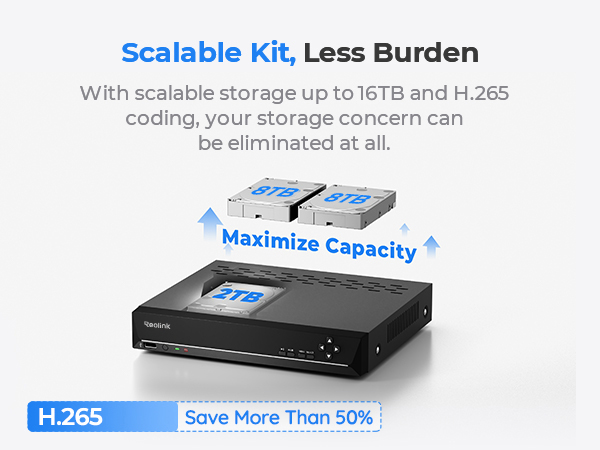
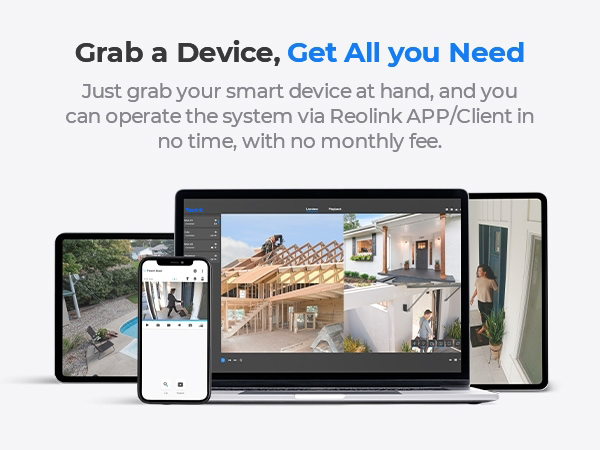
The REOLINK 4K Security Camera System delivers professional-grade 8MP Ultra HD video with advanced H.265 compression, powered by a PoE setup for easy installation. Featuring smart person, vehicle, and animal detection, it minimizes false alerts while providing continuous 24/7 recording on a 2TB HDD, expandable up to 16TB. Compatible with multiple Reolink cameras and accessible remotely via iOS, Android, and desktop apps, this system offers scalable, reliable home or business surveillance backed by a 2-year warranty.






| ASIN | B07K734ZTW |
| Antenna Type | Internal |
| Best Sellers Rank | #14 in Surveillance DVR Kits |
| Brand | REOLINK |
| Built-In Media | RLN8-410*1, B800*4, NVR Power Adapter*1, HDMI Cable*1, USB Mouse*1, 1m Network Cable*1, 18m Network Cable*4 |
| Camera Description | Front, Rear |
| Color | White |
| Compatible Devices | Cameras, Laptops, Personal Computers, Smartphones, Tablets |
| Connectivity Technology | Wired |
| Customer Reviews | 4.4 out of 5 stars 2,219 Reviews |
| Focal Length Description | fixed, wide-angle |
| Frame Rate | 20fps |
| Hardware Interface | Ethernet, HDMI, USB, VGA, eSATA |
| Item Dimensions | 14.76 x 7.68 x 11.42 inches |
| Item Weight | 6.36 Kilograms |
| Lens Type | Fixed |
| Manufacturer | Reolink Digital |
| Manufacturer Warranty Description | customer service (support@reolink dot com); 30-day money back guarantee; 2 years quality warranty; 2 years quality warranty customer service (support@reolink dot com) |
| Memory Storage Capacity | 2 TB |
| Mfr Part Number | 8MP |
| Model Number | RLK8-800B4 |
| Night Vision | Night Vision |
| Night Vision Range | 100 Feet |
| Number of Channels | 8 |
| Operating System | iOS, Android, Windows, Mac OS |
| Optical Sensor Technology | CMOS |
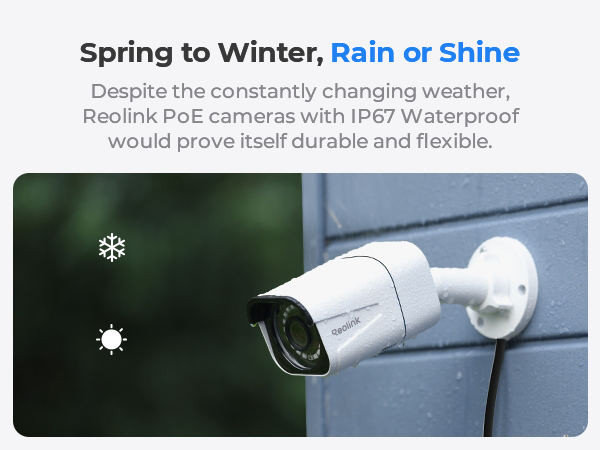
| Other Special Features of the Product | Adjustable, Easy to Install, Motion Sensor, Vehicle Detection, Waterproof |
| Power Source | DC |
| Recording Mode | Continuous Motion Detection Schedule |
| Set Name | set |
| Signal Format | Digital |
| Special Feature | Adjustable, Easy to Install, Motion Sensor, Vehicle Detection , Waterproof |
| Total Usb Ports | 2 |
| UPC | 725423889710 |
| Unit Count | 1 Count |
| Video Capture Resolution | 4K 8MP (2560 × 1920) |
| Video Input | RJ45 |
| Viewing Angle | 87 Degrees |
S**E
Superb image quality, lots of features
I purchased this camera security system to replace an aging lower-end model which stopped working. This Reolink model costs a bit more than I planned to spend, but I wanted a high-quality system. The reviews, specs. and features seemed great, so I went with it- it did not disappoint! Pros: • Excellent image quality from the cameras. For me, image resolution and clarity were the most important factor I was looking for- these cameras deliver! • The cameras are exceptionally well-built and have very solid construction. • Easy setup and use of the DVR/system. The system is packed with excellent features and options. • Remote access via my Smartphone works very well. Viewing high-res. videos rapidly drains the battery of my phone, but that is understandable. • I really like the Windows client software (vers. 7.2.33, 64-bit) and use it on two different Windows 10 laptops. Some reviewers have mentioned that it is unstable/locks up, however, I have not had this issue (it is very stable and works fantastic). • The 2TB hard drive is fine, but I upgraded to a 4TB drive ($99 here on Amazon) due to the large file sizes (four high-res. video cameras require a lot of hard drive space). Upgrading was easy- open the case, unscrew old HD, put in new HD, format drive from the menu. Done! I will eventually utilize the stock HD as the extra external drive. • Responsive Customer Service. I sent an email just confirming my DVR had the latest firmware (I attached a screen shot). They responded back that it did and provided a website to check for future updates. • Overall excellent features and functionality for the cost. Cons: • I do not like the camera wire/lead which ends in 3 bulky connectors (network cable, optional power supply, and reset button). These 3 leads makes for an awkwardly large group of wires/connectors that is very difficult to hide/protect when mounting outdoors. In addition, the total length of the lead (from camera base to the end of the 3 connectors) is almost 20 inches. I am sure that long lead aids in some installations, but for me, it is simply more wire to try to tuck away. • The design of the ‘waterproof lid’ is poor (it doesn’t seem waterproof to me). I added silicone caulk around the ‘lid’ to ensure it is waterproof, but there has to be a better solution than this. Additional: • The night vision capability is sufficient (not stellar, but satisfactory). Reminder that when ambient light levels drop, the cameras automatically switch to Black and White mode. • I do not use the audio option of these cameras. Aside from the few cons I listed, this is a really impressive system- excellent image quality, great features, and a reasonable cost. Nice job Reolink!
D**V
Great camera system for a low price.
These cameras are POE and easy to get setup with the NVR. Connecting the NVR to the PC and Phone applications was super easy. The only hard part about this is running all the ethernet cables to the cameras locations. We ran the cables through the attic to all camera locations and installed a 6 port ethernet wall plate to connect them all behind the wall. Then I used patch cables to go from the wall to the NVR. Cameras were installed under eaves with a small waterproof box next to each camera location to hide the wires and also to keep them protected from the elements. All in all it took about a month for me to get everything ran and installed but that was working on them when I had free time. If there is interest I will post pictures of how the cameras are installed and the wall plate. All the effort was worth it for me to not have to worry about wifi signal strength or having to change batteries or charge cameras. Camera picture quality is great when completely zoomed out. As with any camera that relies totally on a digital zoom you lose picture quality quickly when you try to zoom in on something. I do suggest you mess around with the Image Settings for the cameras for when they are recording in night mode. I had one camera especially that had pitch black background after about 30 ft from the camera. I upped the brightness on the camera and can now clearly see what was in that area. I was able to add 2 more Reolink cameras to this system with no issues. I added two of the 5 MP dome cameras to go over the front and back doors or the house. Something that was important to me was replacing the corded mouse that the system comes with with a wireless mouse. After trying out a few different mice the one that worked for me was the Logitech M310. It lags a bit sometimes but it is better than having to be right by the NVR to use it.
S**M
If you are on the fence, I say GO FOR IT! POE/LAN port dimension were VERY LOOSE
This is a GREAT system for the money and I recommend it to anyone looking for an NVR package @ or under $500. The image quality is some of, if not, the best in this class (homeowner, small business). The only reason I am giving 4 stars rather than 5 is, the push notifications from the motion detection are infuriating. You really can't stop them without eliminating 99% of the motion recording triggers. Which results in essentially NO motion recording. SETUP: Setup was very simple, these systems are quite literally plug and play. Definitely bench test all the cameras together BEFORE installing to avoid wasting a bunch of time mounting it and then discovering that you have a problem. The most difficult part after you have selected the mounting sites is running the cables. If you intend to run the cables in walls or even up through the eves into an attic you need an electrician’s fiberglass cable poles ($12 at harbor freight for the 33' set). Plan on spending a full day running the wires if you are making your own and about half the day if you are using the included CAT5 (Seriously REOLINK its 2020, at least bump it up to CAT6). This is the second one of these Reolink systems I have installed on my own. I installed the older 4MP system at a relative’s home a few years back, which is still working flawlessly (no HDD issues 24/7 recording). MY QUALITY PROBLEM: However; between then and now I think the quality of parts that Reolink is receiving from their suppliers has declined. The main problem I ran into was that the POE/LAN ports on both the cameras and the NVR were a bit too large which made for a loose connection. This caused me headache for about a week as I chased my tail reconnecting and resetting cameras that had lost connection (never power, just connection, the IR lights would be on at night). I finally realized that the plug was moving side to side and had a lot of in/out slack too. So I replaced the standard plastic ends on the cables I originally installed (I never use the supplied cable, I ran all my own shielded cat6 = shorter runs and better signal quality) with a shielded end with a metal shroud around it (slightly larger physically in all directions) which eliminated the slack and thus my connectivity issue. CUSTOMER SERVICE: This whole time I was also working with Reolink customer support. While they were very polite and responsive (usually no more than 24hrs) I could tell that they weren't actually READING/Comprehending my emails, the steps I had already taken, or my description of the issue. The responses seemed very canned with no real interest in working the problem or investigating the possibility of a poor quality manufacturing run. These are not really techs but more like call centers they are just selecting responses from a dropdown menu in a troubleshooting program. They want to help and keep you as a customer but may not always know how. SOFTWARE: Their NVR, apps and client software are very user friendly and work well. With scalable quality options you should not have any issues reviewing footage remotely. MOTION DETECTION: I did find that the motion detection settings were confusing across all the platforms, all the setting options are listed differently (setting sliders reversed, high on the NVR = low on the phone app) as well as the motion detection ability in general. Reolink uses a Pixel based motion detection system based in the software rather than a PIR (Passive Infrared) sensor. This is great for an indoor setup where there are not many shadows or the shadows are stationary. However, in an outside setting where things like trees and clouds cast moving shadows all day you end up with A LOT of motion alert footage and push notifications on your phone. I just wish there was a setting to where the NVR still marks motion events in the playback log but you could set a schedule where no push notifications are sent. FRAME RATE: Three of the captured shots I posted were taken from the RLC-511 5MP which I added in an attempt to have a sort of LPR (License Plate Reader), unfortunately the frame rate (25 FPS) is not fast enough to truly capture a moving vehicle; slow and stationary vehicles it does a great job, and at the very least I can get a fairly decent vehicle description if needed. The 4K cameras are even slower at 20 FPS which means anything moving faster than a brisk jog will start to experience motion blur and it is about 1.5x worse at night. @REOLINK please add/develop a 5MP or 4K camera with a 60 FPS frame rate (preferably with 5-8x optical zoom) and an NVR that can handle it, or firmware update if that is what’s needed, to function as a LPR/ vehicle capture camera. NIGHT VISION: As you can see from the photos the night vision is pretty good, resolution is high. I do wish there was an option to adjust the brightness of the IR LEDs or to disable a portion of them; in order to reduce glare from things like nearby walls, license plates and reflective surfaces. I would like to see an invisible option added to the cameras they sell; whereas the available IR wavelength would be in the 930nM to 1000nM range, well outside of the human visible spectrum so that one can hide the cameras in the dark without the “ Floating Red Eye”. It would slightly reduce the effective range but would really help when your goal is to catch a group of criminals in the act rather than deter them. AUDIO QUALITY: The audio quality recorded by the 4K cameras is excellent. You can pick up planes overhead, distant sirens, not so distant gunshots (shooting range about 3/4 mile away), passing vehicles, normal conversation from people walking on the street about 25 to 30 feet away, kids sneaking up on each other playing hide and go seek (stealth has yet to be mastered by my kids), birds chirping, dogs barking, bugs bugging and even neighbors doing naughty adult neighbor things with the window open at 11:33pm. HDD CAPACITY: At present, I am only using the 2TB internal HDD in the NVR. With the 4- 4K cameras it came with recording 24/7 with audio, and the one additional 5MP with audio turned off camera I am able to store/review 131 hrs. or just under 5.5 days (5.458 days). I will revisit this portion of the review in a few months once I figure out if I can expand the storage beyond the 8TB total capacity that Reolink lists using a RAID 1/0 setup in a 4 bay enclosure using either the eSATA connection or ideally setting it up as a NAS cloud. OFF-BRAND COMPATIBILITY: This is the one area that REOLINK falls short. For starters their products are proprietary rather than ONVIF compliant. This means that their NVR and app refuse to recognize nearly all cameras besides their own (there are a select few that have been found to kinda work but can also cause issues in the app and with playback). While I understand this from a business continuity standpoint, as well as making troubleshooting simpler. I feel that their system should be able to work with other products that REOLINK doesn't currently offer. Such as a POE video doorbell, Thermal/FLIR cameras, or a panoramic fisheye. ADD-ON’s: I VERY strongly suggest pairing this with a Battery backup/surge protector. One that is large enough to keep the system running for 15-20 minutes is less than $50. This is the one I use: https://www.amazon.com/gp/product/B01HDC236Q/ref=ppx_yo_dt_b_asin_title_o08_s01?ie=UTF8&psc=1 In the event of a power outage from a bad storm or bad actors (criminals) your system will keep recording for a while longer. Which might just come in handy if say, a tree branch falls and damages something, in this case the side of the pool, as a result of the storm that also killed the power. Or, say a group of vehicle burglars knock out power to most of the neighborhood at 1am to disable as many security systems, motion lights, street lights and cameras (most Wi-Fi cameras become essentially useless if you lose internet/Wi-Fi) as possible while they work (happened in my neighborhood). IN SUMMARY: Despite what I wish this system had or was capable of, or how I think it should be setup; I 100% received what I paid for and what was described. Reolink did not mislead with any of their claims or descriptions. Overall the kit is top of the line against its competitors in terms of Image quality, ease of setup, ease of use, software functionality & customer service (not necessarily knowledge). If you are on the fence I say GO FOR IT! At the end of the day the core purpose of a system like this is to provide the maximum amount of evidence to the police in the event that a crime is committed against you, your property or anything within the view of the cameras. This system does that 24/7- 365. It never sleeps and, as long as you point the cameras in the right direction, is always watching your back. If you are on the fence, I say GO FOR IT! At the end of the day the core purpose of a system like this is to provide the maximum amount of evidence to the police in the event that a crime is committed against you, your property or anything within the view of the cameras. This system does that like a champ, 24/7- 365. It never sleeps and, as long as you point the cameras in the right direction, is always watching your back.
H**S
Excellent system! And solutions to some issues I had...
(scroll to bottom for original/previous reviews) UPDATE 5/19/25: Still in love with this system. It has captured a few crimes over the years!! But after 6 yrs of spinning, the system now reports a bad HDD, so time to replace the hard drive. Not bad. I'm hoping I can find a good solid state drive though, rather than mechanical one. UPDATE: 8/28/19: The system is running great! Since I replaced the hard drive with a WD purple 4TB drive it's been running nonstop -- without any reboots, and haven't noticed anymore choppy video! Also turned off the automatic reboot feature. It's amazing how cool this runs 24/7 without a fan, too! So quiet!!! While we were out of the country on vacation we were able to keep an eye on our property and house from our phone and laptop! We are so glad we went with Reolink rather than the other brand we had considered. Their customer support has been excellent! UPDATE: 8/8/19: It seems that something on or near my house is causing the white pixels on the one camera. Nobody is able to figure this one out! If I move this cam to a different place it works fine. Weird! HOWEVER, a new problem has just been discovered. There was some video footage that appeared messed up (frames scrambled, skipping, etc.). Not sure if the hard drive is failing or can't handle all the read/writes. But I reformatted it and will have to keep an eye on it. AND NOW for another problem I found after only having this system up for about 10 days. The NVR is constantly rebooting itself !!! It just restarts at random times, even 4 times in one hour during the busiest part of the day! It has restarted when I was looking at the live views or looking at settings. I'm starting to wonder if this NVR can't handle 4 cameras recording (I have 3 of the 8MP and a 5MP hooked up so far). I am in contact with Reolink about these problems, and hopefully they can be resolved, as I paid too much for a defective NVR. I will post an update and adjust my star rating according to the outcome of this. UPDATE: 8/5/19 So far all is running well except one camera has a bunch of white specs (stuck pixels) all over it, which are mostly noticeable at night -- very annoying!!! Also the night vision on that camera looks terrible, and blurry compared to the other cameras. I will definitely need to return that camera. I will keep you posted on the outcome with Reolink, and/or any other issues that arise. The other 3 cams look great, though. ORIGINAL REVIEW: 7/26/19 We got this system up and running easily, with 2 cameras so far, and it looks very impressive. After a couple days, the monitor said "No Signal" and we could not view anything, except it worked fine via the mobile app and desktop client software for Windows. After trying everything (powering it off/on a few times, tried another monitor and even another cable, with no luck!), I assumed the video output was dead because neither the HDMI nor the VGA worked. Then I noticed in the desktop client that the NVR output had somehow set itself to 4K resolution, when we were using an old temporary monitor that cannot handle 4K. This was not the original setting I chose, and it previously worked fine. So I'm not sure how or why the system reset itself to 4K. But as soon as I corrected this setting, the video output is back. Yay!!!!! I will now have to cancel the ticket I put in w/ Reolink since the problem is resolved. But just be aware that this can somehow happen, and how to resolve it. I am SO happy that I don't have to ship it back! The NVR is awesome. It is a nice compact size, lightweight, quiet, and even though there is no fan it doesn't seem to get very hot at all. Motion detection takes a little tweaking (you have to experiment with your own particular situation to see what works best), but once you get it dialed in it works great. It does pick up birds, bugs flying around at night or heavy rain though, but no way to avoid that I guess. I'd rather have it record too much than not enough. Night vision is excellent -- the best I've ever seen! Both the mobile app and desktop client work well, and with the mobile app I can view the cameras even when I am not home. We have all the camera wiring going to the basement and the cameras plug into a Netgear 8-port POE/POE+ switch. The POE switch is then connected via Cat6 cable to the NVR upstairs (the POE switch is not directly connected to the network itself though, to keep the traffic separated). The NVR sees all the cameras, and assigns them their own IP addresses (172.xxx.xx.xx), so they are "in their own little world". This setup works great, and there is no lag at all. We also have a cheap 1080p camera inside the house to keep an eye on our pets, which the NVR sees as well (ONVIF), and it works great (although that camera's features and settings are only available through the camera's own app (not from the NVR or the Reolink app), and it doesn't seem to record that camera's video, but no problem - we're just using that cam as view only to check in on the pets). I just love this system... we are so glad we went with Reolink!
A**O
The quality of REOLINK cameras is unquestionable.
I have purchased several camera systems for various locations and they work great; the entire system is very easy to install and operate. The cameras in general are robust and of excellent quality, including everything necessary for a secure outdoor connection that withstands rain and sun. But, as an additional precaution, if the camera will be exposed to heavy direct rain and sun, it is best to place the Ethernet connection inside a Plexo IP55 junction box to prevent any short circuits in the connection that could damage the camera. Beyond the excellent product quality, their technical support and after-sales service are even better. I strongly recommend purchasing Reolink products.
B**.
Intelligent motion detection is unbeatable
I have messed around with battery cameras from all the big brands for a couple years and was always unhappy with them. I finally committed to running POE cables out to four corners of my house and ordered this system. I am glad I did. I never worry about cameras being down, or missing something I would want to have on video. The intelligent motion detection is pretty unbelievable. I have my front door filtered for anytime it recognizes a person and it is spot on. It even recognizes someone in the dimly lit garage across the street from me on occasion. Sorting through motion events is seamless and I always know when someone is approaching my front door. The fidelity of the cameras is high in both daylight and nighttime. They do suffer a problem I have always had with nighttime cameras, which is spider webs. Some spider always manages to run a line across the lens which lights up like a christmas tree and obscures the image. I recently took to spraying the areas around the cameras with insecticide once a month which seems to be working. The one downside of this system is the hard drive it comes with. Do yourself a favor and order a 6TB HDD Seagate Skyhawk Surveillance drive when you purchase this. The included hard drive is laggy and causes the system to lock up on occasion. It makes reviewing/viewing remotely from your phone next to impossible. This is a common complaint in the reviews, but is one I found is not associated with the capability of the system as a whole, but a limitation on the speed of the included drive. Since I replaced the drive, the system has been faultless. I learned the slow way when making my own cat5 cables that one pair of conductors straddles the center pair. If you hook up the cameras and nothing works, you probably made your cables wrong. They actually go something like Brown, Brown stripe, green, blue, blue strip, green stripe, orange, orange stripe. Make sure you look at a diagram and have the connector at both ends oriented the same way when making cables. I junked the included cables as I wanted everything cut to the exact length and color matched to my house to hide them. One of my runs was also too long for the included cables. Overall I could not be happier with this system. With a 6TB HDD I get about 21-22 days of footage before it overwrites which is plenty for me.
R**T
Great System, Poor Motion Detection
First off, let me say this up front: Wired is the ONLY way to go if you want a robust video surveillance system and POE (Power Over Ethernet) is the best option. I researched several POE units and found that Reolink was the best. The video is crystal clear, it is easy to set up (once you run the cables) and apps are great. There are 3 options for viewing and controlling the cameras. 1) Directly at the DVR itself via a monitor (not included) and a mouse. 2) via smart phone/tablet apps (iOs and Android) and 3) using the Reolink "client" software on a PC (Windows and Mac). The smart phone/tablet apps let you view and control the system from anywhere, either via WiFi or cellular. The only shortcoming of the system is its motion detection. It uses a simple algorithm that looks for overall changes in the scene, which will detect motion but all kinds of motion, like tree leaves blowing or shadows moving. You can set sensitivity and mask off zones to ignore but it really cannot differentiate between a person walking across the scene and a bag blowing around. FWIW, there is only one system that has truly "smart" motion detection and that's the Arlo system, but you have to pay a monthly fee for this feature. I started with the Arlo system because I didn't want to run cables, either for power or video. However, I soon realized that using battery operated wireless cameras had many shortcomings, not the least of which was having to change batteries often. And, most wireless systems have severe "latency" problems (delays in image display). There is no latency problem with Reolink. In conclusion: Dont' shy away from running cables. It may take some time but it will be worth it, especially if you choose Reolink.
H**H
This System IS NOT Good for OUTDOOR applications if you want motion detection Activation
I bought 2 of the NVR systems using the 800 cameras. I imagined after reading about the systems that I would be able to have good non problematic motion activated cameras... In an outdoor application it is not working period. I am very disappointed.. The software is full of errors.. The range of motion in these cameras is next to none unless you apply complete high sensitivity at the highest level which makes it worthless to use the motion activated system.. because it runs the cameras 24 hours a day..If you lower the sensitivity of the cameras even 10% they will work only if someone comes into view a few ft away.. they will not set off recording by motion in an application where you want to watch an entrance gate with the camera 30 ft. away...They will work on High sensitivity but then even a worm crawling across the road will set off the camera...There is no mid range sensitivity and on lower than 50% of the sensitivity range they will not engage by motion detection, only from just a few ft away from the camera. I am happy with the resolution of the cameras.. Beautiful cameras. In my applications, I thought that these cameras would sense motion with mid range sensitivity at a distance of out to 60-80 ft...These cameras only sense motion at a sensitivity level of very high and then only as far away as 20-25 ft...AND even at that they only sense motion in the very center of the camera view...they do not sense motion at the peripheral of the view.. So they are worthless in an outdoor application where there are bugs and butterflies etc...they are setting off events all day long... SO, the only way I can use this system is to just have all cameras record 24 hours a day...which makes it difficult to search for incidents because the playback will only fast forward to 6X. I will have to live with it for now, but I am a bit disappointed that you guys DO NOT specifically mention the range of motion and the problems caused by high sensitivity levels, nor do you give any range of motion information in your adds or in the manual...so the only way to figure this out is to buy it...Get it running and realize that this is not a good outdoor system at all.. I will run this recording 24 hours a day...but I can't imagine the 2 TB drive lasting that long...So it is a bit of an expensive experiment for me.. The NVR unit is very light, I do not imagine the HDD to be that heavy duty..but fortunately one can add a REAL HDD to the system... The recommended way to use these as sated in the manual is with the MOTION DETECTION..I downloaded the manual and studied it for many days BEFORE buying..It looks good on paper..but it is NOT good in the final testing and running of the systems. The software is horrible...The unit keeps reverting by itself turning cameras off of scheduled motion recording..I set it all up over and over and it works a few hours..the next time I come to check it some cameras are back to on in Manual recording others are off.. that is just one of many software problems I have encountered....it is just a bad situation all around.. The only decent thing about this system is the quality of the video of the cameras...but other than that is is not a functioning system for SERIOUS security... You get what you pay for... I blame the company for not making available tested data on range of motion available for people to read before they buy into this. I imagine that this would be a very good system in a SMALL house indoor applications only where the distance from the camera to the target is in the center of the camera AND up to perhaps 20 ft away...MAX... I've used other systems in other applications, this is not my first Rodeo, but I now know what is going on and hope this helps someone else.. I would suggest buying systems that list all of the perimeters of the cameras and their motion detection UP FRONT in the information before buying any system...the pretty pictures do NOT reflect the reality of what these systems do..
Trustpilot
1 month ago
2 months ago