Desertcart purchases this item on your behalf and handles shipping, customs, and support to India.
โ๏ธ Elevate your iPad Pro experienceโwrite, draw, and create like never before!
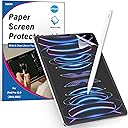
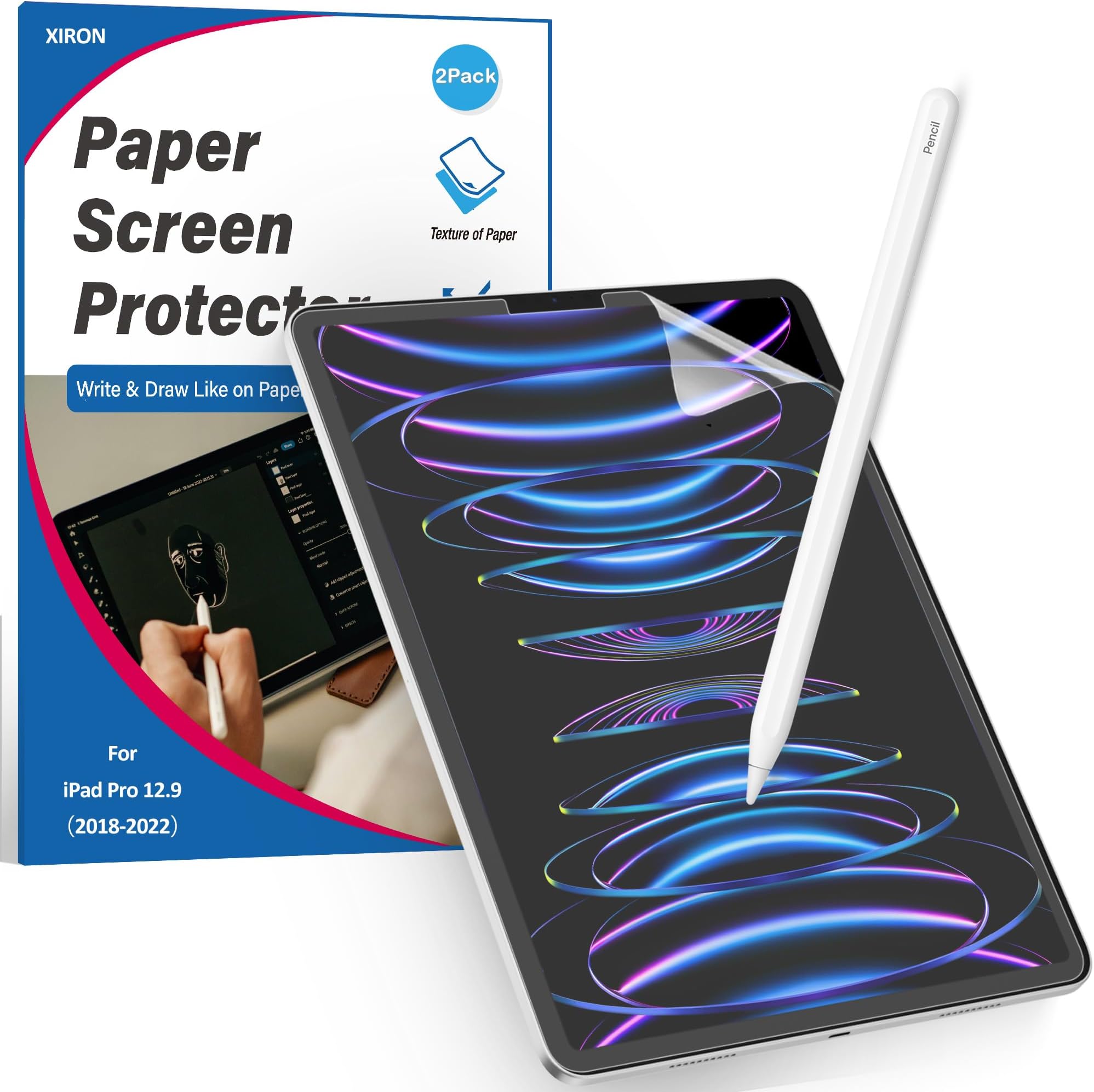
The XIRON Paper Screen Protector is a precision-engineered matte PET film designed exclusively for the iPad Pro 12.9-inch models from 2018 to 2022. It delivers a realistic paper-like texture optimized for Apple Pencil users, featuring anti-glare properties for clear visibility in bright environments. With 3H hardness, it offers reliable scratch resistance while maintaining ultra-high touch sensitivity. Its bubble-free, self-adhesive installation ensures a hassle-free setup, backed by responsive customer support and a durable, case-friendly design.


| ASIN | B07QMV54LY |
| Best Sellers Rank | #80 in Tablet Screen Protectors |
| Brand | XIRON |
| Brand Name | XIRON |
| Clarity | 99.99 |
| Compatible Devices | compatible with iPad Pro 12.9-inch 2022/2021/2020/2018. |
| Compatible Phone Models | Ipad,Ipad 12 |
| Compatible Tablet Computer Models | Apple iPad Pro 12.9-inch (3rd generation), Apple iPad Pro 12.9-inch (4th generation), Apple iPad Pro 12.9-inch (5th generation), Apple iPad Pro 12.9-inch (6th generation) |
| Customer Package Type | Bubble Proof |
| Customer Reviews | 4.4 out of 5 stars 44,184 Reviews |
| Finish Type | Matte |
| Included Components | paper screen protector for iPad Pro 12.9-inch 2022/2021/2020/2018. |
| Item Dimensions L x W | 11.02"L x 7.87"W |
| Item Hardness | 3H |
| Manufacturer | XIRON |
| Material | Polyethylene Terephthalate |
| Model Name | SD-001 |
| Model Number | SD-001 |
| Part Number | SD-001 |
| Product Dimensions | 11.02"L x 7.87"W |
| Screen Size | 12.9 inches |
| Screen Surface Description | Matte |
| Special Features | Anti-Fingerprint, Touch Sensitive/Anti-Glare/Case friendly/Scratch Resistant/Bubble Proof |
| UPC | 714453178710 |
| Unit Count | 2 Count |
| Water Resistance Level | Waterproof |
C**G
Decent screen protector for the price & Excellent customer service!
Itโs been about a month since I have ordered this screen protector for my iPad pro 11โโ for the first time. At the time of purchase, I was looking for a cheaper yet durable alternative to the screen protector made by Paperlike and so far, itโs been working pretty well. Although itโs only been a month of usage, despite my iPad have been dropped to the ground once and occasionally hitting the corners of the solid objects, itโs held up pretty well and there has not been a single crack on the iPad screen. As for the texture of this protector which supposedly resembles the feeling of writing on a piece of paper, having been a long-time notetaker using normal papers, I would say the feeling is quite different, itโs a texture that takes some time getting used to when writing on the iPad with the Apple Pencil, however, itโs tolerable and it does its job of protecting my screen so Iโm happy with my purchase so far. Also, if you look at the pictures that I posted carefully, you could see that at the bottom left corner and on the top of iPad, the screen protector appears as though it doesnโt fit the iPad. Thatโs NOT true. It does fit the iPad and the bubble that you see was my mistake for not aligning the screen protector properly when I was applying it to the iPad, and the part that seems peeled off at the top was because I tried to re-adjust it by attempting to lift the screen protector after it has been attached onto the screen because I noticed that there was a piece of dust on the screen and was worried that it would create air bubble and knowing myself, I would get annoyed that thereโs a tiny dust there. So those were my mistakes, not the screen protector itself. If you read the above paragraph, you probably think the application process of this screen protector isnโt easy. Well...I donโt completely agree or disagree with you. From my experience, applying it onto my screen wasnโt exactly the easiest thing to do, however, the actual instruction was easy to follow (thereโs also a video example to follow), and I think it just takes some practice and getting used to. Finally, customer service was great when I reached out to them for product warranty registration, which is free (so make sure you do it in case you need a replacement!), as I received a reply the next day. When I asked them for a replacement, the product arrived two days later and I pretty impressed. So yes, I would recommend this product to anyone that looks for a reasonably-priced and durable screen protector. Below I have also included tips for applying this screen protector from my own experience and the iPad-related products that I used and paired with the screen protector for anyone whoโs looking for a secure protection for their iPad. Tips: - Make sure to properly attach the stickers at the back of the iPad (try to do it without the case on to avoid bubbles like mine) - Properly align the screen protector to the iPad - Dust your screen using the sticker given (do this VERY thoroughly) - When pushing out the bubbles, use a card to do it (it saves your strength on your thumbs and pushes out the air bubbles more efficiently) iPad-related products used: - iPad pro 11โโ - iPad pro 11โโ Otterbox 360 symmetry series case in starry night - Apple pencil gen. 2 Enjoy! UPDATE: it's now been 1 year and 5 months, and the screen protector is holding up well. I have not had to put soap to strengthen its paper-like feel yet, which is great. Also, another tip for the case, which is unrelated to screen protector I know, is that the otterbox I mentioned above is the strongest case I have seen on the market. Everyone else's case needs to be replaced max. a year after they purchase any case but mine is continually holding up nicely without any breakage. I will say, however, the slide on the side of the case to include and protect the Apple pencil sometimes falls off if it gets knocked by things. The effort then that follows to attach it back can be annoying but I finally found the easily way to do so, is by taking out the iPad, place the case face up like how your iPad would normally face you, put the slide underneath the case and align it properly. Find something sturdy (I used the backside of a hole puncher) and hit on the both sides of the aligning space, and voila. Good as new. Please do not try to push it in by force like I did, since I ended up hurting my fingers instead when it could have been so easily done with minimal effort. Work smarter, not harder.
K**T
Wow, definitely didnโt expect it to be good.
Because this is clearly a โknock offโ product, I thought it would be okay, but not great. Didnโt want to spend $30-$40 on another brand, so I Figured this would be fine until I changed my mind. Well, Iโm happy to report that this is a great find! There are basically zero instructions on how to install, but Iโm no newbie when it comes to putting these things on so it wasnโt a problem. The little stickers and โtoolโ included for install were basically a joke, but they got the job mostly done. I had to switch out from using their silly bubble pusher with the edge of a gift card instead, but itโs no biggie. Even if youโre familiar with using anti glare screens, there is a very noticeable texture to this. The one I keep on my phone, Iโm aware feels โweirdโ to other people, but I donโt notice it. The texture on this iPad protector is VERY noticeable. Like running your finger over 2000 grit sandpaper, or a thick piece of cold pressed watercolor paper that doesnโt have sizing on it, or a rugged woven nylon cloth or something. Itโs not aggressive or visibly textured, but you can certainly feel that something is there. This, to me, is actually GREAT. I primarily use my iPad to write, and to draw-both tasks which require I stare at this screen for hours, often while using the Apple Pencil. As far as the rainbow refracting that most people worry about with anti glare screens? Iโve BARELY noticed it, and only if I purposefully tilt the iPad back and forth to look at it. The picture is actually so significantly better on my iPad Pro 2020 that Iโve been confused while looking at the same thing on my iPhone 11pro. the iPhone lacks some....I donโt know, luminosity? So, the iPadโs screen protector definitely doesnโt inhibit the image in any way. Heck, it might be the sugar on top thatโs making things look better for all I know! As for drawing texture? Feels so great. Seriously, a complete and total pleasure to draw on. I do worry that removing that icy slickness will dull the tip of my pencil faster, but honestly? Totally a price worth paying. Iโve drawn directly on glass screens before and while you can eventually get used to it, something just doesnโt quite feel right. On the other hand, there is no adjustment period whatsoever while using this anti glare film-you immediately get the tactile feedback youโre used to with โrealโ materials, and the tiny extra bit of friction between protector and pencil is a blessing. If youโve ever had the tips of your lines โflickโ slightly while just writing/drawing on the glass screen directly, youโll be surprised at how much more precision and control this baby gives you. Totally recommend.
D**.
This screen protector does feel like paper, game changer ๐ญ
HOW TO DETERMINE YOUR iPAD SIZE: Settings > General > About ๐ Screen protectors are a pain to install, so I INSIST you watch the video via the QR code they provide in the packaging or the video in the product listing for instructions. Don't take chances and do this without the video, you might just mess up and cry I've been meaning to buy a paperfeel/paper-like screen protector for my iPad Pro, and was recommended this by someone after looking around and discovering that the *recommended* product among all search results costs around $40. I've put off buying a screen protector since I was under the assumption that I would HAVE to sell my left eye for a $40 2-pack screen protector BECAUSE it's *expensive* and everyone knows: expensive price point = exceptional, infallible qualities that NEVER fail. Ever. That isn't always true, especially with graphic tablets, but I digress. I'm not spending $40 on some dang screen protectors. After doing some research here on screen protectors around this price range, my decision came down to this. I've read reviews on scratches (which will happen with ANY matte screen protector), and even reviews with dents and deep scratches, and the screen protector not protecting a screen from fall damage, but the other listings had similar complaints too. I made my decision on how prevalent these problems were, and for this listing, these problems were reported less than on other listings (at least by my observations). So on to the installing process. The screen protector arrived in excellent condition! There are cats in my dusty dwellings so there's a problem. So I made sure the area was clean as possible and began. I was halfway through installing the screen protector, but found a speck of dust in it. What i did was take a sticker and lightly stick it onto the dust speck and got it off. Was able to install the protector without any specks on the screen's active area. The screen is not washed out and grainy, and the values (as in, darkness and brightness of colors) do not appear brighter due to the matte surface. The darkest colors remain dark, which might be due to how thin the protector is. The screen itself with the Apple Pencil (with pen nibs that are NOT standard pen nibs from Apple, more like tiny metal nibs) feels like actual paper! If I can compare the feeling, it's kinda like a B-2B graphite pencil on a smooth paper (like copy paper). It might feel smoother with the standard pen. I don't really press hard on the surface, so hopefully I can avoid noticeable scratching and wear for a long time. CON: Kinda sad was that the package didn't come with the sticker designated for removing dust and hair, at least a large one like in the video. The sticker was small and i don't think it'll be enough for people with screens bigger than 11 inches. ANOTHER CON: Because the screen protector is thin, this might not protect the screen from fall damage. I think the screen protector is made thin in order to preserve screen clarity and color (value is very important). The thicker a matte screen protector is, the harder it is to prevent loss of clarity and it's harder to determine how dark something is. Be very, very careful when handling your iPad, hopefully nothing bad happens. Luckily this comes with another screen protector, so when the first wears out I'll have the other to use. All in all, this is a solid product, and I highly recommend. The screen protector probably won't protect against fall damage, but is solid as a matte surface to closely replicate drawing with traditional pencil and paper! It's even more satisfying when you a pen-like nib and draw something with a good pencil brush in any program you prefer to use. Best feeling. Again, highly recommend. Am not disappointed, hope the same goes for you.
D**S
Great screen protector- thereโs just one problem
Works really well!! but no matter what I do i canโt seem to install it without getting at least a few micro bubbles under the film. i clean the ipad screen, use the dust removal sticker, and the mini scraper thing for an hour, but thereโs a few bubbles that never seem to go away maybe due to small dust that the cleaning materials werenโt picking up? Luckily they donโt seem to affect the functionality of it whatsoever. Iโve used this brand and paperlike and i genuinely like this one better because itโs essentially the same and lasts just as long with constant use. I usually have to replace my screen protector after 6-8 months because Iโm an artist and draw on my ipad a lot. This one is way more affordable, and is super easy to install. Itโs also a super nice texture and it makes me want to use my ipad more often because itโs so satisfying. I like that it comes with two just in case you mess one up during installation, youโll have a backup. It fits perfectly, is easy to use with your fingers or your apple pencil, and is pretty easy to install with the stickers that it comes with to align the protector before you take the backing off. Iโll definitely continue buying these screen protectors for as long as I have an iPad. I just hope one day I can get a perfect installation without any bubblesโฆ
V**A
High quality, no air bubbles
This was perfect for what I needed. High quality paper like feel. Iโve always done my drawings on paper so switching to digital art took some getting used to. I love how this makes it feel similar to paper drawing. Highly recommend.
A**C
Just read my review if youโre bored.
I was disappointed upon arrival because my item was bent at the corner. Most likely an issue with the postal service not being careful with it ;( that annoyed me. The corner of the box it came in had a bend, I opened it, the shield comes in another cardboard sleeve and that was bent as well. I set the shield flat on my iPad and it had a curve too. I applied the shield and that was okay. The application process is more difficult than a regular shield and Iโm particular about how I want my shields to be perfectly applied. Iโve done many applications and this one was tough but maybe Iโd get better at it over time if I did more of these paper like installations. I like the sort of anti glare look to it. Especially for reading ebooks. I like the grainy texture the shield has when I use my Apple pencil2. It reminds me of the drawing paper you can sometimes buy from certain stores. Itโs sort of therapeutic to even just doodle on that grainy surface lol so sometimes to get distracted from what I was drawing and just doodle instead. Only today did I experience something weird on my screen. Unsure if itโs due to the shield. The iPad screen itself or what. I was drawing and on one part of the screen a shadow would appear a few centimeters away from where I was drawing and would follow the pencil as I wrote on the screen. It only happened in one particular area. I closed app. It still happened. I put iPad to sleep because I had to go do something. Returned and the weird glitch was gone. It was probably true ipad being weird. Hope it doesnโt happen again. Googled it and couldnโt find anything on it. If I draw with the pen pointing completely down then I do get a weird squeaky sound that gives me the same effect if I hear nails on a board. A cringey sound. But who holds their pencil like that to write or draw? We all hold it at an angle and at an angle itโs fine. No weird sound. Been using my Apple Pencil for a week. I draw when I have free time which isnโt a lot. Hasnโt shown any wear on the tip of my pencil. Not yet at least as I see lots of people say this can happen with a shield like this so I order new ones from apple just in case. Itโs only $20 for 4 tips. I rather this than write on a glossy glass screen. It also makes a sound that sounds like youโre writing on paper. Someone said their Apple Pencil 2 isnโt compatible with the shield and seller shouldnโt market it as that lol well mine worked 100%. No issues there. Most likely an issue with their iPad or the pencil itself. The tip perhaps. Iโm just upset that my shield was bent in transit smh. So Iโve bought like 10 of these lol yes the packs come with 2. Overtime I noticed I like having these on hand because I write so much and draw on my iPad. Some days I use it for 5 hours with my Apple Pencil. Iโve even gotten better at applying it. I didnโt like thar about the shield at first. It always seemed like the shield wasnโt made to fit perfectly. Something was always off and Iโm really good at applying screen protectors but this one always seemed wonky because when a case was put on, edges started lifting. Really hated that but dealt with it. I really like the graininess of this shield and if it ainโt broke why should I try others. My friend has a shield from a different seller on Amazon. Itโs matte. Grainy for writing and I applied it for my friend. The shield is different. Just isnโt like this one and I like this oneโs texture way better. I bought a shield for my mini. This company didnโt have any for my mini. Idk if they do now. The texture on the mini shield is also different. I keep buying more because of how often I write. It takes away the graininess. Like it doesnโt but it gets worn down in a way after writing on it with my pencil for so long over time. The screen looks great on my iPad even then but I prefer a fresh screen shield for my pencil because I like the feel as I write and draw. This two last times I applied it I actually think I figured out how to properly apply it. I had to compensate when aligning it because this application process needs the three stickers at the bottom to hold the shield in place when the shield still currently has two plastic protectors on both sides. UPDATE January 2023: So Iโve bought like 10 of these by now and it is still because I draw and write so much on my iPad daily. I donโt know if I already mentioned this but of course apple tips wear out too. Donโt let that deter you from getting a matte shield paper like screen protector. It will wear your apple tip but depends on your usage. My friend that draws a lot too has only replicated her tip maybe once or twice a year lol and she has a matte protector too. I think Iโm just heavy handed as I go through anywhere from 2-4 tips a month. But itโs not rocket science and some reviews on Amazon and YouTube have some people raging like these screen protectors are the devil. IT WORE MY PENCIL TIP DOWN! BANISH IT! The shield is grainy and will cause friction against the pencil tips thus wearing it down over time. I do not regret it at all. If you are strapped for cash then itโs best to stick with a glass shield then. Some people say they hate it and thatโs why people get matte/paper like shields. I actually tried writing on my glossy iPad screen for the first time ever this past week because on my second iPad I changed the matte screen to a glass one. I was expecting a trash experience writing on it but it wasnโt bad at all. It was nice and smooth. I assumed the pencil would glide quickly and slip here and there. Idk it was nice. I still prefer as if Iโm writing on a sketch book page but that wasnโt bad at all. It felt so smooth and gentle lol
A**R
A surprisingly outstanding product!
I did not know what to expect. I was new to using an iPad and I have never used a screen protector like this in the past. I was absolutely amazed but how incredible it is. The anti glare is wonderful and it truly has a paper feel. The sound you get when using the Apple Pencil is better than the real thing and makes writing feel outstanding. It dulls the screen a little bit, but not to noticeably, and gives it a light closer to paper. The installation can be a little confusing, and I did mess up when installing my protector. I have a bubble, small yet noticeable, from a piece of dust that found itโs way in as I struggled to line it up. I know that by contacting them through the email they provide in the box and on here that they would happily and quickly send a replacement screen If I wanted. I believe in this product to much that I would rather wait a little bit, than adjust purchase a new one and support this wonderful company. This screen protector will not in fact protect your screen, it will make using the iPad 100 times better. If your someone who wont drop a device like this I highly suggest going for a paper like screen protector over a typically glass one. After using this for the past few days I am happy to say that I will gladly get this product again in the future. Although I may not be a good artist, drawing feels better. Most of the time, I am not writing or drawing, but the feel of the screen is still satisfying. I highly suggest this product to any iPad owner. At a low cost of 15 dollars your not risking much. If this covers not for you its simple to remove.
C**3
Torn Instructions, Semi-Unhelpful Anyways
My package, which came as it would from the manufacturer, had everything as it should be except the instructions were torn down the middle, and the scraper for the bubbles on the screen had its adhesive not applied correctly, making it stick to the inside of the package making me almost miss it entirely. The scraper isnโt so bad, as itโs still worked, but the instructions being torn make it a little more difficult to follow along. As for the application via instructions, I found it awkward and difficult to actually get the screen on correctly with the way the instructions wanted. I ended up needing to reapply the screen since it was so misaligned with how youโre instructed to apply it. It would be a lot easier to, once you get to the point of peeling the film from the side that will touch your iPad, have it pull from the pivot at the bottom of your screen and protector, apply directly there, and apply while removing the film all the way to the top. This would help you ensure you have the right alignment faster without peeling the entire film rather than hope you donโt get the rest of the screen dusty by the time youโve peeled it all and started applying. I think with the sale, itโs worth the money, especially with two screens, and the quality of the texture is exactly what I was looking for. Iโd definitely recommend getting additional pencil tips, as paper-textured screen protectors are known to wear down the pencil tips a lot faster than glass/glossy screens would from use. If youโre looking for something to try out a paper-textured screen protector but donโt want to go all in on an actual Paper-like brand screen protector, definitely try this one out.
A**R
Amazing!
Really helped in the quality of my writing. Went on easy and has stayed on for over a year with no signs of wear or tear. Also doesnโt damage my Apple Pencil tip.
M**A
Buena alternativa
Facilita mucho la ilustraciรณn, tiene buena textura, es totalmente transparente y no opaca los colores. Lo malo es que se raya algo fรกcil.
S**A
Did not replace it for two years and it is great
Very happy with this screen protector, it works well, very durable, I draw a lot, my cat plays games on iPad, scratches the screen, but the protector still in good condition.
T**I
Very Good
Great quality but after long use, the paper feeling starts to disappear.
G**L
Great product, hard to install
Great product, as described! Super difficult to install though... it has so many bubbles no matter how much you try to use the tools provided
Trustpilot
1 month ago
4 days ago