Desertcart purchases this item on your behalf and handles shipping, customs, and support to India.
🎧 Elevate your sound game with ultra-low latency and pro-grade software—no setup fuss, just pure creativity!
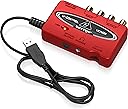
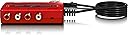
The Behringer U-CONTROL UCA222 is a compact, ultra-low latency 2 In/2 Out USB audio interface with digital output, compatible with PC and Mac without requiring drivers. It includes a comprehensive software bundle featuring Audacity, podcasting tools, and over 150 virtual instruments and effects, making it an ideal all-in-one solution for professional-quality recording and production on the go.


| ASIN | B0023BYDHK |
| Audio Input | USB |
| Best Sellers Rank | #3,667 in Musical Instruments ( See Top 100 in Musical Instruments ) #34 in Computer Recording Audio Interfaces |
| Brand | Behringer |
| Brand Name | Behringer |
| Compatible Devices | Personal Computer, Mac |
| Connectivity Technology | USB |
| Customer Reviews | 4.5 out of 5 stars 5,939 Reviews |
| Global Trade Identification Number | 04033653030618 |
| Item Dimensions D x W x H | 5.5"D x 7.2"W x 1.4"H |
| Item Weight | 10.4 ounces |
| Manufacturer | Music Tribe US |
| Manufacturer Part Number | P0A31 |
| Maximum Sample Rate | 48 KHz |
| Model Number | UCA222 |
| Number of Channels | 2 |
| Number of Items | 1 |
| Operating System | macOS |
| Product Dimensions | 5.5"D x 7.2"W x 1.4"H |
| Supported Software | Audacity audio editor, |
| UPC | 736211578945 |
| Warranty Description | Please refer to http://www. Music-group. Com/warranty. Aspx. |
J**N
Great as a DAC/external sound card.
I bought this with the intention of using it as a DAC/external sound card for my laptop. I expected better sound quality overall, and got exactly what I wanted and then some. I was hoping this just plugs right into a USB port and you can plug headphones right in to the port and that was indeed the case. The I/O is as simple as it looks in the picture. As for the sound quality, don't expect $80 ASUS Xonar quality, as that is specifically a sound card, while this is a DAC. This did preform as good as I hoped it would. It pulled things out of songs I never knew were there...and indirectly revealed how crappy my headphones sounded. With a good pair of cans and a good amp, this should preform very well for the price. I bought this over the UCA202 version for the added software, but apparently it is free for anyone on Behringer's site, good thing it was the same price as the UCA202. Overall, this is worth every penny...this thing works for quite a bit of audio related stuff. I was skeptical at first because it's cheap and it looks to be just another product, but this thing is capable of quite a bit. My only gripe is the plastic is of very cheap quality, but can't expect much for it being so cheap. I haven't used any other feature, so I cannot really say if it does x and y that well, but I can vouch for the sound quality. UPDATE: I didn't realize this at first, but on the back of the unit it claims the device is a UCA202, not that it really matters as the UCA222 and 202 are similar/the same, but thought that was pretty odd. Regardless, I do have an update. I was using this as a DAC/external soundcard and had crackling when using heavy bass...so I decided to try my USB 3.0 port (had it in a 2.0 before) and what happened next simply made my jaw drop. Not only did it fix the problem...but it sounded 10x better. It was good at first, but now it is magical compared to an old ALC269 Realtek on board soundcard. If you have USB 3.0 then use it if you can, it will benefit tremendously. This turned my normally average Numark Electrowaves into a pretty good pair of cans...they sound more open than they were before. The silence was tamed, the bass was bumped up slightly and the vocals now come out so clear it's ridiculous. I am excited to see what these sound like when I get a pair of Fidelio X2s. NOTE: It also does not say that these have a built in amplifier. This only works with the headphone jack, but it's there if you need it. While I'd recommend springing for something better (i.e. A Schiit Magni 2 for desktop, or any FiiO amplifier for portable) it is nice to have when my amplifier runs out of juice. If I could give this 6 stars, I would. This is a great device for the price, don't disregard it because of how cheap it is...I certainly would have if I had not decided to look into it. As a member of Head-Fi, it has my seal of approval for a budget oriented portable DAC.
D**0
Good product for live recording with Windows 7
I record live musical instruments using Audacity on the computer and needed a solution to the problem that Windows 7 has an inherent audio latency defect. When using the Line In audio jacks on a PC with Windows 7 there is about a quarter of a second delay between the time you hit a note on an instrument or sing into a microphone and when you hear the sound come out of your speakers. This makes Windows 7 useless for live recording or karaoke applications. Microsoft's tech support went so far as to suggest that the problem can be solved by using a shorter cable between the mixer and the PC. My rough calculations show that the cable would have to be 46,500 miles long to cause a quarter second delay, but that's getting off the point, which is to review this Behringer USB device and not to criticize, no matter how justly, the arrogance of Microsoft. The UCA 222 is described as an ultra low latency audio interface. Since high latency is the problem I was trying to solve, 30 bucks or so seemed like a reasonable gamble to me. When I received the UCA 222 I first tried to run the driver setup on the provided CD. It didn't work, giving an error message that the setup wasn't functional for Windows 7. I couldn't find any Windows 7 or 64 bit OS version of the setup program on the CD. So I thought, what the heck, I'll just plug it into the PC and see what happens. Voila! Windows said it detected and installed the device with no problem. I thought, hmm, fine, but let's see if it actually works. I hooked up the mixer and my headphones and picked up a guitar for a test. Bingo, no latency problem so far. The notes are coming through as fast as I can play them. The next test was to actually record a new track in Audacity playing along with a pre-recorded track and see if there is any latency. Ugh, the same old quarter of a second delay showed up in the recording. However, Audacity - and most recording software - has a latency control where you can adjust it's latency period. With a little trial and error I found that setting it to -275 resulted in perfect synchronization between recorded and live tracks. THIS SOLUTION DID NOT WORK PRIOR TO GETTING THE UCA222. No latency or buffer adjustment in Audacity was able to eliminate the delay. So.... I'm a happy consumer. This low cost UCA222 gizmo from Behringer did exactly what I hoped it would, and solved a difficult problem which was rendering my expensive new PC more or less useless. Furthermore, no setup was needed. Just plug it in and you're good to go! Speaking of plugs, the USB cable on the UCA222 is about 5 feet long (I haven't actually measured it, just an approximation) so there's plenty of length to route it around from your computer to somewhere else on a typical office-sized desk. The UCA222 is small and light, though, so you might want to use some velcro to keep it in place wherever you locate it. There are, however, a few points to consider before purchasing this product. First of all, when it's plugged into your PC, it routes all of the PC sound through itself, instead of through the Line Out and Headphone jacks of your PC. If you have a 5.1 or 7.1 sound card with analog jacks to a sound system with front, rear, side, and sub-woofer speakers you won't get any sound out of them while the UCA222 is plugged in. (The sound comes back when you unplug it, though.) So if you want to hear sound through speakers you have to hook your sound system up through RCA jacks on the UCA222 and those are only single Left and Right channels. This wasn't a problem for me since I use a different PA system for live monitoring but it could be an issue for someone else. The other thing is that the speakers don't shut off when you plug your headphones into it. Again, this isn't a deal breaker for me since my sound system has a mute button on the remote, so it's not too much effort to just mute the speakers when I want to. The UCA222 comes "massively" bundled with a bunch of audio effects software on a CD, mostly freeware stuff you can download off the net. I looked at it, but there was nothing really of use to me, personally. But I got this thing for the hardware, not the software, anyway. All in all, if you want a very simple low cost solution to the Windows 7 audio latency problem when recording live input from an external mixer, and can live with plain old stereo instead of surround sound output, or with having to unplug the UCA222 when you do want to just listen to your surround sound system, or you don't mind the headphones not automatically muting the speakers, then, like me, you will be very satisfied with the performance, and simplicity of installation, of this product.
S**R
Practical, simple with good sound
The most attractive feature of this product is probably the price. Thirty bucks won't set anyone too far back as long as the UCA222 really works. I've been burned on a few more expensive audio interfaces by well known brands that just did not sound very good, but I am happy to report that Behringer delivers. I'm a musician, and good sound is important to me. I expect to have to pay more for good sound, and you can do better than this product if you pay more, but for the price, this is a steal. Advantages: 1. It is pocket size, light and durably built. 2. It sounds quite good, especially if you install the ASIO drivers that are included with the software. Actually, the drivers are unnecessary to run it, and the basic sound is still probably better than what is produced by your on board laptop card even without the ASIO drivers. 3. It is incredibly simple to use. Just plug it in your USB slot and either attach your speakers or plug in your headphones (mini jack only). The drivers are optional. 4. It works automatically with Windows, Mac or Linux. The optional drivers, however, are only for Windows and Mac. 5. It's USB powered and requires no wall wart. Disadvantages: 1. Obvious functional limitations, hence the low price. It is designed for recording and playing back through analogue inputs and outputs. It is great for digitizing vinyl albums or old cassettes. I recorded some old minidisc recordings to my hard drive (remember minidiscs?), and the results using Adobe Audition were excellent. Very simple and quiet. 2. Some reviewers have bemoaned the loss of a larger headphone input. This is not a problem for me. Most current headphones use mini jacks with adapters. 3. The optical slot is only for output. When I was copying my minidiscs, since they are digital it would have been nice to use an optical cable for input. No biggy. It just afforded the recordings a little analogue warmth. They sound great. 4. If you are copying from an older turntable, the UCA222 has no grounding screw. For that, you will need the Behringer UFO202, which costs about ten dollars more. If you are under 40 years old, you probably have no idea what I'm talking about. That's OK. For many newer turntables and other analogue sources, the UCA222 is fine. For what it does, the UCA222 is effective and inexpensive. It is great for copying analogue media to your hard drive and for hooking up powered analogue speakers. The USB interface dramatically improves your PC sound by bypassing the internal sound card, making the UCA222 an inexpensive DAC. For a whole lot more money, you can certainly purchase a better DAC, but I suspect that for most listeners, this will be a very satisfactory interface--much better than some of the name big box brands out there. Behringer designs reasonably priced gear mostly for musicians, so the emphasis is not on gimmicky surround sound settings and 3D audio trickery, but just clean unsweetened stereo audio. If that floats your boat, then for the price, this is hard to beat. You will almost surely hear a dramatic improvement over your factory installed sound card, especially on a laptop.
T**M
Does the basics pretty well - buy if you want/need the software
I wanted an external audio interface for recording music into and through my laptops, which have unacceptably noisy mic inputs. I went with the Behringer UCA-222 because it was dirt cheap. So far it's fine for my purposes, nothing fancy, but I didn't expect anything fancy. Here are a few observations that may help other buyers, things Behringer doesn't really clarify in their documentation and advertising, or otherwise might be relevant and helpful to know before buying. 1) I spent a lot of time trying to figure out how the UCA-222 differs, if at all, from the slightly cheaper UCA-202 ( Behringer U Control UCA202 USB Audio Interface ). I finally concluded that the only differences are the name (202 vs 222), the color (222 is sports car red), and the software included. The units are otherwise identical. This is useful to know, since I've read people on other forums wondering this too. Behringer seems to go to lengths not to say this in so many words. I have a theory why (just a theory) and it involves the other main difference, the software that comes with the 222. Now more on that: 2) The 202 comes with the free and open source Audacity, and with Kreatives' Kristal Audio Engine (also free)--(neither one is the best free choice out there). The 222, on the other hand, also comes with Energy XT2.5 ("Compact Behringer Edition") and another disk with "over 100 virtual instruments plus more than 50 effects plug-ins including VST host-, audio- and podcast-software for direct start-up." For me, the question became, is the 222 worth $6 more to get this software? I decided, what the heck. Some notes on this software: EnergyXT2.5 Compact: EnergyXT is a more or less full-featured digital audio workstation that Behringer is also promoting as their exclusive sequencing solution, in several packages (overpriced, imho, see for example: Behringer energyXT2.5 Portable Digital Audio Workstation (Standard) . You can download and buy the full-sized program for 59 euros, and the upgrade from the limited compact edition sells for 29 euros. So, doing the math, the retail price for this program is about 30 euros (~$37 by today's exchange rate). The compact version is limited to 8 tracks (so you'll have to bounce down to get extra space), 8 simultaneous instruments (not a big limitation), 2 global send effects, and 2 insert effects per mixer channel (which CAN be a BIG limitation!), plus a couple other details (see EnergyXT website to dig out details). I have other workstations that I'm used to and prefer, so this wasn't a great addition for me. But all audio recorders know that having another piece of software, with its internal effects and abilities, on hand can come in handy at times. (EnergyXT for example has a nice internal drum machine). Another note: EnergyXT is more suited to MIDI than to audio (it looks and feels a lot like FruityLoops), whereas I like Reaper, Cubase, and Magix better. Like Reaper, EnergyXT is small, light, and seemingly pretty fast (I haven't used it enough to know whether it lives up to the speed and stability that they tout for it)--and it does get a 9/10 user rating on kvraudio. The "U-Control Ultimate Software Package": There are indeed a lot of good things on this disk. But most if not all of them are free for the downloading (as free- or shareware) online. Knowing something about the VST world, this is more or less what I expected to find, when Behringer was giving away "150 vsts!" for about $6. That's actually the sneaky little secret in this product and how it is marketed, but you can't really blame Behringer too much. It doesn't make very good ad copy to say: "And we'll throw in a CD that includes over 150 pieces of freeware and shareware that you could download yourself. But hey, they're all here in one place, organized on a disk. That should be worth something, right?" But the bottom line is, that is worth something, even for those (like me) who have all or most of this stuff already lying around in my downloads and already installed in my VST folders. But I hope at the very least that Behringer has arranged some sort of profit-sharing deal with the many hobbyist, semi-pro, and struggling pro software developers that made this stuff. I mean, it would be sleazy of them if they're just bundling up freeware to add value to their product and not paying for it. On the assumption that they ARE paying the software developers for it, I feel good about contributing a bit to all those great VST developers, even if it is pocket change and via a big pro-audio hardware company. Again on the assumption that Behringer is paying the free software developers for distribution rights, I'm not going to go ahead and write up a list of the exact VSTs and other software that is included (as I initially intended to do). If you know what I'm talking about here, chances are you've downloaded and used and enjoyed much of this stuff for free for years. If you're considering whether to buy the 222 or 202, and wondering whether the $6 or so more you'll spend (by Amazon's prices) is worth it, just ask yourself if you want or need a licensed copy of EnergyXT and/or a CD with a bunch of great (and middling) shareware VSTs and VSTis all organized by type on a CD, for easy loading on any new computer. If those two things are worth $6 to you, go with the 222. If not, go for the 202. Same piece of hardware (except of course the sporty cherry red: in the end, that was one reason I went for it, I liked the color a bit better). The UCA222 itself is pretty bare-bones and basic. I use it to connect my laptop to an external mixer into which I route my guitar amps and microphones. It uses the Windows Legacy Audio Drivers, so you don't have to install any driver (though Behringer does provide one, but I did not install it, since I use ASIO4ALL to perfect satisfaction). The unit's output maps onto a standard Windows Audio Software Mixer and the volume is controlled at the software side. The unit's input is far more basic: it does not even generate a slider in the Record side of the Windows Mixer. You'll have to go into a program that records (your sequencer), set the input to the USB device, and arm an input to detect it. This took me some time to figure out (and I generally understand how these audio devices connect to programs)--in fact, I thought my unit's inputs were defective for a little while till I figured it out. But in the end it worked (with a little bit of annoyance and time wasted). Another thing to know is that the unit is strictly 16 bit audio. This will definitely matter to many recording enthusiasts. 24 bit devices are readily available these days, and if digital quality is of the utmost essence, you will probably not be satisfied in the end with the UCA-222 (or 202). Bottom line: It's hard to beat Behringer's bare-bones units for price. If you have a need or use for the extra software--and it's a good bag of goodies--throw in another $6 for the shiny red 222.
T**A
Incredible interface for the money.
So this is a good little interface even if all you're doing is listening to music or movies. Through a reasonably priced pair of Sony MDR-7506s, I can tell a huge difference between this and the standard headphone jack on my Samsung laptop. The soundstage is much better and it's noticeably easier to hear individual instruments. And of course it barely even sounds like the same song compared with the computer speakers. But it's a perfect low-cost audio interface for recording. I jam with synthesizers just for fun and like to record things live as I make them. And this interface is perfect. I use a cheap little mixer (Maker Hart LOOP MIXER) and just run the stereo out from the mixer into the RCA input jacks of this interface. I record it in an affordable audio program called Reaper. It works like a champ, and now that it's set up, I can record great-sounding tracks with very little effort. I can focus on the music, not on the computer. Mostly everything is just plug and play, but setting up the audio interface in Reaper turned out to be kind of a pain. (Warning: this is geek stuff.) There wasn't an ASIO driver for the UCA222, so I had to install ASIO4ALL. And then I had to dig around in ASIO4ALL's settings to figure out I needed to point it at this device instead of the computer's default IO before I could get Reaper to recognize the UCA222 ASIO driver. For a while, I was only getting mono input from the device, which was really confusing. But now that it's worked out, everything is great. None of that was necessary for listening to music or movies -- just for making music. So if you just want to listen to music more cleanly, none of that matters. I assume that if you go out and buy a high end 96/24 audio interface or something like that, better sound exists. And if you want to do multichannel recording and capture all the individual tracks on your computer or if you need instrument or mic ins, this obviously isn't the right device. Buy the device you need -- maybe a Focusrite Scarlett. But if you're looking for a ton of bang for the buck in an audio interface, this is as good as it gets.
A**.
Weird it’s Labeled 2 different models depending on which side you look at
So I spent quite a bit of time looking at different Barringer products I’ve seen some people say the 202 is superior because of X reason. Or the 222 is superior because of another X reason. So I think this is really the more appropriate answer to what everybody’s looking for when they research this item it’s got to be the same thing there’s no other explanation why this company would write one model number on one side of it a different model number on the other side of it (the black tape is covering the serial number because I didn’t want someone going on the website and getting software by registering the product using my serial number because I haven’t done that yet)( and I’m wearing a glove so you don’t have to look at my ugly hands because I can’t stand it when people put ugly hands in pictures LOL) and I totally do not believe it this is a bootleg item or a copy or something because it’s the same color all the way around we’re typically the 202 model is the silver model & also a lot more money on Amazon at least. So it would make no sense to reproduce the much more inexpensive model using the much more expensive model to reproduce with so we can throw that idea out the window this is definitely not fake or anything like that it’s legitimate I just don’t understand how people doing all this heavy research can say one item is different than the other or how one in superior because of a certain thing it’s obviously the same item and I left a video of it so you could see that there isn’t any kind of trick photography at play or something like that, so you know that this is a 100% the same item made by Behringer and I definitely believe that you can take all those other peoples opinions on why something is different and throw it out the window because it really seems like they don’t know what they’re talking about I bet that the silver model the 202 is probably a much older model and that’s probably why it’s more money because it’s probably not available anymore and so you can probably only get it in limited numbers and it’s not a fact that’s just my opinion I don’t know why it’s almost 3 times the value I mean that would make sense to me why it cost more I don’t have that model and I’m not comparing it to that model. Ring to my own model it’s the same thing as both of them it’s just red instead of silver. The model I just purchased clearly states that it’s a ACU202 and a ACU222 I don’t know if somebody else has already said this but I can’t believe that I am the first person to figure this out maybe I’m not maybe this is already a review that’s already been given I didn’t really look at all the reviews I did do a lot of research into this item though before purchasing it because I wanted to know if I was purchasing the right one and I’ve seen so many different things on why again one or the other was superior in someway. I think bottom line get the cheaper one it’s going to be the exact same thing and until I see an actual comparison of the two different models in a review head to head against each other that clearly shows a difference they obviously are not different in anyway except for that one was probably not made recently where the other one was made recently. Hope that helps somone do you wanna research into the two different model numbers like I did How does operation how it sounds like kind of thing it’s fine it’s it’s does exactly what you probably expected to do and I haven’t found anything but it won’t do that it claims it can and it’s probably a lot more things you can do with it that I haven’t even figured out yet you can however use it to listen to a device that doesn’t have a headphone jack if it has a USB jack that I did figure out on my own so it’s good for the new iPads which only have a USB-C jack I put one of those mobile phone adapters the USB a to USB see adapter thing on the end plug in my iPad plugged in so the headphones into it and honestly it’s the cheapest way I’ve been able to figure out how to use the old you know headphone jacks with the what is that called LLRS I think connectors so I occasionally use it to listen to my older sets of headphones that I have that are really nice headphones but they’re just those older models they don’t have a USB-C connector and I just recently purchased a mini hub for IPad for Cheap on Amazon and I didn’t work at all not even on any device I tried it on the more expensive hubs is probably what you would need and this UCA222 here is like half the price of the seconds cheapest iPad hub you can get so I mean that’s a plus right there which they don’t advertise this device as being able to do that however I figured out you could so that was a a nice little bonus I think all in all of this is U-Control UCA222 more than worth it’s value for what they charge ( it’s practically free) for it and again I hope this review helps also I sure know that I wish I could’ve read this review when I was looking into buying this. It would have saved me a lot of time even though it’s a very long review and mostly nonsense OK thank you very much!!!! And Especially thank you seller I gave you five stars in everything I feel you more than deserve it
L**K
An Excellent Digital-to-Analog Converter
I have read most of the reviews concerning the excellent Behringer UCA222 U-Control Ultra-Low Latency 2 In/2 Out USB Audio Interface with Digital Output And Downloadable Software Bundle and the equally excellent Behringer UCA202 Audio Interface and I have seen several questions asked repeatedly. While I cannot truly add anything to the fine reviews already written, as an owner of both models, I may be able to answer definitively certain of these common questions. 1) Will it work with my computer? Yes it will if your computer has USB 2.0 or 3.0 ports. While I believe it will also work with older computers which have only USB 1.1 ports, I have not tried it with such so I cannot comment about that older port (which has not been offered for about ten years now). The USB port supplies all necessary power to these devices; no external power is necessary (nor can external power be applied). 2) Will it work with my operating system? Yes it will. My older '202 (purchased several years ago) states it is compatible with Windows XP and Mac. My newer '222 (which I just purchased last week) states it is compatible with Windows XP, Windows 7, and Mac. In actual fact, as it requires no external drivers of any kind, it is compatible with ALL operating systems; I use a GNU/Linux OS (Xubuntu) on my computer and both work perfectly with it. 3) Does it come with software? Well, Behringer's instructions state that a free CD is included. It is not. But you can download some software from Behringer's site; this software may or may not work with your computer but this really does not matter. Suitable free software is readily available all over the web. If you use a GNU/Linux OS, you need only enter "Digital Audio" into the search box of the Ubuntu Software Center or, preferably, into the Synaptic Package Manager's search box. There you'll find plenty of software which works with Linux (more software than anybody would ever need!). 4) Can you monitor sound as it is being recorded? Yes, using headphones, you can, choosing to listen either directly from the USB output or from the RCA inputs; there is a small switch which makes the adjustment between the two. 5) Is there a digital output? Yes there is, an optical one. If your equipment has only a coaxial digital input, optical-to-coaxial converters are readily available at low cost (Amazon sells several). Note that the optical output transmits only two-channel sound; there is no provision for Dolby or DTS multi-channel. 6) Is there any difference between the two units, the UCA222 and the UCA202? Yes there is. The UCA222 is red in color with a red LED. The UCA202 is silver in color with a green LED. You buy either of these units based on a) price at the time you order one, and b) color preference (if any). THAT'S IT! Color is the ONLY difference between these units. The circuitry is identical and so is the operation and performance. Please note that these are strictly 16-bit / [up to] 48 kHz units. They WILL play back 24-bit 192 kHz files but they will convert them down to 16-bit 48 kHz. Will you hear a difference? That depends upon a) the equipment you're using and b) the sensitivity of your hearing. Remember that, if you're playing CDs or files made from CDs, they are 16-bit 44.1 kHz only so that's all you'll hear regardless of the DAC you use. I use these devices for travel. They are lightweight and robustly built. $30.00 (approximately) is a true bargain for something of this quality. The sound produced is superior to the sound supplied from your computer's headphone output and that improvement can be heard by anybody. I hope that I have touched on some salient points. If anyone has any questions, please feel free to ask them in the Comments section. I highly recommend these Behringer Digital-to-Analog USB devices. Thank you for reading this. Lawrence H. Bulk
J**S
Advertise as new. Obviously wasn't
The good news is that it works (I think). The bad news it came in a box that was obviously not the original factory box and the serial number was scratched off. I suspect it's a quality reject, which probably means it doesn't meet specs. But my old ears can't really tell the difference, so I'm using it anyway. The bad news is that I could have bought the same thing from B&H Photo for a buck more and I'm pretty sure B&H would have sent a factory new one. As far as the unit itself, I really like it. It's simple, small, and connects easily. I'd have no concerns about buying another one (from B&H). P.S. I notice the seller has disappeared from Amazon.
L**O
Satisfeito com o produto
Placa de som muito boa, realmente o som sai bem mais nítido e agradável, maior potência no alto falante externo, se usar um de boa qualidade ou fone de boa a excelente qualidade é uma boa decisão.
Y**O
Bon produit
Qualité prix au top, je l'utilise pour numériser mes vinyls
L**N
ideaal
werkt prima
P**O
Buona qualità audio, istruzioni non perfette
In breve. La mia esperienza col prodotto è molto positiva: in relazione al prezzo speso (ma anche se fosse costato qualcosina in più) si ha tra le mani un prodotto di una discreta qualità costruttiva, bel design, supportato da tutti i recenti (e anche non recentissimi) sistemi operativi e che fa il suo dovere senza dare problemi. Di negativo solo il fatto che il PC Windows7 su cui l'ho installata la indica con un nome diverso rispetto a quanto riportato sui manuali (ossia la vede come "Driver audio..." invece di "Behringer..."): nulla di grave, solo qualche minuto in più perso all'inizio credendo che "Driver audio" esistesse già in precedenza e aspettandosi di trovare un device chiamato "Behringer..." Dettagli aggiuntivi. Lati positivi: - Ingresso e uscita analogiche stereo con materiale di qualità adeguata, uscita cuffie con volume indipendente e switch per decidere se avere in cuffia un direct monitor dell'ongresso o lo stesso segnale mandato sulle uscite. - Alimentazione con USB 1.1 significa grande compatibilità anche per chi abbia ancora dei computer con porte 1.1 e 2.0 e ha molti dispositivi 2.0. - La qualità audio non ha niente da ridire (ok, se la paragono alla mia Avid che costa almeno 50 volte di più parliamo di qualcosa di diverso), ma qui si tratta di ingressi "linea" e non microfonici, per cui Behringer non fa fatica a mettere dei convertitori A/D (e D/A) economici ma molto performanti anche su alte frequenze di campionamento. Come lati negativi, a parte quanto già detto sulla documentazione, direi che abbiamo altri due: - Il "software incluso" di cui si parla sullo scatolo altro non è che software freeware (o shareware) che devi andare a scaricarti sul sito del software stesso. Dal sito Behringer ti fanno solo scaricare una versione di Audacity che non è nemmeno la più aggiornata - Ha un uscita ottica/digitale (spdif) ma purtroppo non un ingresso... avesse avuto anche quello sarebbe stato il massimo ma, ripeto, per quel prezzo non si può pretendere molto.
A**S
Good
There are two models with similar features: UCA202 and UCA222. Even on their site, the difference is not clearly specified. Researched a lot and finally found there is negligible difference. If you're confused whether to go for this interface or other interfaces or mixer: 1. This has RCA input - go for this if you want to RECORD audio from a mixer, amplifier or any other AV device that has AV output. This can work to record cassette / cd player audio to your computer. Cheapest option with reasonable quality. 2. Few audio interfaces have both mic and line inputs. These are good for recording from AV source and mic input particularly for recording live music performance with instruments. Costlier than 1 above and the cost increases as you look for more inputs sources. 3. You need a mixer, if you've multiple input sources. Do not go for audio interface with many inputs - you'll not get results with desired flexibility. Go for a mixer with as many inputs as you need and add an audio interface. You're good to go for both live performance, recording to PC. There are analog audio mixers with usb interface, but the results of USB output to PC are not as expected unless you go for costly digital mixers. I went for this UCA222 with Yamaha MG10XU that gives best of all possible combinations for a professional quality amateur home studio. The software mentioned in the specs need to be downloaded from their site. The download is trouble-free, but most of the software at their site are old releases of open source software. Get the latest versions directly from the sites. WaveForm 8 available from their site with this is a nice provision for beginners.
Trustpilot
1 day ago
1 month ago