Buy anything from 5,000+ international stores. One checkout price. No surprise fees. Join 2M+ shoppers on Desertcart.
Desertcart purchases this item on your behalf and handles shipping, customs, and support to India.
🌍 Your pocket-sized Wi-Fi powerhouse—connect smarter, anywhere, anytime!
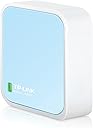
The TP-Link N300 TL-WR802N is a sleek, ultra-portable travel router delivering up to 300 Mbps on the 2.4 GHz band. It supports five flexible modes—Router, Access Point, Client, Repeater, and WISP—making it perfect for travel, home, or office use. With easy micro USB power, quick setup, and built-in security, it creates secure Wi-Fi hotspots or extends existing networks effortlessly. Ideal for professionals who demand reliable, fast connectivity on the go, backed by a 2-year warranty and 24/7 support.


| ASIN | B00TQEX8BO |
| Antenna Location | Home |
| Antenna Type | Fixed |
| Best Sellers Rank | #1,216 in Computers & Accessories ( See Top 100 in Computers & Accessories ) #60 in Computer Routers |
| Brand | TP-Link |
| Built-In Media | Power Adapter, Quick Installation, Guide Resource CD, RJ45 Ethernet Cable, USB Cable, Wi-Fi Router TL-WR802N |
| Color | Basic |
| Compatible Devices | Personal Computer |
| Connectivity Protocol | Wi-Fi |
| Connectivity Technology | wireless |
| Control Method | App |
| Coverage | 2 Bedroom Houses |
| Customer Reviews | 4.0 out of 5 stars 10,484 Reviews |
| Data Transfer Rate | 300 Megabits Per Second |
| Frequency | 2.4 GHz |
| Frequency Band Class | Single-Band |
| Has Internet Connectivity | Yes |
| Is Modem Compatible | No |
| Item Dimensions L x W x H | 2.2"L x 2.2"W x 0.7"H |
| Item Part Number | 6935364071714 |
| Item Weight | 1.06 Ounces |
| LAN Port Bandwidth | 10/100 Mbps |
| Manufacturer | TP-LINK USA |
| Maximum Upstream Data Transfer Rate | 300 Megabits Per Second |
| Mfr Part Number | TL-WR802N |
| Model Name | TL-WR802N |
| Model Number | TL-WR802N |
| Number of Antennas | 2 |
| Number of Ports | 1 |
| Operating System | Microsoft Windows 98SE, NT, 2000, XP, Vista or Windows 8.1/8/7, MACOS, NetWare, UNIX or Linux |
| Other Special Features of the Product | Access Point Mode |
| RAM Memory Installed | 32 MB |
| Router Network Type | wireless |
| Security Protocol | WEP, WPA, WPA-PSK, WPA2-PSK |
| Smart Home Compatibility | Smart Home Compatible |
| Special Feature | Access Point Mode |
| UPC | 840460604772 |
| Unit Count | 1.0 Count |
| Voltage | 100240 Volts |
| Warranty Description | 2 year manufacturer |
| Wi-Fi Generation | Wi-Fi 4 |
| Wireless Communication Standard | 802.11n |
| Wireless Compability | 802.11n |
S**I
Got this for my Xbox One S. Didn't expect it to be this good!
I got the TP-Link N300 Travel Router (without the USB port) specifically for my Xbox One S. I didn't expect it to be this good! My university uses an indirect wi-fi login system (we connect to the open university network, which brings up an internet page asking us to login with our university ID and password to authenticate — similar in system to most hotels and airports), which the Xbox can't handle. So I decided to create a small internal network in my room that has its own SSID and password. I went with a mini router rather than just a range extender because this mini router has greater functionality for around the same price as most extenders. Size: As you can see in my pictures, the length/width is a little more than that of two quarters side-by-side, and the thickness of 3/4ths a quarter. I was surprised by how small it was when I opened it. Accessories: It comes with an ethernet cable, USB charger, wall adapter (though this is a bit clunky for modern standards), travel pouch, Wi-fi Info Card, and the standard instructions. Setup: Quick and easy, though you'll need to have a computer (I'm not sure if it works on a smartphone/tablet) to access the setup page. It took me about five minutes to set mine up in Access Point Mode. Basically, you plug in the router for your preferred mode as per the image/instructions. You then connect to your router from your computer using the password on the Wi-Fi Info Card and go to tplinkwifi(dot)net to do a quick setup. Here you can choose what mode you want to use the router in, change your SSID, password, etc. Then reboot to reconfigure the router. Modes: There are five modes -- two for travel and three for at home use. I went with the Access Point (AP) Mode for my uses, but I probably could have just gone ahead with the default Wireless Router mode. The ethernet port in my room was too far away from my Xbox to use Client mode. Regardless, it’s working great. I’ve attempted to give explanations for the different modes below, but I’m not particularly knowledgeable in this so please correct me if there are any inaccuracies. For Travel: 1. Wireless Router (default): Basically, it turns a wired internet connection wireless. 2. Hotspot Router: I would best describe this as taking an open (and unsecured) wi-fi connection and making it password protected (personal hotspot). The router takes the unsecured wi-fi connection and creates a secured wi-fi/wired connection, and you can have one device connected directly to the router and have the rest of your devices using your protected wi-fi at the same time. Useful for connecting to the internet in public places like cafes. I believe it's also great for hotel rooms where only one device can use the internet per room. Connect this and all your devices can use the internet. For Home: 3. Range Extender: Similar in nature to the Hotspot Router Mode -- it goes wi-fi to wi-fi, except this mode uses your home's network and maintains the same password as your home's AP. It's to extend your home's wi-fi to reach any wi-fi dead spots in your house (like the attic or basement, or that weird corner of the room where you like to huddle and binge watch Netflix but just happens to be the same place where wi-fi connectivity is super sketch and the video never loads). You can use the router for both wired and wi-fi connections simultaneously. 4. Client: Sort of the opposite of the Wireless Router mode -- this takes a wi-fi network and makes it wired so that devices that don't have wi-fi capabilities can connect to the internet. It's great for smart TVs, game consoles, printers. 5. Access Point: Same as the Wireless Router mode, takes a wired network and makes it wi-fi. Speed: There wasn’t really any compromises made with the download speed. My university has incredibly fast wi-fi (though my dorm isn’t as fast as our libraries), so I’m glad that wasn’t sacrificed. The upload speeds weren't as consistent, but still not bad. You can see the speed test results in my pictures. Overall, I'm really liking this mini router. The size is perfect for travel (it's smaller than my Macbook Pro's MagSafe adapter…!), and the setup was straightforward. Definitely a recommended buy.
M**I
Great portable router
**Product Review: TP-Link TL-WR802N** I recently purchased the TP-Link TL-WR802N, and I must say it has exceeded my expectations in terms of performance and versatility. This compact wireless router is a game-changer for anyone in need of a reliable and portable networking solution. *Design and Build:* The TL-WR802N's sleek and compact design makes it incredibly easy to carry around, fitting snugly into my pocket. The build quality feels solid, and the device has a modern, unobtrusive look. Setting it up was a breeze, thanks to the intuitive design and clear instructions provided in the user manual. *Performance:* In terms of performance, this router delivers excellent speeds and a stable connection. Despite its small size, it handles multiple devices seamlessly, making it ideal for both home and on-the-go use. I was particularly impressed with its ability to maintain a strong signal even in areas with weak Wi-Fi coverage. *Versatility:* What sets the TL-WR802N apart is its versatility. It can function as a router, access point, client, or repeater, giving users a wide range of options to suit their specific needs. This flexibility makes it a valuable tool for various scenarios, from creating a temporary Wi-Fi hotspot to extending the range of an existing network. **Service Review: Jonaire** I also want to commend the excellent service provided by Jonaire. From the moment I placed my order to the post-purchase inquiries, their customer service team demonstrated professionalism and responsiveness. The staff was knowledgeable about the products and provided clear, concise answers to my queries. *Customer Support:* Jonaire's was a pleasure to deal with. He was prompt in addressing my concerns and provided helpful guidance when I needed assistance with the product setup. His commitment to customer satisfaction is evident, and it greatly enhanced my overall shopping experience. In conclusion, I highly recommend both the TP-Link TL-WR802N for its impressive performance and versatility, and Jonaire for his exceptional customer service. My experience with both the product and the retailer has been overwhelmingly positive.
~**~
Let me first state that the product is great.
Okay let me say first off that the product its self is great. So I thought several of these over the years and I've loved them. But I've noticed that after about two years that and a glitch. And for thirty bucks I honestly have no problem with buying new one every couple years. With how well it works. but the thing of the matter is that when I called their tech support I was about ready to lose my mind. first off the guy that answered the phone was horribly rude very disrespectful demanding that I tell him answers to things as well as when I ask to talk to a manager. He states there is not one and then he proceeded to tell me that if I'd like to talk to another associate that I would have to call back and go through the whole 35-minute process again. And then he hung up on me. Yes yes I did say he hung up on me the customer. I am so very upset right now. And the fact that they employ this person makes me want to just freaking never buy the product again. And I love this product tried several different once and this is the one I always come back to. But now meet my friends Amazon and soon social media will also know what kind of people they're employing. now I wrote them an email stating what happened from my point of view and I'm sure the employee will stay his point of you as well and they always say there's three sides to every story. So we'll see what happens have not Amazon yall need to step in and say something to this company about the people they employ. Sorry I don't mean to make the super long I'm just extremely irate. And have been for several hours now trying to deal with my messed up tp-link two young children that don't have internet a Google hub that won't work and just getting off work so yeah I'm a little pissed. we all have a great night I recommend the product for the company itself not so good
S**E
Great Price, Clever Design, Mediocre Performer
For the money, this is a decent little gadget and does what it's supposed to do. Setup was quite easy via the included instructions - you basically plug this in, let it boot up, and then "join" it from your computer as a wireless network with the password on the included card, which has the device name and wireless password, as well as the configuration page ID and password. Then, you go to ttplinkwifi.net, log in, and follow the prompts as to how you want to use it. I have to say that the tplinkwifi site was well designed and very easy to navigate. You can set this up as a router, and extender for an existing wireless network, and access point (a wireless connection point connected to your main router via ethernet), or client (it joins an existing wireless network as a device, and creates an ethernet "bridge" where you can connect ethernet devices to it, but cannot join it wirelessly). I bought mine for the last option. Note that it only has one ethernet port (which is NOT gigabit), though you could technically connect it to an ethernet switch to allow more devices to connect. This thing is also TINY and a cute little guy - will easily fit into a computer or even tablet bag, or your pocket, to take with you anywhere. It's maybe a couple of inches square and less than an inch thick. Comes with a USB cable (micro at one end to plug into the device, standard type "A" to plug into a USB port of the included power transformer. The box also includes a mini ethernet cable. It also has an indicator status light. Performance was adequate, but not great. For the price and to serve as a temporary solution, I couldn't really complain, but for any kind of heavy use, it would be disappointing to many people. I have a strong Apple Airport-based wireless network (two Airport Extremes, one extending the other) with 300 MB/s internet service. I normally can even get 200-240 MB/sec at the far end of the house where my computer is, wirelessly through the extender, but was only getting about 5 MB/sec with this in the same location with this device (through ethernet, plugged into my laptop). I get about 285 MB/sec with the same laptop plugged into the extender's ethernet port. I do realize it's a standard ethernet port and not gigabit, but even my old Airport Express in client mode got about 95 MB/sec via its ethernet ports, and it was an "N" router without gigabit, also (but also four times the price). I tried this again, closer to the main Airport Extreme. Best I could get with this was about 25 MB/sec, <10 ft away. On my laptop in the same location, I was getting around 300. I didn't expect it to perform as well as a much more expensive product, but admit I expected better than this. The connection, however, in any location seemed very stable.Still, for <$30, and considering its versatility and size, I only knocked off one star, and this will come in handy if I ever need it to connect an ethernet-only device that doesn't demand high speeds, like a LAN-only printer in another room.
A**W
Hydrawise Problem Solver
This little gem is a godsend. Tiny, functional, and most importantly, 2.4ghz ONLY. We recently upgraded to fiber internet, using an eero pro 7 for wireless duties. My Hydrawise irrigation controller was not happy with the mesh WiFi, and isn’t compatible with 5ghz band. I tried all the tips from the forums and the Hydrawise website to no avail. Purchased this, configured it, and connected the irrigation controller without issue. Typically, a solid connection status is ~90%, the controller is now at a 98% connection status. Couldn’t be happier, an absolute value and a lifesaver.
S**N
Review for TR-WR802N - Excellent Router, Must have for Travelers and IT Field Professionals on the go
I do a lot of new data center setups where there's no internet connections and was looking for something that would be able to bridge my phone's hotspot to ethernet only servers so they can access the internet. This does that and alot more. I can also use this in hotels to connect devices such Chromecast, and anything without web browser. The most useful feature is the WISP mode which basically connects to a wifi network as a client such as hotel wifi, and then broadcasts and shares that wifi as a "second SSID" with with your own name and password that you can then connect multiple devices to. For the techies, the devices you connect using this mode are NAT-ed , so the hotel side wifi will only see one client , your wifi hotspots mac and address. Overall this is a great device. Only wish the throughput was a bit better which is not bad but off my phone hotspot direct i am getting about 20MBPS down, through the router in WISP mode its about 8-12, which is not bad for a portable low power device. Otherwise great product. Also looked at the hootoo but didn't really need the USB sharing or really care for its GUI interface. This is packed with features and great for both techie and no techie users, price is right and is feature packed. Here's a breakdown of the modes and what they are useful for. * WISP/Hotspot Mode - Good for Connecting Chromecast or any devices without a Web browser to a Captive portal wifi network. This basically connects to One SSID as a client for instance Hotel Wifi, then Broadcasts a second SSID ( one that has your own custom name and password ), and routes it so that many users can connect. As long as one device connected behind this captive portal interface authenticates, all devices will be able to access the internet. Pretty Neat! * Router Mode - Works as a standard Router which most are familiar with. You connect the wired section to your DSL/CABLE/Fiber modem and allows many users to connect. * Access Point - Works similar to the above but without Router functionality. This basically allows you to connect wireless devices to a wired network, this requires a router already existing somwhere on the wired network in order to access the internet. * Range Extender - Acts as a wireless repeater to extend signal strength, nothing else. * Client - Also known as Wireless bridge mode. You connect this router to another SSID or wifi network, and it allows you give wireless access to devices that DO not have wireless capability already, only ethernet. This feature does not use the built in router and relies on a wifi network that already has a router established.
A**Y
Nano signal
I travel for work. So I am in hotels often. I LOVE the ability to plug a gadget in, and point it to the access point, and have all my devices automatically connect up. This was necessary to satisfy the problem of Google chromecast, where it requires a phone to operate, and they must be on the same wifi network. (Most hotels isolate devices to keep guests secure from each other) I bought the small nano first. And I later purchased the larger version (TL-WR902AC). So I will provide the pros and cons of each here. Please also note that I am EXCLUSIVELY using this in hotels in wi-fi only (never plugged in the RJ-45 ethernet) as a wi-fi access point for all my tech, I've not used it for anything else. There are many other features and capabilities that are not accounted for here. Nano: + simple setup, great wizard. + SOOOOO tiny + Works great with Marriott/SPG hotels (and everywhere else I've tried it) - Struggles with multiple devices, the single band antenna seems to be a big restriction in speed and multiple devices. - Slow speeds Big brother (AC902 model) + Much cleaner and more stable connections - handles all my devices brilliantly. + Far more features (that I don't use) + Larger than the nano (picture for reference) but still so small that it's perfect for travel - Setup is not so streamlined. Additional hardware toggle on the device makes it more confusing. (I use the middle setting, "Share Hotspot") Side-notes: I used this exclusively at a single hotel before upgrading, so the differences noticed between the two models were all at the same property. Both devices get a bit warm, but nothing concerning, and it's not at all surprising given how tightly they are packing them. Both are small enough that the only reason I would recommend the nano over the big brother is if you need something to fit in your pocket, or purse, and don't have high expectations in terms of speed.
N**T
Amazing little router; small setup required for some uses.
Amazing little router! Have used it for a quick WiFi access point when my primary router was having trouble, as well as a client, which allowed me to connect an Ethernet Only device to my home WiFi network. The TP-Link N300 doesn't support gigabit, so it isn't exactly the fastest you can get, but it's an amazing little router at an amazing price point. The signal strength is great for its size, and the speeds are within expectations. Setup was a little bit tricky. It is easy in most cases; just connect to it over WiFi, and log in through your browser to begin setup. However, when I first tried to setup the N300 as a client (so it can provide WiFi access to an Ethernet Only device), it allowed internet access right away, but did not allow the connected device to be accessed over LAN. Even once I understood the problem, the N300 seemed to resist being setup properly, but after setting and saving the configuration a few times it stuck and since then it has worked perfectly when I switch it into client mode. The issue is that the N300 expects a different local IP subnet than my primary router, and this prevented the connected device from accessing anything else over LAN properly. I tried changing this several times, but it seemed to reset itself to the default value each time. It took a few tries, but once I got the N300 to accept the correct local IP range, it worked perfectly. I can now access the connected device over LAN, and the connected device has internet access as well. I would definitely recommend this to pretty much everyone. You never know when your router might crap out, or when you may need to hook up an Ethernet Only device far away from your router, and don't want to lay long runs of ethernet cord. There is a small bit of setup required, but the interface is clean and simple, and for anyone with basic computer skills it should be pretty easy to setup. It's basically just plug-and-play sans clicking through a quick setup so it knows how you want it to function.
Ö**N
harika ürün
harika ürün smart tv wi-fi çipi tarla olmuştu ama LAN çalışıyordu bana 4000 tl fiyat çıkardılar bu ürünle hallettim acayip ucuza
Y**E
Affordable, small, works!
After multiple failed attempt to provide internet connection to a device without wifi capability, decided to try this travel router in client mode. Instruction was clear, setup was smooth, and it performs well so far. Inexpensive and solid option for anyone looking for wifi-to-ethernet adapter. Very happy with the purchase.
T**Z
Extending Wi-Fi range in house = PERFECT
I am very impressed with how simple this product was to setup and it's performance. Due to the FTTP provider for my estate I am required to have my Modem/Router inside the garage which means the Wi-Fi in the house was sketchy or nonexistent. We do however have data points located throughout the house. After attempting to setup and older router as a range extender and giving up I was looking for something cheap that could service my needs. Enter the TP-Link portable router. It was literally as simple as 1) plug in the power cable 2) Plug in the data cable 3) Enter the network password provided in the box. That's it! My phone handles switching between the networks based on which is strongest and now we have excellent Wi-Fi throughout the whole house. The range of the N Router seems fantastic as even from the other end of the house we still receive a full signal. Extremely happy customer here.
J**Z
Práctico, sencillo y funcional
Es muy bueno y fácil de configurar, soy programador, lo uso para conectarme a redes industriales de forma remota, a veces lo uso como repetidor, hacer los cambios es fácil, por el precio es de lo mejor en el mercado y en cuanto a diseño es muy compacto
T**O
Works great. good price.
Trustpilot
1 month ago
2 months ago