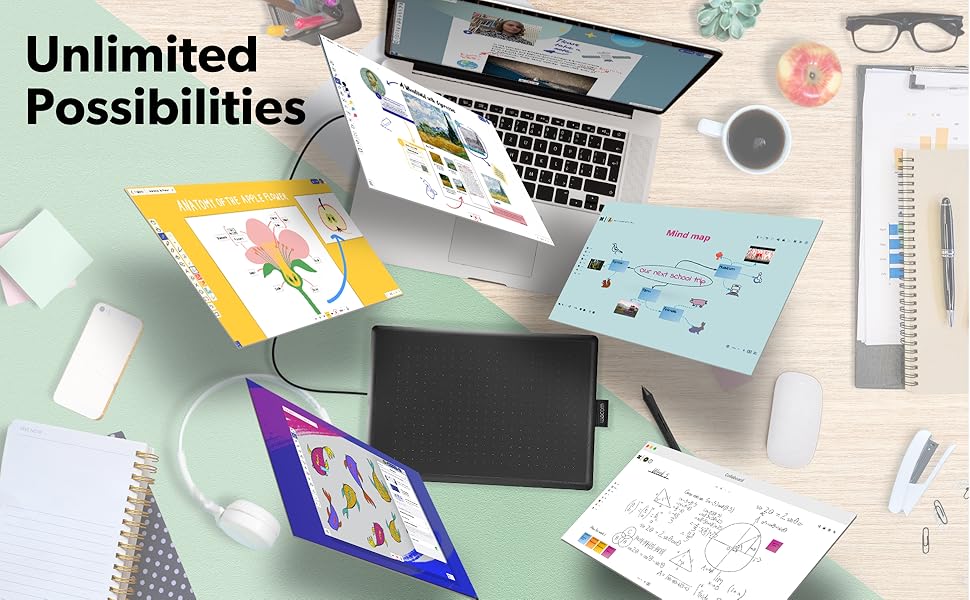
🖌️ Elevate your ideas—draw, design, and dominate your digital canvas!
The Wacom One is a medium-sized, portable graphic drawing tablet featuring a battery-free, pressure-sensitive pen and a 10.9-inch active area with 1920x1080 resolution. Compatible with Chromebook, Mac, and Windows via USB, it offers plug-and-play simplicity for beginners and pros alike. Lightweight and backed by Wacom’s 35+ years of expertise, it’s designed to enhance creativity anytime, anywhere.



| ASIN | B07XW9WW98 |
| Active Surface Area | 8.5 inches x 5.3 inches |
| Best Sellers Rank | #193,248 in Computers & Accessories ( See Top 100 in Computers & Accessories ) #772 in Graphic Tablets |
| Box Contents | Medium Pen Tablet, Pen, 1 meter USB-A cable, 3 standard replacement pen nibs, nib removal tool, Quick start guide, regulation sheet |
| Brand | Wacom |
| Brand Name | Wacom |
| Colour | black |
| Compatible Devices | Personal Computer |
| Connectivity Technology | USB |
| Customer Reviews | 4.5 out of 5 stars 1,431 Reviews |
| Display Type | LCD |
| External Testing Certification | Não aplicável, 009461901796 |
| Global Trade Identification Number | 00753218985828 |
| Item Dimensions L x W | 18.8L x 27.7W Centimeters |
| Item Weight Unit of Measure | 431 g |
| Manufacturer Part Number | CTL672K1A |
| Model Name | CTL672K |
| Model Number | CTL672K1A |
| Native Resolution | 1920x1080 |
| Network Connectivity Technology | USB |
| Operating System | OS X 10.10 Yosemite, Windows 10 Education, Windows 7 Starter, Windows 8 |
| Pressure Sensitivity | 4096 Levels |
| Product Features | Portable |
| Screen Size Unit of Measure | 10.9 Inches |
| Software Update Supported to Date | unknown |
| Special Feature | Portable |
| Specific Uses For Product | Drawing |
| Target Audience | Student, Teacher |
| UPC | 753218985828 |
A**S
Love it
Nice product
A**U
WOW
The One by Wacom Drawing Tablet is an excellent choice for artists, students, and anyone looking to create digital artwork with ease. The medium size provides a comfortable drawing area while still being compact enough to fit on a desk or carry with you. The tablet offers smooth, accurate pen control and a natural drawing experience that feels very close to using traditional paper. The pressure-sensitive pen responds well to different drawing styles, making it great for sketching, illustration, photo editing, and note-taking. Setup is simple, and the tablet works reliably with many creative software programs. I appreciate the lightweight design, durable build, and user-friendly features. Whether you are a beginner learning digital art or an experienced creator needing a dependable tablet, the One by Wacom is a practical and high-quality tool that delivers excellent value.
C**S
Works with Linux Mint 21.1 Mate - recommended
Hooray! My ordeal with finding a graphics tablet to work with Linux is over. Success! After wasting time and money on Huion US610 (Linux functionality severely limited to nonexistent), I decided to bite the bullet and spend a bunch more on Wacom, which I knew would work with Linux. Also, my first order of the Huion tablet went missing in shipment, and I am STILL waiting on my refund. It was the second one, which I actually got, that failed to work completely, even with the Huion driver. Apparently, it needs the Linux 6.5 or higher kernal to work. Nice if that had been mentioned before I wasted time and money. Much to my surprise, Wacom had a similarly priced tablet to the Huion. I immediately ordered one. I don't really need all the fancy extras, as I am not a hotshot graphics artist. I just want to edit photos and maybe draw a little in Krita and Blender Grease Pencil (2D images in a 3D workspace environment - Yes, please!). The Wacom got here quickly (no missing tablet in shipping) and I anxiously plugged it in and tried it out in Krita. It worked! Right out of the box, no issues so far at all. Pressure works quite nicely as well, which made me really happy. That is really all I need for now. Oh, sure, I would love one of the 24 inch hi res monitor touch screen tablets, but that doesn't fit my budget or real needs for now. The system I tried it on is a refurb dell 9020 with Mint 21.1 Mate. I have another computer, on which I just installed 22.1, and I will report back if there are any issues with that version, which I do not expect, as I read that 22.1 has fewer such issues, being based on a newer Linux kernal (6.8, I believe). The Wacom came nicely packaged, in great shape, and installation was literally plug and play. It is extremely easy to use, although I will admit I only have a couple hours on it so far. Pen is configured out of the box with buttons as left and right mouse buttons, which I doubt I will use, as I prefer my wireless trackball for navigation. It is small, thin, quite protable, and seems solid. Don't know how durable it is, as that will have to be tested over time. Bottom line, I you are a Linux user and need a basic graphics tablet, look here first. It is inexpensive, easy to use, and it works out of the box on reasonably new Linux Mint versions (should also work on Ubuntu, which Mint is based upon).
A**S
Excelente producto y entrega a tiempo
Excelente producto, se conectó sin problemas a mi lap macbook air, y el software es muy fácil de entender, muy intuitivo (descargado de la página oficial). Lo recomiendo.
A**S
gostei do Mouse 2!
a mesa One by Wacom (a média porque foi a que eu peguei) é muito útil pra desenhar digitalmente e escrever manualmente... digitalmente. veio até com 3 ofertas de software, entre elas o Clip Studio Paint Pro por 3 meses. e como eu não sou muito bem da cabeça, decidi jogar Peggle Deluxe com ela também, e continua funcionando muito bem! leve, bem compacta, de alta qualidade e um bom preço. 10/10 :DD
Trustpilot
3 days ago
5 days ago