We remain fully operational. Our teams are working around the clock to ensure your deliveries continue safely.

DOWNLOAD THE APP


Copyright © 2025 Desertcart Holdings Limited
DOWNLOAD THE APP


Buy anything from 5,000+ international stores. One checkout price. No surprise fees. Join 2M+ shoppers on Desertcart.
Desertcart purchases this item on your behalf and handles shipping, customs, and support to India.
🚀 Own your speed, control your network, and never settle for slow WiFi again!
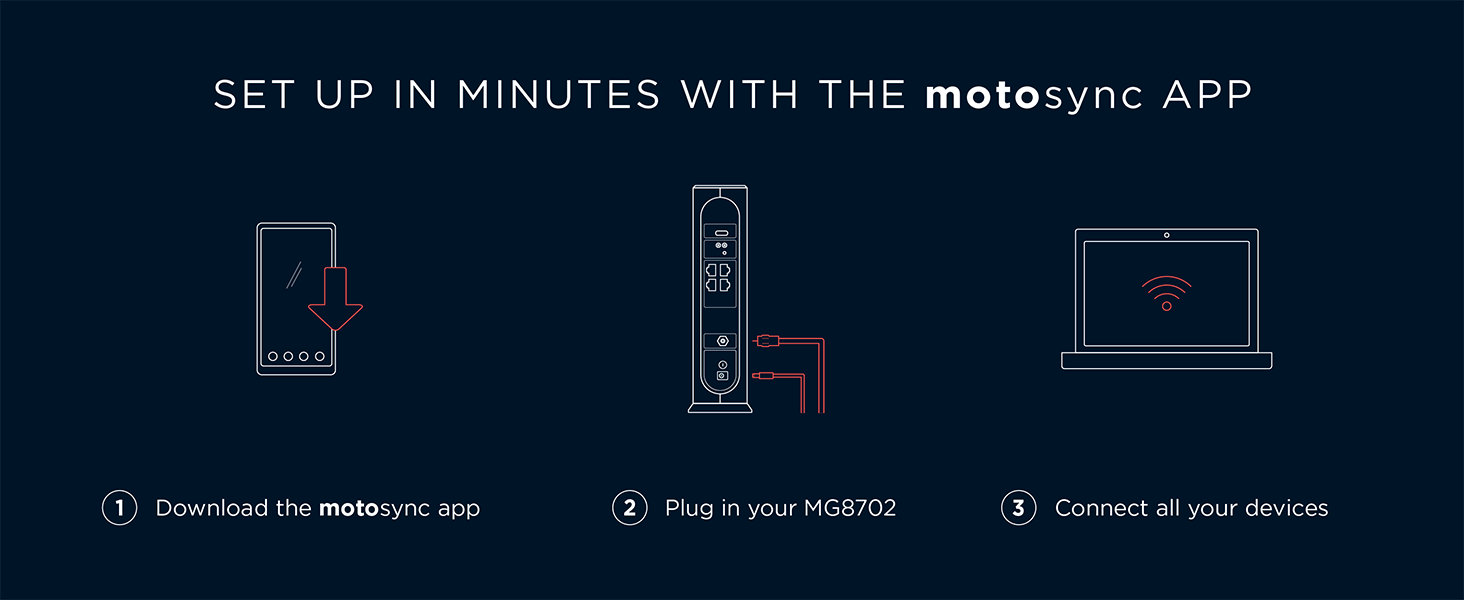
The Motorola MG8702 is a high-performance DOCSIS 3.1 cable modem and AC3200 WiFi router combo designed for professional-grade home and office networks. Compatible with Comcast Xfinity, Cox, and Charter Spectrum, it delivers gigabit internet speeds with advanced beamforming and power boost technologies for wide, reliable coverage. Featuring a smart mobile app for effortless setup and network management, it helps users save on rental fees while enjoying secure, fast, and stable connectivity backed by 2 years of expert support.







| ASIN | B08DL4QB25 |
| Antenna Location | Monitoring,Security |
| Antenna Type | Internal |
| Best Sellers Rank | #2,644 in Electronics ( See Top 100 in Electronics ) #2 in Modem Router Combos |
| Brand | Motorola |
| Built-In Media | AC Power Adapter, Ethernet Cable, Quick Start Guide, Router |
| Color | Black |
| Compatible Devices | Gaming Console, Personal Computer, Security Camera, Smart Television, Smartphone, Tablet |
| Connectivity Protocol | Wi-Fi, Ethernet |
| Connectivity Technology | Ethernet, Wi-Fi |
| Control Method | App |
| Coverage | wide |
| Customer Reviews | 4.1 4.1 out of 5 stars (15,409) |
| Data Transfer Rate | 1 Gigabits Per Second |
| Frequency | 2.4 GHz |
| Frequency Band Class | Dual-Band |
| Is Modem Compatible | Yes |
| Item Dimensions L x W x H | 9.5"L x 2.88"W x 9.75"H |
| Item Weight | 34.43 Ounces |
| LAN Port Bandwidth | 5 ghz |
| Manufacturer | Motorola |
| Maximum Upstream Data Transfer Rate | 800 Megabits Per Second |
| Mfr Part Number | MG8702-10 |
| Model Name | MG8702 |
| Model Number | MG8702 |
| Number of Ports | 4 |
| Operating System | Motorola proprietary firmware |
| Other Special Features of the Product | Access Point Mode, Beamforming, Parental Control, QoS, Remote Access, WPS |
| Security Protocol | WPA2 |
| UPC | 855631006613 |
| Unit Count | 1 Count |
| Warranty Description | 2 year manufacturer |
| Wi-Fi Generation | Wi-Fi 5 |
| Wireless Compability | 2.4 GHz Radio Frequency |
M**S
Good modem
Easy set up works well on Xfinity. Did manual set up without application since could not get app to work either on Win11 or Adroid. Once set up, wireless very smooth and fast, very few drops. Had good range to downstairs. Although initially working, there was a problem with the LAN connection and had to contact Motorola support. Telephone support not good due to wait, but email support was great. Resolved problem quickly by hard reset. Modem appears to be very fast and smooth (using 2.5G connection) and wireless claims to be 5G. Modem software is fairly simplistic, but provides needed info as well as easily set passwords both on modem and on wireless devices. I am supposed to get speeds of 1G, speed test showed 770MB.
T**E
Great Modem/Router!
The Motorola MG7700 is an awesome modem/router. It replaced an older Netgear N450 modem/router that kept dropping its WiFi connection, and had to be rebooted constantly. The Setup of the MG7700 was very easy, and it did not even require calling Comcast to get it configured. I just went to the activation website and put in my Comcast account information. The MG7700 was connected to the Comcast network within 15 minutes (150 mbps plan). The MG7700 improved the WiFi connection to all of my N and AC wireless devices. I live in a 2400 square foot house and I have multiple RING security cameras around the perimeter of the house. The connection between the MG7700 and all of the RING devices is fast with no dropped connections ever. I also have 3 Rokus, a Samsung Smart TV, a Honeywell thermostat, 3 cell phones, 2 laptops, a tablet, 2 Echo Dots and 3 Amazon smart switches connected intermittently to the MG7700 throughout the day. They all stay connected with outstanding WiFi speeds. In fact my Acer laptop connects by AC wireless at 866 mbps. Most of the N wireless devices connect around 156 mbps, and everything stays connected without any drops. I also have 3 desktop computers (1 is a server) and 1 network printer connected to the 4 ethernet ports with no connectivity issues at all. I have been a Network Administrator for over 20 years, so setting up the MG7700 was really easy for me. For those that need help there are many online websites that show how to "tweak" the settings in the MG7700 for the best Wireless connectivity. Trust me the suggestions do work to maximize the WiFi connections. For security purposes I highly recommend changing the MG7700 user name and password. Also change the SSIDs and their security keys, along with the default IP address of the MG7700. Lastley, make sure that the firewall is turned on. This will keep those prying eyes off of your home network. I have used many Motorola products over the years, and they have all worked great. The MG7700 is no exception. Those individuals leaving bad reviews either do not know how to setup a WiFi router correctly, or just received a lemon (it happens). I highly recommend the MG7700 to anyone that wants a fast, secure and reliable home network. Update: it is now 4.5 years later (08/11/23), and the Motorola MG7700 is still working as well as it did when it was brand new. I have had no issues with this modem/router whatsoever. The internet speed (now upgraded to 300 mbps), and the wired and wireless connections are still as fast and stable as ever. The only very rare internet lapses are on the ISP's side. The only addition I have made to the MG7700 is attaching a USB powered, 120mm computer chassis fan to the outside of the MG7700 (blowing air on the motherboard/transceiver chipset side). This helps to keep the MG7700 cool 24/7. Heat is the worst enemy of a router, and all computer equipment in general. Keeping the MG7700 cool will keep connections stable, and greatly increase its longevity. As I originally stated in this review 4.5 years ago, the Motorola MG7700 is a great product, and I highly recommend it (and its newer successors) even more now. Update 2: Well, after 5 years and 3 months of flawless use this Motorola MG7700 finally (partially) stopped working. The 5 ghz wireless transceiver completely quit working. However, the cable modem and 2.4 ghz wireless transceiver still work fine. With the planned-obsolescence of these modem/router combos being about 3 to 5 years, I have no complaints at all, as this Motorola MG7700 has indeed performed flawlessly during this entire time. I have recently replaced this Motorola MG7700 with a Netgear Nighthawk CAX30 modem/router combo. The CAX30 was very easy to setup with Xfinity, and it is working great so far. I will leave an honest, detailed Amazon review for the CAX30 after it has been in use for a while, but So-far-so-good.
E**R
Powerful Wi-Fi 6 Performance, but App Compatibility Frustrations
The Motorola MG8725 WiFi 6 Router + Multi- delivers impressive real-world performance that truly showcases what Wi-Fi 6 can do. Speeds are consistently fast throughout my home—streaming 4K video, online gaming, and large file transfers feel effortless. The router handles multiple devices with ease, and I noticed noticeably better coverage and stability than on my older Wi-Fi 5 gear. If you’re looking for strong throughput and reliable connectivity, this unit really delivers. Where my experience fell short was with the accompanying mobile app experience. Initially, I couldn’t control or monitor the router because the current app wasn’t compatible with this model. After some digging, I learned I needed to download a separate legacy app to access essential setup and management features. This extra step was unexpected and added unnecessary friction—especially for a modern product that otherwise feels cutting-edge in terms of hardware and performance. Once I had the correct app, I was able to configure settings and see connected devices, but the process could be smoother. It would be ideal if Motorola updated their primary app to fully support this model without the workaround. In summary, the MG8725 is a high-speed, robust Wi-Fi 6 router with excellent coverage and performance. Just be prepared for a slightly confusing app setup and the need to use the legacy app for full functionality. If Motorola resolves the app compatibility concerns, this would be an even stronger contender in its class.
Trustpilot
1 week ago
1 day ago