Buy anything from 5,000+ international stores. One checkout price. No surprise fees. Join 2M+ shoppers on Desertcart.
Desertcart purchases this item on your behalf and handles shipping, customs, and support to India.
🚀 Scan smarter, faster, and wirelessly—your documents’ new best friend!
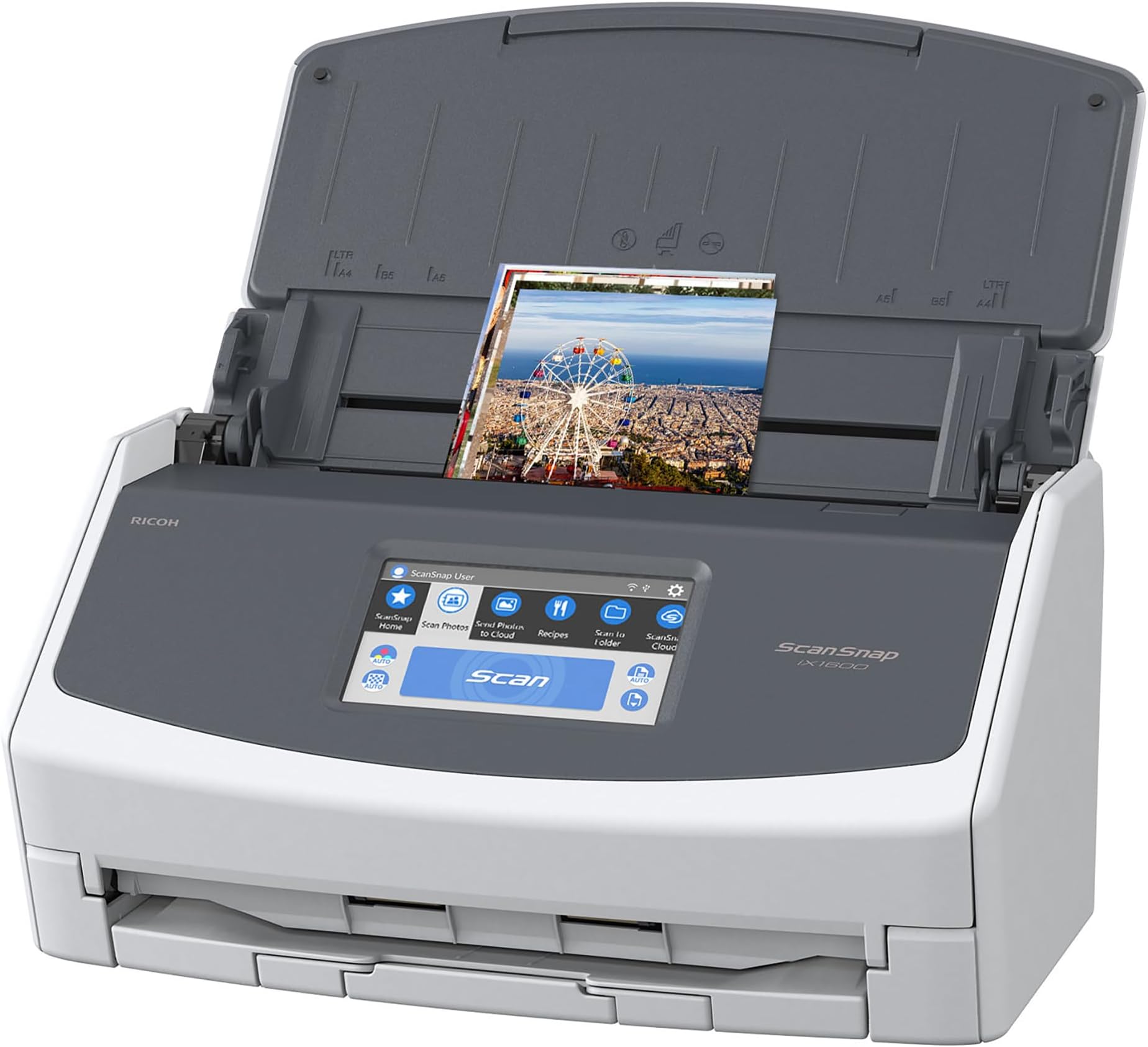
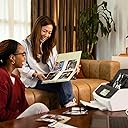
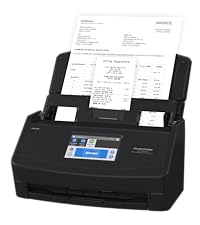
The ScanSnapiX1600 is a high-speed, wireless and USB-enabled document scanner featuring a large 4.3-inch color touchscreen, 40ppm duplex scanning, and support for up to 30 customizable profiles. Designed for Mac and PC users, it effortlessly scans photos, receipts, and documents directly to cloud services or devices, making it ideal for home offices and small teams seeking streamlined document management.




| ASIN | B08PMQQZ8H |
| Best Sellers Rank | #998 in Office Products ( See Top 100 in Office Products ) #1 in Document Scanners |
| Brand | ScanSnap |
| Built-In Media | Adaptor, DVD, USB |
| Connection Type | USB, Wi-Fi |
| Connectivity Technology | USB, Wi-Fi |
| Customer Reviews | 4.6 out of 5 stars 1,719 Reviews |
| Global Trade Identification Number | 00097564311819 |
| Item Dimensions D x W x H | 6.3"D x 11.5"W x 6"H |
| Item Type Name | Scanner |
| Item Weight | 7.5 Pounds |
| Light Source Type | LED |
| Manufacturer | PFU Limited |
| Media Type | USB |
| Minimum System Requirements | Windows 11 / 10 (352-bit / 64-bit) and macOS Catalina 10.15 or later |
| Model Name | ScanSnap iX1600 |
| Optical Sensor Technology | CIS |
| Product Dimensions | 6.3"D x 11.5"W x 6"H |
| Resolution | 600 |
| Scanner Type | Document, Receipt |
| Standard Sheet Capacity | 50 |
| UPC | 097564309717 097564311819 |
| Unit Count | 1.0 Count |
| Warranty Description | 1-Year Depot warranty |
| Wattage | 17 watts |
P**W
Incredible Scanner
If I could give this scanner 6 stars I would. I have experience with Fujitsu scanners. Our company has had two humble ScanSnap S1500s in service for over a decade, each having scanned 50,000+ documents on all original parts (and still going). We also experimented with a Fujitsu N7100 network scanner (I think we paid $1700 for that scanner new). I like this scanner better than all of them. First of all, the old S1500s only worked with ScanSnap Manager and the older Fujitsu software. This one works with both the old software and their flagship ScanSnap Home software. I honestly thought I'd hate the new software and was planning to just use ScanSnap Manager again. I begrudgingly gave ScanSnap Home a chance and I must say, it's substantially better. First of all, the older software was made up of multiple parts that all had to work together. ScanSnap Home has one clean interface that acts as a document manager, a scanner config, and so on. The flexibility is where this thing really shines. At first glance the touchscreen appears to be laid out how they think you'll want it. In reality you can customize every button, change it's icon, change it's action, etc You can have ScanSnap Home manage the docs or have it scan elsewhere and not even show the document in ScanSnap Home. I have my scanner setup here at home in a dual role. I use the default ScanSnap Home button to scan to my local NAS (as a directory on my computer, not direct [more on that later]) . I have other buttons that scan to various OneDrive locations that sync with SharePoint. For those documents it just scans direct, and I don't have it showing on my computer. Everything just works perfectly. Setup was a breeze. I initially set it up with a USB cable then decided to put it on the Wifi just for fun. I figured I'd setup the mobile app but never got around to it. Then one day the USB cable was unplugged and I went to scan something, not even thinking about it, and it just worked. My computer found the scanner over the network without any additional configuration. Even over Wifi and uploading to either my NAS or OneDrive scanning is pretty much instant. I've scanned 50 page documents and after the last page went through it was fully OCR'd and available to open within about a second. Here's the only downsides (which I didn't dock points for because this is not an expensive scanner by comparison). Although you can (with a firmware update) scan direct to a network share without the use of a computer the scanner doesn't perform any OCR on it's own. Our expensive N7100 could perform OCR on it's own but honestly it was slower. To really leverage this scanner's true capabilities, you should use it with a computer. The ScanSnap Home software is able to perform OCR on the incoming documents faster than anything I've ever used. On that note, you do have to check a box in the settings for the PDF files to actually have it save the PDF as searchable. My suggestion for when you get it is to bypass the manual altogether and just dive in. Pretty much everything is self-explanatory. If you go to Settings / Scan Settings in ScanSnap Home you'll be pretty much good to go.
B**Y
BUY IT! You won't be sorry
I cannot believe how good this scanner is. I through out my old Epson scanner after it would no longer communicate. But I don't miss it for a second. The UI on this Scansnap IX1600 scanner is impressive. I realized I quit using the old Epson because it was so much trouble to scan and name a file, then find it later. This makes it so easy I look forward to it now. This scanner allows you to create up to 30 unique profiles and it shows up on the display. I created several other profiles so I could just pick a profile on the display and scan the item into exactly the appropriate folder location set up for that type of document. For instance, I had well over a thousand pictures of my son's sports from over the years and instead of storing in a closet, I created a profile named Sports and scanned them up to a Dropbox for the rest of the family to see. Initially, I was really concerned about how the pictures would scan, but I was quickly blown away. They come out better than the picture itself and even at the maximum resolution setting average less than .5 Mb each. I could place a handful of pictures (up to 50) at a time and this scanner never skipped a beat. So getting through over a thousand pictures was a breeze. Then grab a handful of receipts of different sizes, pick the receipt profile and scan them in...simple. And shockingly to me I put a dozen or so receipts of many different sizes and shapes at the same time and they just went through easily. It would never be that simple on my old Epson. One of the best features to me was/is the duplex function which allows the scanning of both sides of the paper at the same time. I had several boxes of documents that I needed to scan so I could shred all the paper afterwards thus reducing storage space. I created a profile and turned on the duplex function, then scanned thousands of documents. If a paper was printed on two sides, it would scan both sides at once and the speed of the scan was not impacted. And if there was nothing on the back of a page, it would not scan a blank page (that's a setting in the profile). Needless to say, I was able to easily scan numerous documents that I didn't want to throw away, but I didn't want to store in boxes either. I was able to reduce about 15 boxes down to 3, keeping the most recent stuff and digitizing/archiving the rest. I hauled out at least ten full bins of confetti after shredding so many documents and pictures. So just to sum up, with my old scanner I never wanted to scan anything because I knew how much work it would be and it would not scan pictures. This Scansnap IX1600 scanner is fun to use and very easy. When I get home with a handful of receipts I can select receipts profile throw all the receipts in and scan them, then shred. I am really, really happy I chose this scanner, it's a dream to use!
B**E
GREAT PURCHASE! GREAT QUALITY!
I have 2 HP Printers that have flatbed scanners. While useful for the occasional scanning, they are cumbersome, time consuming and not enjoyable to use for scanning years of photos and plenty of multiple documents. For years, my husband has wanted a photo scanner to digitize our hundreds and hundreds of photos. First, I purchased the ScanSnap iX1300 Compact Wireless Scanner. Set it up, then realized that my husband's discomfort with tech would not make a good match with this model. It had a good price, only I knew that there was a considerable more expensive model that would suit his elder eyes and clunky fingers better. Hence, the ScanSnap iX1300 Compact Wireless or USB Double-Sided Color Document, Photo & Receipt Scanner with Auto Document Feeder and Manual Feeder was returned and the ScanSnap iX1600 Photo and Document Scanner was ordered and came to live with us. IT IS A GREAT MACHINE AND WELL WORTH THE ADDITIONAL DOLLARS! The Large Touchscreen in an EXCELLENT, simple, so easy to use, Superior Feature. Jim just presses the button and the scanner scans both sides of the photo, document, receipt in about the time it takes for him to blink! Then he, using the laptop, he names the item and saves it to the appropriate folder. It is incredibly EASY! SUPERFAST! Very Good Quality results. Yes, it was lots more money than I had planned to spend. And the stress that it relieves... And the ease of use... The amount of photos it can handle in one batch... THE SPEED! WOW!!!!! This was a GREAT PURCHASE! I highly recommend it!
O**K
Works well with Windows AND Linux
I purchased the iX1600 to replace my faithful S500 scanner that lasted for 14+ years until it finally died. The new scanner is certainly much faster and it does seem easier to use after setting up the appropriate profiles. (I'm using the new ScanSnap Home software rather than the ScanSnap Manager program as provided with the S500.) I have the iX1600 directly connected via a USB cable to EITHER a Windows 10 OR a Linux Mint system. Mainly for security reasons I haven't tried connecting the scanner to WiFi or sending scanned documents to the Cloud, so I can't comment on those features. I mainly scan B&W financial documents, using the "Normal" resolution setting (=300dpi) along with automatic rotation. The resulting files are acceptably small and are easy to read. The OCR implementation seems to work well. I haven't used the new scanner enough to see if paper jamming is a problem, but based on the S500 I'm hoping that will not be a problem. By using SANE drivers I was able to use the old S500 scanner with my Linux Mint system. I was hoping that the iX1600 could also be used under Linux but there is problem because the Stable version of the SANE Repository contains a backend driver for the iX1500 scanner but NOT for the iX1600! However, the Development branch of the SANE Repository DOES provide support for the iX1600. I used the following commands to add that Repository: sudo add-apt-repository ppa:sane-project/sane-git sudo apt-get update In my case it was necessary to REMOVE references to the Stable version of the SANE Repository. Once the sane-git version of the Repository had been installed it was possible to perform scans using the simple-scan program provided with most Linux distributions. Unfortunately, I found that simple-scan produces overly large PDF files when scanning B&W documents. As an alternative, I found that the following workflow creates much smaller files: 1) Use gscan2pdf to perform the initial scan. Because of some problems with automatic rotation (your mileage may vary) I "hard coded" the required amount of rotation as appropriate (270 degrees when scanning landscape-format documents). I'm currently scanning in lineart format and duplex mode at 150dpi but may raise that to 300dpi to be consistent with ScanSnap Home on Windows. I'm not using any of the OCR or other features available in gscan2pdf. BTW the "name" of the iX1600 when given to gscan2pdf is "fujitsu:ScanScap ix1600:127088". 2) Use ocrmypdf to deskew the scanned pdf file and perform the OCR function. I'm not using any other options that are available with ocrmypdf. To make the workflow easier I suggest that the gscan2pdf and ocrmypdf programs be run via a script. I'm using a small Python program, but I'm sure there are many other options! I hope that the above comments on using the iX1600 under Linux prove useful and will help folks avoid some to the problems that I encountered! *** UPDATE - USING WITH UBUNTU-BASED DISTRIBUTIONS *** The approach I described above worked with the latest Linux MINT distribution, but I had problems getting the scanner to be recognized when testing it with ZORIN 16.0 and UBUNTU 20.04. The problem seemed to revolve around removing the STABLE version of Sane before installing the GIT (Development version). Here is the solution that finally worked: First, Uninstall the sane-git repository if previously installed. This is most easily done through the Software & Updates GUI app. Next, issue the following commands from a terminal: sudo apt remove ippusbxd sudo add-apt-repository ppa:sane-project/sane-git sudo apt-get update sudo apt-get install libsane (If asked, allow the configuration file for the iX1600 scanner to be updated.) Finally, reboot your system and run the simple-scan program to verify that the iX1600 scanner is now (hopefully) found! Hope this helps - it took me quite awhile to determine the appropriate steps needed to get the iX1600 recognized! Wayne
J**R
Helps me stay on top of endless amounts of paper documents!
This works better than I even expected! I got it connected to my WiFi and I created multiple profile shortcuts that scan directly to my Google Drive. This is very similar to a scanner I used to use in my old job at the hospital scanning medical records, so I knew it would work well. I am overwhelmed with paper mail (despite going paperless as much as possible) and the ENDLESS papers that come home from elementary school. So when papers come in that I either want to remember dates for or can't take care of immediately, I scan directly to my google drive and then I take 10 minutes in the evening to check my scans and get them organized. This has also been a lifesaver for remembering dates for events or school projects because I scan the document right and can pull up on my phone if I'm out! I also scan my kids art that I'd love to the keep but just cannot possible store that many years of paper. Scan quality is great and the ease of use takes the cake.
S**P
Good fast scanner. But it often disconnects
This thing is pretty great -- fast, the software (once installed) is simple, and it has literally saved me hours compared to scanning things on my phone. Two little drawbacks -- not enough to not buy, but things I wish they'd improve. 1. I have to unplug and reset this thing a lot. I'm looking at it right now and it is ready and would scan for me. But it often has that little exclamation point saying it is not connected to my computer, and the troubleshooting measures never work. So I have to unplug and replug the device. Thankfully, the startup is very fast. But I'm always annoyed when I have to do this. 2. It will often bunch together pages if you are scanning a large stack. If the stack is too perfect, especially. What I often do is take the pages and fold them lengthwise...this usually makes them catch the roller a little better. It's a good little machine and I recommend it, but could be better if these things were taken care of.
D**.
Absolutely LOVE the ScanSnap!!
I’ve had the same ScanSnap IX400 in my office for the past nine years. I use it frequently and it STILL works amazingly well. I recently bought two of these IX1600 scanners for the office and they have only gotten better. Regular Documents - They scan incredibly fast which makes tedious work go by quickly, and they turn scanned pages into text searchable pdfs - which makes our accounting files so much more accessible. Pictures - I’ve also used it to scan photos for a photo album with about 250 photos. It honestly scans pictures really well. And while I wouldn’t recommend this if your only purpose for buying a scanner is photographs, it does a pretty good job for regular photos and smaller picture projects. Business Cards - Its a great tool to declutter your space of all the small business cards you’ve been hesitant to toss. After it scans, it extracts all of their information into a digital business card file. There are sometimes minor errors, but the screen prompts for a quick check before accepting the file. Cost - It seems a bit pricey, but I’ve purchased three printer/scanner combos for the owner in the same time I’ve had my scanner and he has had countless issues with them, not to mention the added time it takes to scan. Those three combined, cost more than my ScanSnap, which is still going strong. So I finally replaced his with this newer model ScanSnap. Trust me, it’s worth it. I highly recommend this ScanSnap if you scan a lot of documents or simply want a quick scanner that will last for a decade or more.
J**N
Worth the money
just set it up - this is wonderful - rapid =- it works like a charm - I ve already scanned and discarded two inches of documents . Wow.
W**L
Excellent, fast scanner
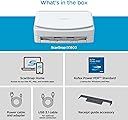
This scanner is really excellent, especially the speed helps a lot! I scanned several thousands of pages within a really short time, it would have been a nightmare had it not been that fast. The document feeder is really reliable and usually way better at separating the pages to scan them individually than I can normally separate them with my fingers. For those few times that it doesn't work it sends an error message soon and stops the scan, getting them out of the feeder and re-scanning them is no issue at all. I scanned a few hundred photos as well and it was pure joy to see how well it handled those too. The scan results are excellent too. The variety in settings regarding the quality leaves very little to be desired. The little screen helps a lot, you don't have to initiate the scan from the computer all the time, it helps tremendously to save time and effort. The only downside that I have yet discovered is that I wasn't able to find out how scan multiple pages in one go and save them as separate files. I could only do that by splitting the scanned pdf file using a pdf software. The scanner comes with a serial number for the PDF software "Kofax Power PDF Standard" but I haven't tried that since I use Adobe Acrobat professional for business reasons, but it's good to know that the scanner does have an alternative to Adobe. I can't recommend that scanner enough, am really glad I bought it!
P**A
replace contact
Hi thnere is a problem with software and doeesnt work
L**P
Rapide et communication WIFI stable.
Très satisfait pour numérisation photo à la maison. Le mode recto-verso est pratique pour les cartes postales. Le système d'alimentation sépare bien les documents. Pour scanner des photos "Polaroid" il faut désactiver la détection de plusieurs feuille "Ultra-sons". Suggestion pour les utilisateurs; ajuster la définition à 600 dpi pour numérisation des photos, la définition de 300 dpi est bien mais on voit la différence lorsqu'on zoom. Pour les documents texte 300 dpi est très bien. Le mode de correction des couleurs fanées donne de bon résultat sans avoir à passer trop de temps à faire des corrections dans un logiciel spécialisé. Le traitement de l'image est fait dans le scanner ce qui est moins flexible que d'autre modèle faisant le traitement dans après numérisation dans l'ordinateur, mais c'est rapide.
V**G
Works perfectly 👏
The scanner works perfectly well. Fast and simple to use.
L**�
Excelente compra fácil instalación, uso y efectividad
Trustpilot
2 months ago
3 weeks ago