Desertcart purchases this item on your behalf and handles shipping, customs, and support to India.
๐ฏ Unlock Every Console. Own Every Game.
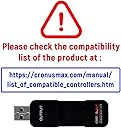
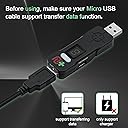
The Collective Minds Cronusmax Plus 2017 is a versatile gaming adapter that lets you use any controller on multiple consoles including PS4, PS3, Xbox One, Xbox 360, and PC. It supports full button remapping and crossover gaming, allowing seamless switching between platforms. The package includes a Bluetooth 4.0 USB adapter, PS4 USB sound card, and cables for easy setup. Regular firmware updates ensure ongoing improvements, making it a must-have for serious gamers seeking ultimate control and flexibility.
| ASIN | B00T76ZGDY |
| Best Sellers Rank | #161,985 in Electronics ( See Top 100 in Electronics ) #2,691 in Over-Ear Headphones |
| Brand | Collective Minds |
| Color | black |
| Colour | black |
| Compatible Devices | ['PS4', 'PS3', 'Xbox One', 360', 'PC'] |
| Compatible devices | ['PS4', 'PS3', 'Xbox One', 360', 'PC'] |
| Connector Type | Micro USB |
| Connector type | Micro USB |
| Current Rating | 1 Amps |
| Customer Reviews | 3.6 out of 5 stars 1,461 Reviews |
| Finish | Matte |
| Input Voltage | 12 Volts |
| Item Dimensions | 20 x 15 x 40 centimeters |
| Item Weight | 100 Grams |
| Item dimensions L x W x H | 20 x 15 x 40 centimeters |
| Manufacturer | Cronusmax |
| Mfr Part Number | 1131Plus |
| Model Number | 1131Plus |
| Number of Items | 1 |
| Number of Ports | 1 |
| Package Quantity | 1 |
| Power Plug Type | No Plug |
| Smart Home Compatibility | Not Smart Home Compatible |
| Specific Uses For Product | Gaming on Multiple Platforms |
| Specific uses for product | Gaming on Multiple Platforms |
| UPC | 183654000876 |
| Unit Count | 1 Count |
| Warranty Type | Limited |
T**N
CronusMAX PLUS 2015 Version - Grenzenloses Gaming mit dem Crossover Adapter
Vielseitigkeit: Der CronusMAX PLUS erรถffnet eine Welt der Gaming-Vielseitigkeit. Mit der Fรคhigkeit, Controller verschiedener Konsolen zu nutzen, bietet er grenzenlose Mรถglichkeiten fรผr Spielefans. Einfache Einrichtung: Die Einrichtung ist relativ einfach, und das beiliegende Handbuch macht den Prozess noch zugรคnglicher. Innerhalb kurzer Zeit kann man den Adapter betriebsbereit machen. Kompatibilitรคt: Die Kompatibilitรคt mit verschiedenen Plattformen ist beeindruckend. Egal, ob Xbox, PlayStation oder PC, der CronusMAX PLUS ermรถglicht das nahtlose Wechseln zwischen den Systemen. Anpassungsmรถglichkeiten: Fortgeschrittene Benutzer werden die vielen Anpassungsoptionen zu schรคtzen wissen. Der CronusMAX PLUS bietet eine Vielzahl von Einstellungen, um das Gaming-Erlebnis zu personalisieren. Firmware-Updates: Regelmรครige Firmware-Updates halten den Adapter auf dem neuesten Stand und sorgen fรผr kontinuierliche Verbesserungen und zusรคtzliche Funktionen. Fazit: Der CronusMAX PLUS 2015 Version Crossover Gaming Adapter ist eine groรartige Investition fรผr Gamer, die ihre Spielumgebung erweitern mรถchten. Die Vielseitigkeit und Anpassungsmรถglichkeiten machen ihn zu einem unverzichtbaren Accessoire fรผr Gaming-Enthusiasten. Daumen hoch! ๐
L**S
Muito eficiente, muita vantagem em jogos fps
Produto chegou bem rรกpido, satisfaรงรฃo
C**R
Impeccable
Fonctionne parfaitement. Tout est impeccable et plutot simple d utilisation pour un ado.
D**K
A fabulous piece of kit that is the perfect answer to my left-handed dreams!
I bought the CronusMAX Plus yesterday after wanting to play a number of games I've bought for my Xbox 360 that simply do not allow me to play them left-handed. They've been on my shelf for a long time as I wasn't keen on performing permanent mods to my gamepads with a scalpel and soldering iron etc. With the CronusMAX Plus I simply wanted to swap the left and right analogue sticks by remapping them. At first I was a bit overwhelmed by the Cronus Pro 1.2 software (downloadable) and online manual, but I struck gold when I ran a CronusMAX Plus plugin called MAX Mapper which comes with the program. (NOTE: Using the Xbox 360 software to switch how the gamepad analogue sticks function does not always override the settings in some games like Dead Space, hence being stuck with the default right stick for looking and left stick for moving which is totally unnatural for me and many other lefties.) With the CronusMAX Plus dongle connected to my laptop and an official, wired Xbox 360 controller connected to the CronusMAX Plus, I set about creating a new script in MAX Mapper by selecting the Xbox 360 controller as the input and an Xbox 360 console as the output. An image of the Xbox 360 controller appeared on the screen with simple drop down menus next to the buttons and sticks. Remapping the left and right sticks by changing the mapping in this way was a doddle and took about a minute to complete. I then saved the script I had created in MAX Mapper and loaded it into the CronusMax Pro 'Programmer' window. In the 'Programmer' window I then simply dragged the script I had created onto the first of nine memory slots that are displayed in the right-hand side of the screen. (NOTE: These slots reflect the fact there are nine available memory slots on the CronusMAX Plus dongle which can be selected by pressing a small butting on the dongle when it is plugged into a console.) Programming the dongle with my script was simply a case of ticking a box next to Memory Slot 1 and selecting the 'Program Device' button on screen. Once the dongle was programmed with my script (it took a few seconds) I unplugged it and plugged it into my Xbox 360. The Xbox 360 controller remained plugged into the dongle. The dongle immediately lit up and I could see a green '0' on the small LED display which I changed to '1' with a press of the button on the dongle in order to activate my script in the first memory slot. Hey presto! It worked a treat. No lag (Cronus say it is under 2ms and I don't doubt them) and perfect, left-handed control over Dead Space and other games I can't wait to play properly. There are many ways you can use this wonderful piece of technology with various controllers and consoles etc. but for me, what I have been able to achieve with a bit of tinkering today is amazing, and the CronusMAX Plus has already paid for itself. NOTE: To use my Xbox 360 wireless controller I need to use an Xbox wireless receiver plugged into the CronusMAX dongle before it can then pass the modified control data through to the Xbox. I have just ordered a new, official Microsoft one for approx ยฃ16 which will arrive tomorrow. There are two other USB dongles that are supplied in the package that perform extra functions and appear to be for Sony controllers and/or consoles so I have not needed to look into these yet. In conclusion, I highly recommend this product, especially if you are prepared to put in the time to learn how to use it properly.
A**O
Perfetto per PS4 e Cod
Acquistato per utilizzo su PS4 per call of duty modern warfare 2019. Funziona benissimo. ร un po' complicato capirne l'utilizzo ma una volta che ci si ha preso la mano รจ davvero ottimo. Serve un PC per configurarlo
Trustpilot
2 days ago
1 month ago