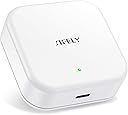
**Sifely Gateway — Honest, Unpaid Review (Day 1)** I've read through the comments on all three versions of this device before pulling the trigger. I currently run five Sifely locks, with more on the way, and overall I'm happy with Sifely's implementation of the TTLock standard. That's a bit outside the scope of this review, but it's worth Googling — TTLock is the underlying platform behind a huge number of "smart lock" brands, this one included. It's not a bad system, just one of several competing standards for remote lock control, and it's worth knowing what you're buying into. **The Wi-Fi problem** All of my locks are the built-in Wi-Fi variant, so in theory no gateway should have been necessary — and for a while, that held up. At install, every lock joined my 2.4GHz network without issue (none of them handle 5 or 6GHz, which is typical across most TTLock-based locks regardless of brand). This worked well for me because I already run a strong mesh network with 2.4 and 5GHz split into separate SSIDs. If your network broadcasts both bands under a single SSID, plan on separating them — these locks won't find a dual-band network on their own. Over time, though, the Wi-Fi connection proved unreliable. When a lock dropped offline, remote control went with it — though the lock itself never failed. Codes, cards, and fingerprints kept working without exception; only the remote/app access was affected. Recovering a dropped lock meant walking over to it, going into settings, and re-pairing it to the same SSID. Tolerable once. A weekly chore across more than two locks, not so much. **Why the gateway** That pushed me toward a gateway: if a lock drops off Wi-Fi, it falls back to Bluetooth (BLE) and the gateway keeps remote control alive without any manual re-pairing. So far, on day one, it's worked exactly as advertised. As for which model — Sifely currently sells three gateways: the basic 2.4GHz-only G2 (the cheapest), a PoE model (G3P) that skips Wi-Fi entirely, and the G5, which supports both 2.4 and 5GHz. It's worth noting the gateway only talks Wi-Fi to the Sifely cloud/app — it talks to the locks themselves over BLE regardless of model. From what I could gather in reviews, the G2 seems to carry the strongest BLE radio of the three, with the other models trading some range for their added Wi-Fi/PoE capability. I can't confirm this myself — someone would need to open all three units and compare the BLE chipsets, and it's possible the difference is firmware-driven rather than hardware. But wanting the best BLE range, I went with the G2. **Setup and range** Setup was trivial: add the gateway in the app settings and you're done. Locks in range detect it automatically — nothing to configure lock-side. Two of my locks had already dropped to BLE-only despite a strong Wi-Fi signal nearby, and as soon as the gateway went live, the Wi-Fi icon reappeared next to both locks in the app. If that holds, it's easily worth the $40 I paid. On range: this is also why I skipped the PoE model, which is a little ironic given that I run PoE switches throughout the house for my mesh network and cameras — running one more drop would have been trivial. But the reviews pointed to the G2 having the best BLE range, so I stuck with it. Four locks within 10–15 feet, with line of sight to the gateway, picked it up immediately. More surprising: a bathroom lock roughly 25 feet away, through two walls, also picked up a (weaker) signal from the gateway. That lock was already on Wi-Fi, so I can't say whether it's actually using the gateway or still riding its own connection — I'd have to kill the Wi-Fi access point in that area to find out, and I'm not willing to break something that's currently working just to satisfy my curiosity. **Bottom line** I'll reserve the right to update this review, most likely around the 30-day mark. If performance degrades, it goes back to Amazon. But as of day one: five stars. Time will tell. — Dave'O