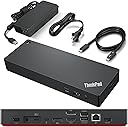
Desertcart purchases this item on your behalf and handles shipping, customs, and support to India.
🚀 Elevate your desk game with the ultimate all-in-one Thunderbolt 4 powerhouse!
The Lenovo ThinkPad Universal Thunderbolt 4 Dock is a premium docking station designed for professionals seeking maximum productivity. It supports up to four 4K displays or a single 8K display, delivers ultra-fast 40 Gbps data transfer speeds, and provides dynamic 100W power delivery. Compatible with Thunderbolt 3/4, USB4, and USB-C Windows devices, it also features smart remote management for seamless firmware updates without interrupting your workflow.


| ASIN | B09GJJ5C32 |
| Best Sellers Rank | #351 in Computers & Accessories ( See Top 100 in Computers & Accessories ) #34 in Laptop Docking Stations |
| Brand | Lenovo |
| Built-In Media | Item |
| Color | Black |
| Compatible Devices | MacBook Pro |
| Customer Reviews | 4.0 4.0 out of 5 stars (340) |
| Hardware Interface | Thunderbolt 3, Thunderbolt 4, USB Type C |
| Item Dimensions L x W x H | 6"L x 3"W x 1"H |
| Item Type Name | Lenovo Thunderbolt 4 USA Docking Station (40B00135US) With 135W AC and Power Cord |
| Item Weight | 1.2 pounds |
| Manufacturer | Lenovo |
| Mfr Part Number | 40B00135US |
| Model Number | 40B00135US |
| Number of Items | 1 |
| Number of Ports | 11 |
| Total Number of HDMI Ports | 1 |
| Total Usb Ports | 5 |
| UPC | 195348677516 196271925361 195348677271 |
| Unit Count | 1 Count |
| Warranty Description | 3 Year Manufacturer |
| Wattage | 100 |
R**W
Lenovo Thinkpad Thunderbolt 4 Dock does support HDMI 2.1 output with 4k@120hz to LG CX
Recently want to upgrade my Lenovo Thinkpad TB3 dock to this new version, but I found even it fully support Lenovo's own legion laptop with HDMI 2.1 over 4k@120hz. I checked the display info, it shows the card is wired through 'display port' internally. confirmed in game, it's just 4k@120hz, no G-sync, I think it's a limitation on LG CX, it's a special protocol used by LG and nvidia to arrange G-sync compatible. It couldn't output any HDMI signal from my Intel 2019 MacBook Pro 16. I had to use a downstream TB4 port on this dock then connect another USB-C to HDMI 2.0 cable and output to my tv, of course it's limited to 4k 60hz However, it does support my Intel 2020 MacBook Pro 13 and 2021 MacBook Pro 16 which is very strange. Of course, all of them are HDMI 2.0 due to limitation of MacOS And it does USB PD charge with 92w to MacBook Pro but it can't deliver any power to its own Lenovo Legion 7i, even though Legion can support 100w PD charging from TB4 port. Now I'm very confused by this dock. btw, firmware updated to newest 1.07 on lenovo website. Update on 6/5/2023: After a firmware update a while ago, it finally support M1 MacBook output 4k@60hz directly from HDMI port, but too bad due to Mac limitation, it's only HDMI 2.0 signal so no 4k@120hz. But I do "solve" this problem by recent hack from community using a special adapter to convert TB/DP alt signal to HDMI 2.1, I won't go into details, just search Thunderbolt -> HDMI 2.1 solution for M1/2 Mac for solution
F**K
Great form factor
It works as expected. Compact form factor. It's flat so cables won't tip it over. Minor downside: I keep the brick on the floor. I wish the cord from the brick to the dock was longer. The length limits placement on the desk. I'm looking at a better layout.
J**W
Unreliable trash
Advertises here and in its literature that it supports 3 displays using both DP ports and HDMI, but overall performance of the connected machine takes a HUGE hit when doing so. I was using this with three 1080p displays. I saw this impact at its worst when coming out of idle, when the dock would decide to cycle all of the video output ports (I heard the Windows disconnect/reconnect sounds), and I'd get mouse stutters and choppiness on the Windows desktop alone for a few minutes. I also saw one of my displays cycle entirely randomly, when it wasn't already displaying strange artifacts at the outer edges of the screen. Performance was slightly better when I put in a spare 2 port MST adapter to put both DP displays on one port on the dock, but I then had issues bringing my machine out of idle (even if I disconnected the dock) and had to hard power cycle my machine. Joke's on me though - caveat emptor - since apparently this dock is known for silly issues like this and Lenovo to this date (as of Nov 2022) has not been able to reliably fix this. I saw these issues even after updating to the latest FW rev which supposedly had a workaround for it. According to Lenovo forum posts, they cheaped out with the DisplayPort chipset in this dock which may be what is causing these problems. Unfortunately in the time it took me to troubleshoot all this and determine the dock was at fault, I've now passed my return policy and I'm left with an expensive brick. I'm sure it's a good dock if you're only using one display on it. If you're using multiple, I would stay far away from this one.
N**S
Great dock but HDMI port may not support monitors with built-in speakers.
I purchased this docking station to use with my Lenovo X1 Carbon top of line laptop. I initially tried to connect my Dell monitor (with built in speakers) to the HDMI port on this dock. The monitor worked fine, but the sound in the monitor speakers would die out in 3-5 minutes after bootup. Lenovo phone support was outstanding. I was able to get someone on the phone in minutes, they installed the Lenovo Dock Manager on my laptop, updated the firmware to latest version). Unfortunately, even this did not resolve the problem with the HDMI port in my unit (for monitor sound). I replaced the HDMI cable with a Display Port cable, and the DELL monitor AND its built-in speakers worked fine. I decided to keep the LENOVO dock for one big reason - it boots up my laptop on startup (my ACER dock could not), and it does a great job overall. You can also daisy chain this LENOVO dock with another dock for additional ports. I use my ACER dock for SD card ports (big and small) etc.
J**W
Exactly What you need for laptop plus two Monitors
Exactly what I needed. My set up is a Lenovo lap top which I have on a lap top stand. I hide this underneath the stand so I can free up more space. I have two monitors (Laptop sits in the middle of the two monitors) - wireless mouse and keyboard. All ports hold all of it. Excellent set up for folks with more than one monitor.
C**.
Works Fine
I was torn between the Lenovo and Dell docking stations because I wanted one that was easy to use and worked well with most laptops. I ended up going with the Lenovo since my current work laptop is the same brand and it was cheaper. Works fine with no monitor glitches.
C**R
Works great, hate design.
Ive used it daily for almost 2 years now with no real issues so this is harsh review. It really is fine... But i dont like layout of ports at all im always wishing port layout was different. Especially the cable/port thats connected to Laptop. I guess I like the old Think Pad Docks much much better that you place laptop on top of to connect to dock. So this design is huge downgrade for me. And also anoying that I cant get dock/cord/laptop layout siting on table how I want its always seems off. But yeah it works, its durable, its fast, it has all the ports I want. Just wish it was a different port layout. Or they stuck with the old style dock. All in all its perfectly fine but I still dont like it...
M**K
This is the best dock I've owned by far
So I've got both Ryzen and Intel laptops and even though many of my docks worked okay, they had one or more issues with my dual 34" 3440x1440 144MHz setup. Most won't output the 100W PD I need. Others would have graphic issues or audio cutouts - all sorts of things would crop up. This Lenovo dock has worked really well for me. I did run into some issues where my webcam mic would just stop working on calls, but a firmware update a month or two ago fixed it and it has been solid. Really pleased with this unit.
A**M
Very good docking station
This docking station works seamlessly with my Lenovo ThinkPad and should also be compatible with other brands. Just make sure you use the Thunderbolt cable, since it can be easy to mix it up with a regular USB-C cable. The build quality and performance are excellent, and I’d definitely recommend it for a home or office workstation setup.
A**M
Received a used , damaged, faulty docking station.
Received a used , damaged, faulty docking station. The device was faulty and keeps disconnecting from display. Luckily i had taken an unboxing video and Amazon helped with a refund.
E**Z
Buen producto.
Bien, cumple con lo que especifica.
T**Y
Fonctionne bien!
Fonctionne très bien avec mon Thinkpad. Le prix est élevé mais la facilité de ne brancher qu'un seul fil est un bienfait bienvenu.
B**R
Very good dock
Seems to have every feature one could need. Correct connections can be tricky.
Trustpilot
3 days ago
1 month ago