Desertcart purchases this item on your behalf and handles shipping, customs, and support to India.
🎯 Dominate your desk with precision and power — the ultimate trackball for pros and gamers alike!
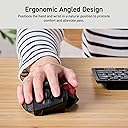
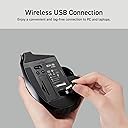
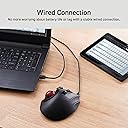
The ELECOM M-XPT1MRXBK is a versatile, high-performance trackball mouse featuring an extra-large ruby ball for smooth, precise movement. It offers dual connectivity via wired USB and Bluetooth, 8 customizable buttons for enhanced control, and a remarkable 24-month battery life powered by a single included AA battery. Designed with an ambidextrous ergonomic shape, it suits both gaming and professional environments, compatible with Windows and Linux systems.


| ASIN | B07DMF2DNW |
| Antenna Location | Gaming |
| Are Batteries Included? | Yes |
| Are Batteries Required | Yes |
| Battery Average Life | 24 Months |
| Brand | エレコム(ELECOM) |
| Brand Name | エレコム(ELECOM) |
| Button Quantity | 8 |
| Colour | Black |
| Compatible Devices | Laptop, Personal Computer |
| Connectivity Technology | Bluetooth |
| Customer Reviews | 4.0 out of 5 stars 1,750 Reviews |
| Global Trade Identification Number | 04953103349124 |
| Hand Orientation | Ambidextrous |
| Item Type Name | mouse |
| Item Weight Unit of Measure | 14 g |
| Manufacturer | 0 |
| Manufacturer Part Number | M-XPT1MRXBK |
| Model Number | M-XPT1MRXBK |
| Movement Detection | Trackball |
| Movement Detection Technology | Trackball |
| Network Connectivity Technology | Bluetooth |
| Number of Batteries | 1 AA batteries required. (included) |
| Number of Buttons | 8 |
| Operating System | Linux, Windows 7 |
| Product Features | Wireless |
| Special Feature | Wireless |
| Style Name | Modern |
| Theme | Video Game |
N**Y
Nice and comfortable
Design
F**S
No translation
very disappointing because there are no instructions in french or english.
K**Y
Great Product
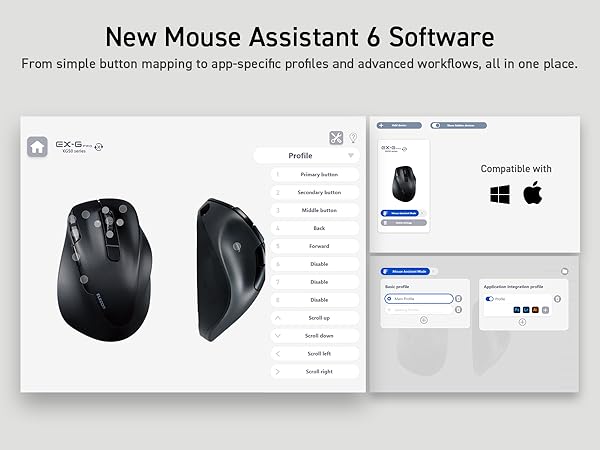
Really great product, easy to install and use, only issue is that the program is totally in Japanese and you can't change the language, so some of the features don't work, but as an over all I really like this Mouse
M**C
Best trackball I have tried so far, surprisingly
Trackballs are really something you need to try yourself to know what you need or want. You may think you want certain aspects based on design or what should work best, but actual use experience will toss all that out the window. I tried all of the finger trackballs first because I was under the impression that it would be better ergonomics and accuracy. The Deft pro, kennsington expert, and slimblade (along with some other ones that I tried) had issues with the trackball sticking when trying to do micro/fine movements such as moving the cursor just a little bit to click on something. This made it extremely difficult to use on any screen set to high resolution and small text. Then I tried the Kennsington pro fit, which to my surprise, I had mich better control over the fine movements than finger trackballs. I thought the vertical position would make it more ergonomic, but I found it uncomfortable to use. That model also got dirty really fast, to the point that I had to clean it every hour. Not sure why. Then I tried the EX-G pro, and it is better than the $150 CST L-Trac. The L-Trac was the best finger trackball, with great bearings that allow for fine movements and high quality buttons. However, the L-Trac had poor button and scroll wheel placement that ultimately made it very unergonimc to use and acutally caused pain for me. Now on to the EX-G Pro Pros: 1. Shape: I found the flat shape to be the most comfortable. I can easily reach all buttons, including the back and forward. 2. Wireless: It is not necessary for a trackball but great feature to have. 3. Replaceable batteries: No need to worry about charging and it won't become useless if the battery ever goes bad. 4. Lots of buttons: It has 2 additional funciton buttons you can bind to whatever you want along with the traditional buttons (left click, right click, middle click, back, forward,) and even scroll left and right on the mouse wheel. 5. Price: This has way more features than the MX Ergo but at about half the price. 6. Smooth bearings: The trackball moves with ease. This allows for fine movements (moving the cursor in small movements) 7. Easy to clean: You can just pop the trackball out from the bottom to clean. Most trackballs have this feature or doesn't need cleaning (CST L-Trac) though. 8. Ratcheting scroll wheel: This scroll feels pretty good. Not the best but above average. Cons: 1. No tilt adjustment: This doesn't matter to me as I find the flat profile very comfortable but others might disagree. 2. Micro USB connection: It really should be USB-C but I don't plan on using it. 3. Feels hollow: The texture feels pretty good but the mouse feels hollow when you pick it up and move it. 4. Somewhat easy to accidently hit function button to the right of right click. I have found myself accidentlaly hitting this a few times.
T**K
ottimo prodotto
Ottimo prodotto, sostituisce in maniera perfetta il mio logitech trackman marble wheel che uso da più di 20 anni a filo, per parecchie ore al giorno e l'ho sempre trovato perfetto, mai nessun problema. Volevo prenderne uno per un secondo pc e ho pensato di prendere la versione "rinnovata" (Logitech M570), nulla di più sbagliato, prodotto scomodo, molto più piccolo rispetto al vecchio, quasi subito ho avuto "fastidio" alla mano, il prodotto è un discreto prodotto, non mi aspetterei nulla di meno da logitech (anzi qualcosa in più), ma non ci siamo proprio! Ancora alla ricerca di qualcosa che potesse andare bene trovo questo prodotto, oltre ad avere le connessioni wireless bt e wifi (cosa per me inutile) ha anche la connessione via cavo e molti più tasti (completamente configurabili col suo software). La prima cosa che ho provato è la "comodità" non volevo adattarmi al prodotto, ma era il prodotto che doveva adattarsi a me, questo trackball è perfetto, offre tutte le regolazioni possibili. L'unica cosa "diversa" rispetto al mio vecchio trackball è la dimensione dei tasti principali, essendo 4 (e non 3) ho dovuto configurare 2 tasti come "dx" (in maniera veloce e facile)
T**.
Sehr ergonomisch +extrafunktionen auf den Zusatztasten
Verwende auf Mac mit aktuellem os (m1 Chip) sommer24. WICHTIG:man muss in den Systemeinstellungen der Software Zugriff aufMaussteuerung erlauben , sonst stürzt die Software ab … Hat etwas gedauert bis ich das rausgekommen habe , es kommt eine entsprechende Fehlermeldung ansonsten bevor die Software geschlossen wird . Danach kann die Software gestartet werden und man kann den vielen Tasten verschiedenste Funktionen zuweisen. Haptisch ist die Oberfläche wegen Struktur sehr gut ….
C**S
El Rolls Royce de los Trackball
Funciona muy bien. Totalmente personalizables todos los botones.
Trustpilot
2 months ago
2 months ago