Desertcart purchases this item on your behalf and handles shipping, customs, and support to India.
๐ Unlock your USB devices anywhereโnetwork freedom at your fingertips!
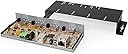
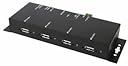
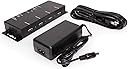
The Coolgear USB 2.0 Over IP Network 4-Port Hub enables professional users to share and manage up to four USB devices remotely over a TCP/IP network. Featuring a high-performance Gigabit Ethernet port, screw-lock USB connectors, and plug-and-play setup, it supports a wide range of USB devices including isochronous audio/video peripherals. Compatible with multiple operating systems, this hub is designed for seamless network integration and reliable device connectivity.
| ASIN | B004EKKBQ0 |
| Additional Features | A wide range +7~24V DC power Input for internal network and USB bus power, OS Support: Windows XP, 2003, Vista and Win 7 |
| Brand | Coolgear |
| Color | Black |
| Colour | Black |
| Compatible Devices | Desktops |
| Compatible devices | Desktops |
| Customer Reviews | 2.6 out of 5 stars 12 Reviews |
| Data Transfer Rate | 480 Megabits Per Second |
| Enclosure Material | Alloy Steel |
| Hardware Interface | USB 2.0 |
| Hardware interface | USB 2.0 |
| Manufacturer | Coolgear |
| Mfr Part Number | NET-USB-4A |
| Model Number | USBG-4NET |
| Number of Ports | 4 |
| Operating System | Linux, Mac OS X 10.0 Cheetah, Windows 7, Windows 8, Windows 98, Windows Me, Windows Vista, Windows XP |
| Special features | A wide range +7~24V DC power Input for internal network and USB bus power, OS Support: Windows XP, 2003, Vista and Win 7 Special features A wide range +7~24V DC power Input for internal network and USB bus power, OS Support: Windows XP, 2003, Vista and Win 7 See more |
| Total USB ports | 4 |
| Total Usb Ports | 4 |
| UPC | 729440625078 |
J**.
Drivers have not been updated since 2010
will work in windows 7, but crashes in windows 10+11, manufacture suggests setting compatibility mode but that does not work.
D**7
Very Handy
First off, you need some networking experience to work with this device. The device is pretty straight forward. I am using it for external hard drives to access them over the network from multiple computers. Also, you have to have the device in the same subnet to be able to use the server. Install the software was easy to do. The server tells you to use windows device removal feature and then stop the device. The device sometimes wants to crash for some reason sometimes. If you just stop all transfers on the device and use the servers manager program to remove the hard drives, it will just give a warning saying that could lead to data loss if transfers are currently active etc, and seems to work a lot better with the server. Am able to get about 20-50 MBps transfer, which is typical for usb 2.0 speeds over the gigabit network that I have them on. Once I fill up the hard drive using esata which is faster, I just put the drives on the usb server and access them when need stuff off them, so speed is not really a priority. Mounts devices to your computer as if they were plugged into your computers usb port. This device will work with printers and cd-rom which i have not tried, but have tried usb sticks which work fine. The true name of the hard drive does not show up in the manager, which can make for tricky guessing of which drive is which. The true name will show up once you mount the hard drive to your computer though. You are able to set passwords for the usb servers, tell it to use dhcp due to the server itself needs a ip address to be able to share drives. You can manually assign ip addresses also if need to. There is idle timeouts also. I tried to put a usb hub into the server, it will detect it, but will not work with them for some reason. Not all devices are supported by the server. This covers the main things that I have looked over that I need to use. May cost more and was hesitant at first as having never used a device like this before, but well worth the money. The device didn't have no reviews either, which made left me hoping that wouldn't be a disappointment. Will be ordering more of these devices.
S**N
My issues with this product
I have other USB hubs from CoolGear and they are great. Pricey but great industrial strength hubs. In this case this device has not worked out for me. My goal was to use this with several USB devices for example USB to RS-232 adapters. And also some higher end USB cameras. Unfortunately in my case I have not been successful using any make/model USB to RS-232 adaptor (and the manufacturer states these devices are not supported). Nor have my cameras worked either. Often times I get a the BSOD (Blue screen of death) trying to connect to this device. Simply put this product is not for me! However, it works great with memory sticks, USB thumb drives, I have to assume USB printers too. But, outside of anything but basic USB devices like these I have found it doesn't foot the bill for me. I was surprised out how few of the devices I tried would actual work but I am not your average or normal user either. Again the company puts out great products for the most part so this is not a reflection on them in anyway. Just this particular product was far too limited for my applications.
A**R
This Product does not support USB Plug and Play. Does not support all USB devices. This product has little or no support
This product does not support USB Plug and Play. USB drivers have to be manually installed before the USB device can be used. Not all USB devices are supported. This product has almost no support. Not many people know how to manually install a USB driver, so this product will probably not be commercially viable. There is not a list of USB devices that are supported and are not supported. Even if you know how to manually install a USB driver, your USB device may or may not be supported, and if it is not supported, you are out of luck, because this product has little or no support.
S**Y
Conveniently allows VMs to have USB support from anywhere.
Allows you to have USB support from your virtual machines (I run VMware ESXi Hypervisor), from anywhere in your home network. So in other words, if your hypervisor machine is buried in your basement, you can have this unit up in your office, and have devices like scanners, printers, flash drives etc, plugged in at your desk and access your VM over remote desktop on your laptop to make it seem like that pc is right next to you.
Trustpilot
1 month ago
2 days ago