Type in Style! ✨
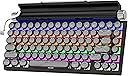
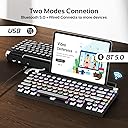
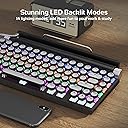
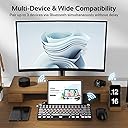
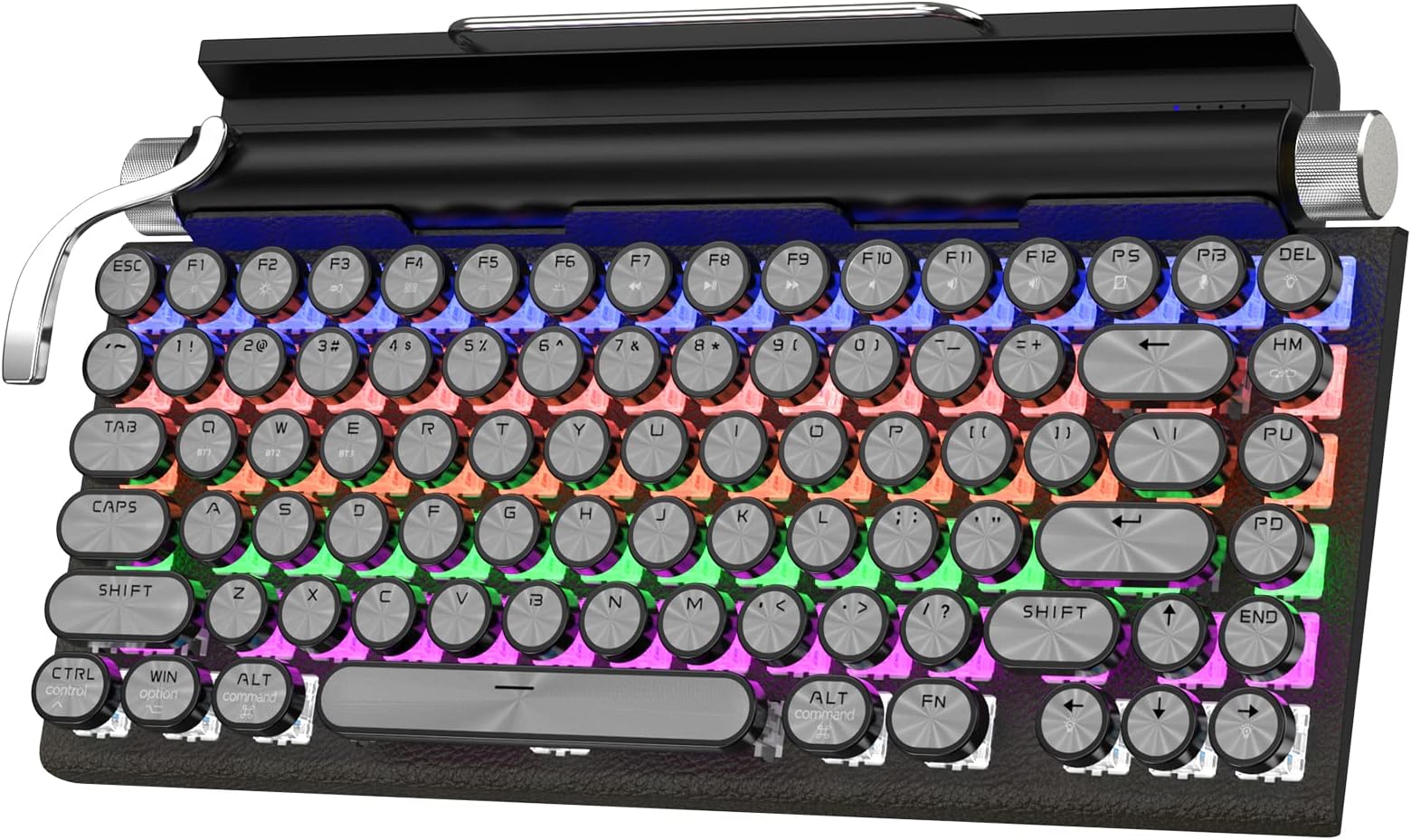
The Retro Typewriter Keyboard combines vintage charm with modern technology, featuring Bluetooth 5.0 connectivity, multi-device support, and customizable backlighting, making it the perfect accessory for professionals who appreciate both aesthetics and functionality.
| Material | Metal |
| Style | Retro |
| Theme | Retro |
| Color | Black |
| Keyboard Layout | QWERTY |
| Hand Orientation | Ambidextrous |
| Button Quantity | 104 |
| Is Electric | Yes |
| Keyboard Backlighting Color Support | RGB |
| Power Source | Corded Electric |
| Compatible Devices | Laptop |
| Connectivity Technology | Bluetooth, USB, 2.4G |
| Special Features | Backlit |
| Number of Keys | 83 |
D**K
A Bluetooth Keyboard with Character
This Taiahiro Wired/Wireless RetroMechanical Typewriter-style Keyboard has about 80% of the design layout of a full-sized keyboard and weighs 1.62 pounds. This Taiahiro Wired/Wireless RetroMechanical Typewriter-style Keyboard can be used as both a wired keyboard and wirelessly via Bluetooth 5.0.I used this Taiahiro Wired/Wireless RetroMechanical Typewriter-style Keyboard with my M1 iPad Pro as there's a channel built into the keyboard that effectively serves as a stand for iPads that are not encased. When used as a pair it gives the iPad Pro a novel 'retro tech' vibe that is sure to create a sense of nostalgia for those old enough to remember the now 'ancient' typewriter.Cool factor aside, a keyboard is worthless if it inhibits productivity. Thankfully, that is not the case here. This Taiahiro Wired/Wireless RetroMechanical Typewriter-style Keyboard is about 80% of a full-sized keyboard which allows keys to be properly spaced apart. The rounded, mechanical keys deliver satisfying travel and feedback which only lends to the richness of the typing experience this Taiahiro Wired/Wireless RetroMechanical Typewriter-style Keyboard delivers.What I liked most about this Taiahiro Wired/Wireless RetroMechanical Typewriter-style Keyboard was:- The typing experience. The feel and sound of this keyboard is something you have to experience for yourself.- Functional carriage return and paper roller dials. The carriage return and dials function to control RGB lighting. The carriage return cycles through various RGB lighting options, the left dial increases the speed at which RGBs flash while the right dial controls brightness.- Multi-device control. This device can be used wirelessly with up to 3 different devices or you can plug it into a compatible device or hub.- Functions as a stand. I use this Taiahiro Wired/Wireless RetroMechanical Typewriter-style Keyboard with my 11" M1 iPad Pro and it is a perfect fit. I presume similarly sized devices can benefit from this keyboard as well.What I liked least about this Taiahiro Wired/Wireless RetroMechanical Typewriter-style Keyboard was:- Price. This great keyboard may be priced a bit above what someone would be willing to pay for a keyboard for their tablet- Stand feature is most compatible with tablets no larger than 11". While you can certainly use a separate stand with larger tablets I find the convenience of typing with my iPad directly sitting on this keyboard is ideal. I think you lose a bit of that convenience with a larger device.Overall, if you have the cash to spend then this Taiahiro Wired/Wireless RetroMechanical Typewriter-style Keyboard is definitely a keyboard to consider for your high-end tablets. While this device worked perfectly with my M1 iPad Pro, it uses standard Bluetooth 5.0 protocol making it universally compatible. This Taiahiro Wired/Wireless RetroMechanical Typewriter-style Keyboard is sure to be a hit with those who remember the typewriter. Even among those who've never seen an actual typewriter find this keyboard novel in its aesthetic. When combined with a rich typing experience this Taiahiro Wired/Wireless RetroMechanical Typewriter-style Keyboard is well worth its price. Speaking of price, some may consider this Taiahiro Wired/Wireless RetroMechanical Typewriter-style Keyboard a bit pricy. Others may not find its stand compatible with tablets that have screens that exceed 11". Still, good mechanical keyboards, particularly portable ones, often start at 90 bucks and those lack the aesthetic and features of this Taiahiro Wired/Wireless RetroMechanical Typewriter-style Keyboard. 4.5 out of 5.0
J**F
Neat retro looks.
They keyboard looks good. I'm not a fan of the flashing lights, but they are easy to turn off. I think they are too much and ruin the retro styling. Also, without the lights, they could have used the arm for another purpose, possibly as a return key alternative.They keyboard is mostly plastic, though not the cheap kind. The keyboard comes with a couple of replacement switches, which is a first for me. If one fails, you have a backup. Nice. The directions are pretty easy to follow. They tell you how to do all the functions that aren't obvious, like the combination of keys to hit to switch between bluetooth and wired mode. Personally I prefer wired mode because you don't get that little delay you do with bluetooth when you haven't typed for a couple of minutes. It is a little pricey for a plastic keyboard at over a hundred dollars. That's the main drawback with this one. It's a good, reliable keyboard though and the old typewriter style is fun.
P**S
Nice vintage inspired keyboard!
I got this to use as a keyboard for my 10" tablet. It's a little tricky to connect, but if you follow the instructions in the included booklet, you'll be fine. I'm not usually a fan of a mechanical keyboard, but I loved the vintage typewriter look of this one and have been wanting one for a while. I got the black one, and it goes well with my tablet that is the same color. It takes a bit to get used to the features, but not hard to learn.I'm not a big fan of the backlight; I don't like that it is multicolored. I'd prefer it to be a solid color.
A**N
Looks good, supports 3 BT devices, won’t handle phone/tablets in large cases, poor manual.
7/19/2022 Update: I'm "this" close to adding the extra star. It's such a cool typing experience and once you get used to it, touch typing takes care of not being able to see the keycaps due to the glare.Taiahiro ML-981 typewriter keyboardI am old enough that I have actually used a manual typewriter. I even took typing class in high school (with half the class using manual typewriters). I have wanted one of these retro typewriter style computer keyboards ever since I saw a Kickstarter for something like this years ago.Features:Battery powered OR USB. The included USB cable is lengthy, and braided. It appears high quality.Bluetooth. You can pair up to three devices with it, and you switch to them by pressing Fn+Z/X/C. To pair, you hold down Fn+Z/X/C for a few seconds. This worked well between a Windows 11 system and an iPad. I can quickly switch between the two.RGB lights under the keys. There are 14 (?) patterns you can select. Fn+HM switches modes, FN+UP/DOWN toggles brightness levels. FN+LEFT/RIGHT changes speed. (The manual does not say how many lighting levels there are, but it looks like only four to me.) Some patterns go on their own, and others are activated by keystrokes.They keyboard has a cool look. The base is textured to look like black leather. Where you’d have paper rollers on the left/right ends of a typewriter, there are knobs. The right knob controls volume (testing on Win 11 and iPad), and the left is brightness for the RGB lights. There is also a lever on the left side which seems to toggle light patterns. (I cannot find a description in the manual.) It is meant to be like the manual lever you used on a typewriter to advance to the next line.There are four LED lights that indicate modes. The manual has no diagram of their order, but lists them as 1) Bluetooth/Wired indicator (flash blue when pairing, solid blue when paired, solid red when USB). 2) Win Lock indicator (to disable the WIN key — but why?). 3) Caps Lock. 4) Charge (flashing red for low, solid red for charging, solid blue for charged).There are various Fn+key combinations to open My Computer, Search, Calculator, Media, Prev/Next Track, Play/Pause, Stop, Mute, Volume+/- (even though there is a roller for this), etc. There are NO labels on the keys to indicate this, so you need to just know it, or keep the manual handy.The keyboard also has a slot where you can put your phone or a tablet. Unfortunately, the slot is too thin to hold a device in a protective Otterbox Defender case. In is 2022 and manufacturers still think no one puts cases on their devices.They keys are mechanical and have a good click, but they are wobbly. I find touch typing to be difficult with these circular keys for some reason, but it didn’t take too long to adjust.It even came with what looks like two replacement keyboard parts and some little metal clip. There is no reference to this in the manual nor any type of repair instructions.Speaking of the manual, it is missing some basic information. It does not list what light is what (I think they are just in the order listed, left to right). It does not describe what the various keys are. For example, I had to look up what PS and PB were. While my laptops have had a PrtScr key, I haven’t seen the Pause/Break key on any system I have owned in what seems like decades.Keys are also abbreviated PS, PB, DEL, HM, PU, PD and END instead of just writing it out like some other keyboards do.Negatives:The keys are shiny and sometimes hard to read under overhead lights.The RGB colors are under they keys, not shining through the keyboard, so its not backlit and can’t be used in the dark.You can’t use a phone/tablet in the slot if it is in a thick case. I’m dropping a star off for that reason, because I had planned for this to be my new iPad keyboard.Documentation is lacking, and I think two pages are out of order. The last page ends in the middle of a sentence. I “think” it makes sense reading the previous page, but the page in front of that also ends without punctuation so maybe it belongs to that block of text. Sometimes it is hard to tell with these translated manuals.Overall:I like it much more after using it a few days than I did when I first tried it. Give it a week to grow on you.If they would label the keys better (especially the Fn features), and make it so it could hold devices in thicker cases, I’d rate it better. I expect the key issue might have been them trying to make the keys plain like a typewriter, but typewriters never had function keys, PU/PD, etc.And in case someone loses their manual…MANUAL NOTES:Left knob - RGB brightness.Left lever - toggle RGB modes (?).Right knob - volume.LEDs:LD1 - Bluetooth/WiredLD2 - Win LockLD3 - Caps LockLD4 - Charge.HOTKEYS:Fn+F1 - My computerFn+F2 - SearchFn+F3 - CalculatorFn+F4 - MediaFn+F5 - Previous TrackFn+F6 - Next TrackFn+F7 - Play/PauseFn+F8 - StopFn+F9 - MuteFn+F10 - Volume+Fn+F11 - Volume-Fn+F12 - Keyboard LockFn+WIN - Windows LockFn+Ctrl - right ctrlLeft Roller - “brilliance adjusting”Right Roller - Volume+/-RGB:Fn+HM - Switch Lighting ModeFn+UP - Brightness+Fn+DOWN - Brightness-Fn+LEFT - Light Effecting Speed-Fn+RIGHT - Light Effecting Speed+BLUETOOTH:Device ID “ML-981”Fn+Z for 3 seconds - ??? reset ???Fn+R - toggle Wired/Bluetooth mode.Fn+Z, X or C for 3 seconds - enter pairing mode for that device.Fn+Z, X or C - select paired device.Good luck!
Trustpilot
2 days ago
1 month ago