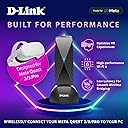
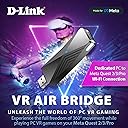
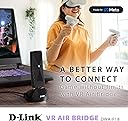
![D-Link VR Air Bridge - Dedicated Wireless Connection Between Meta Quest 2 [Oculus] and Gaming PC for 360° Movement Powered by Link Software (DWA-F18) Black](https://m.media-amazon.com/images/I/418yF6AymPL._AC_SL3840_.jpg)


Desertcart purchases this item on your behalf and handles shipping, customs, and support to India.
🚀 Cut the cord, not the experience — VR gaming unleashed!
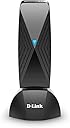
The D-Link VR Air Bridge (DWA-F18) creates a dedicated WiFi 6 wireless link between your wired PC and Meta Quest 2/3/Pro headset, delivering ultra-low latency and smooth frame rates for cable-free PC VR gaming. Designed exclusively for Meta Quest, it unlocks access to the PC VR game library with easy setup via USB 3.2 Gen 1. Ideal for gamers seeking freedom of movement without sacrificing performance, though optimal results require a wired PC connection and line-of-sight placement.


| ASIN | B0BJ39BCPL |
| Additional Features | Dedicated WiFi 6 connectivity for PCVR |
| Age Range Description | Adult |
| Best Sellers Rank | #50,868 in Video Games ( See Top 100 in Video Games ) #559 in PC Virtual Reality Headsets |
| Brand | D-Link |
| Built-In Media | DWA-F18, Docking Station, QIG |
| Color | Black |
| Compatible Devices | Meta Quest 2/3/Pro, Personal Computer |
| Connectivity Technology | Bluetooth, USB, Wi-Fi |
| Controller Type | motion-sensing controller |
| Customer Reviews | 3.6 out of 5 stars 412 Reviews |
| Display Resolution Maximum | 1832 x 1920 pixels per eye |
| Display Type | LCD |
| Field Of View | 360 degrees |
| Global Trade Identification Number | 00790069465857 |
| Included Components | DWA-F18, Docking Station, QIG |
| Item Weight | 9.6 ounces |
| Manufacturer | D-Link Systems, Inc. |
| Mfr Part Number | DWA-F18 |
| Model Name | VR Air Bridge for Meta Quest 2/3/Pro |
| Model Number | DWA-F18 |
| Number of Items | 1 |
| Operating System | Windows 10, Windows 11 |
| Platform | Windows 10, Windows 11 |
| Resolution | 1832 x 1920 pixels (Meta Quest 2), 1800 x 1920 pixels (Meta Quest Pro) |
| Screen Size | 6 inches |
| Sensor Technology | Gyroscope |
| Specific Uses For Product | Business, Exercise, PC VR Gaming |
| UPC | 790069465857 |
| Warranty Description | 30 day manufacturer |
| Warranty Type | Limited |
S**U
A little pricey, but great if you have unreliable wifi!
My router is halfway across the house from my room, which made it quite hard to play VR wirelessly. I had to constantly set up a mobile hotspot on my laptop and then play VR on my PC, but it was not the most consistent. This provided me little to no latency, a stable connection, and I was able to run on a higher resolution. Although I do hate the Airlink interface as opposed to Virtual Desktop, it was a great improvement overall. I’m also pretty sure you can use the Airbridge with Virtual Desktop. Highly recommended if you need a strong connection to your PC without setting up an entirely new router.
A**R
Feels like a half baked product.
I have played with this unit for a month with a Quest 3 and I can definitely say it is not great. It feels like a half baked product. The setup took a lot of convincing to get it to work. It's buggy, laggy and on occasion, crashes my very recently built, high end gaming computer. It also has issues connecting much of the time and it is prone to dropping the connection, which in turn, causes my computer to crash. The internet gets cut to the VR headset when you use it (part of how it works). Connecting and disconnecting from the PC is a hassle if you want to go back and forth between the PC and headset environments. The range is not great and was reduced by simply having the unit behind a monitor. The range is about that of a small to medium bedroom as long as it is line of sight. I just upgraded my network to WiFi 6E and that is where it's at. Everything just works seemlessly. If this product worked liked that, I could highly recommend it. But it doesn't. If you have a 2.5Gbps or greater NIC on your PC, a new high end or custom router is definitely a better investment, especially given that this unit is quarter the price of a decent router. The range is longer, it's not laggy and the connection is stable. It doesn't crash my computer and switching between the PC and headset environments is seemless. This unit may be good in a pinch. Like if you are using a laptop and your friend has a garbage network. It definitely beats being wired. For a home set up, there are better solutions.
A**N
Setup was smooth and it works just as well as a cable as far as I can tell.
I just bought a Quest 2 for the first time when they went on sale this year, but when I tried to use Air Link between my PC and my router, it was really choppy and unusable. My PC is hardwired to the router and the Quest 2 is only about 15 feet away from the router, but the router is an older Asus from 2014 and there is one wall between the PC and the Quest 2. I was hoping it would still work, but no luck. The reviews on this bridge are a little mixed, but I figured it was worth a shot to see if I could play PC VR games without a cable. The setup was pretty easy and basically consisted of opening the Oculus app on the PC, plugging in the bridge, doing a restart and setting a password for the wifi that the Bridge puts out. I plugged the included cable into a USB 3.2 port on the back of my PC and set the D-Link Bridge on the desk facing the play area. I am playing in the living room, just about 20 feet from the bridge. Then you just connect the Quest 2 to the wifi from the bridge and launch the Air Link from the Quest menu. At first I was concerned that the the bridge wifi had no internet connection, meaning the Quest didn't have a connection to the internet when I was connected to the bridge wifi. Then I realized that the Quest doesn't need an internet connection while you are using the Air Link, because the games are running on the PC anyway. The Quest is just acting as a VR headset for the PC, so as long as the PC has internet, you are good to go. When you are done with the PC you just reconnect the Quest to your normal wifi to get internet back. It just takes a couple clicks on the Quest menu to swap back. So how does it perform? It is actually really good! I honestly can't tell the difference between using the Quest standalone versus using it to play PC games through the bridge. I bought Contractors VR because it is a cross-buy game, so I can test the same game on the Quest versus playing through the PC. Other than the graphics on PC being WAY better, I can't tell a difference between how the game feels and controls. It runs really smooth through the bridge, and I forgot I was even running the game on my PC. I have played a few different games (Contractors, Microsoft Flight Simulator, Tabletop Simulator) for several hours now and I haven't had any crashes or issues. I have really only seen it stutter a couple times in the time I have played so far, and it was very briefly. I do have a higher end PC (i7-12700k, RTX 4080), which I am sure helps eliminate any bottleneck on the PC side.
V**D
A real game changer!
Before getting this, I could only use my airlink at certain times during the day where I had to have my headset plugged in to my computer with very little room to move (the cord was not very long and if I moved only slightly a certain way, I would be disconnected.) The VR Air Bridge D-Link has allowed me to play untethered from my computer. It is so nice to be able to move or to takeoff my headset without losing my game. I love it. The only reason I gave it four stars instead of five is because my visuals were very shaky in one app and I was not able to experience it through PCVR. Overall, this is definitely well-worth the cost. I hear it is even more amazing when combined with Virtual Desktop and not just the regular Quest airlink, but I have not tried it yet.
J**E
A Good Product Held Back By Major Flaws
I almost never write reviews on Amazon, but this product has been a bit of a pain to get working. When this thing works, it's amazing. Practically zero latency with a clear image when using the device along the new Steam Link app. Sadly, the setup process is very inconsistent. Sometimes the setup process is quick and easy, but most of the time it fails during setup forcing me to restart the Oculus PC app or unplug the device. I've had to even factory reset the device many times in order to get it working. Once I get past the setup process it's fine, but if I ever want to take a break or restart my PC for whatever reason, I usually have to go through all of this again. There is a genuinely good product here. It's just a shame it's being held back by these major flaws.
D**U
Great idea, awful technical support.
Update Aug 16, 2023 - After several months of on and off experiments I was finally able to discover the issue. Certain USB controllers, typically those found on laptops, come with firmware level bandwidth limits. These limits do not always throw and error or notice because some of the data is being allowed through, though not enough for Oculus to allow a bridge to form. In these conditions, the software will continue to reset the connection during the IP addressing phase. On laptops this error has no work around, the only solution is to buy a new computer. Some desktops can be upgraded with a PCI expansion that provides enough bandwidth, though a good desktop gaming motherboard will have a controller that can take the load. Old Review Below - Great idea in theory, but for some reason it won't allow my Oculus to aquire an IP address and there is not good support from Meta to help troubleshoot the issue. It's been a month, and nobody has been able to help. Will rate 5 stars once I figure this out to get help from someone who understands the device.
S**H
Literal trash
Got my son a Quest 2 for Christmas and we have Airlink working over an Xfinity WiFi 6 router with about 35 devices connected to it. Much of what we do is native on the Quest; only Roblox, Minecraft, and Google Earth VR through Airlink so far so it's working fine even over a congested router. But I knew it could be better over a dedicated connection. I saw the mixed reviews on this, and I know the recommendation on the web is to just get a separate router as a dedicated access point. But the recommended routers all look like a lunar lander and the D-Link was small and unobtrusive, so I thought I'd give it a try and see if I get lucky. First of all, there's no instructions. You plug it in, it starts the setup, and then it gets stuck on obtaining an IP address. So I disable Bitdefender Firewall and Windows Defender to get through that, then I have a connection to the PC but no internet on the headset. Go into the network adapter properties and set up the ethernet connection to share with the Air Bridge, now I've got a connection with internet, looking good. Unfortunately, as many of the reviews already state, it cannot maintain a connection. It will work for a couple minutes and then the headset will freeze up. Tried several times with the same result. It's back in the box waiting to be dropped off at UPS. Meanwhile, we're back on the router and everything works fine again, all without messing with my firewall. Do yourself a favor and heed the reviews. If your router can't handle the link, just get another router and dedicate it to the task. Do not waste time on this.
J**V
No lagging and tearing Steam games on Quest 2!
I set up the D-Link VR Air Bridge on my gaming desktop (wired ethernet) as well as a laptop on wifi so I could have more space in the living room. I have the Oculus (Meta) Quest 2 and have previously used a 5m (~15ft) USB-C to USB-C cable to play Steam games like Half-Life Alyx and Boneworks. The included quick set up was simple enough to get me started playing within 15 minutes. The only slow down I had was on my laptop because the Oculus Windows app and Steam software were out of date. so I had to spend time updating them; however, that is Step 1 in the D-Link guide :) After connecting the VR Air Bridge, I followed the two or three steps in the Oculus app and Quest 2 headset and then started Steam games like I would when wired via USB-C. The Air Bridge was within 3m (~9ft) away on my computer desk or on the table next to my laptop when I played in the living room. I did not experience any VR room or game lagging or tearing and gameplay felt just as smooth as with a wired tether. I definitely recommend this for those that want to go untethered or have weak wi-fi signal in their play area.
Z**F
Good solution if you are in different floor of router
This is a great solution if your on a different floor than your router. Even though this product page says you need your PC to be wired, it's not necessary. My computer isn't wired at all and I'm playing perfectly fine. First time setup is easy if you know how to be patient and you may need to turn airlink of and on once or twice on first setup
M**A
Pesima Calidad
A 2 semanas de la nada dejo de funcionar, no se conecta no manda algún dato, nada
R**D
Garbage stay away.
This is the worst thing I have bought in a very long time. Took forever to configure even though you are led to believe it’s easy. It just wouldn’t connect, took several attempts to get it to connect. Then it was connected and I opened up Contractors Showdown and it was extremely laggy and the compression shot through the roof. It was like I was watching a low res stream. I rebooted the headset and it worked perfectly, I was blown away by how good it was. Fast forward to next day and I could get it to connect to the D-link every time but there was no Link available no matter what I did. This product is total garbage. Stay away. I have tons of tech experience and have never written a bad review that wasn’t deserved. Trust me this is a bad product.
J**H
Largely plug and play but the instructions don't mention how to enable internet access
I followed the instructions and this was a plug and play device right until the end. The instructions will get your Quest connected to your PC but it leaves out that in your PCs network settings you need to enable sharing on your internet connection and set the wi-fi direct virtual adapter as the sharing target in order to get an internet connection on your quest, which is fairly important. Aside from that I have not had any issues with the device, it's been stable and reliable so far.
C**E
This thing is a nightmare, but it does work.
It takes an obnoxious amount of fiddling every time you want to connect, and the initial connection was absolutely brutal. It glitched out so bad I had to follow a forum full of hundreds of people with the same issue as me and the only solution was to uninstall the Oculus app, delete a bunch of hidden folders in AppData and then reinstall. It's been working like a dream ever since, but man this thing is not plug n play. Still, it WORKS. Completely wireless, perfect PC VR. I give that a thumbs up
Trustpilot
2 months ago
5 days ago