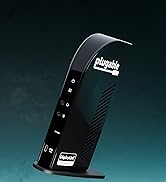
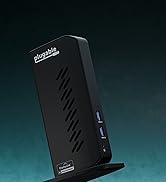
Desertcart purchases this item on your behalf and handles shipping, customs, and support to India.
โก Elevate your workspace: Power, speed, and clarity in one sleek dock.
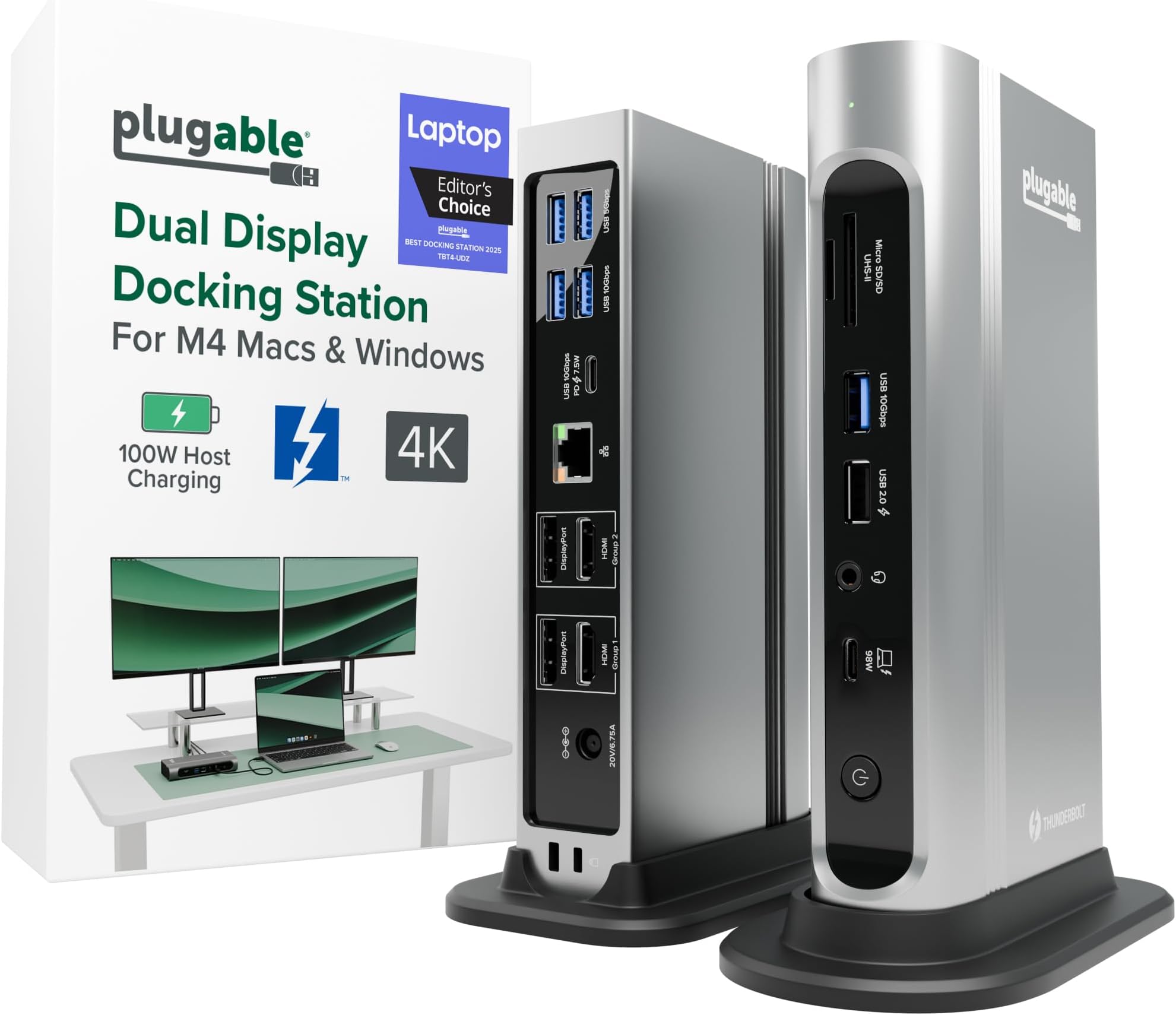
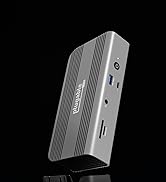
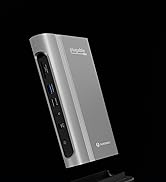
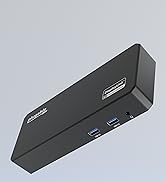
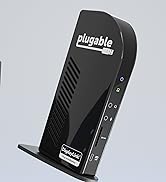
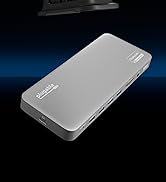
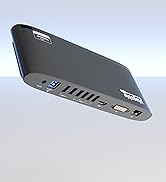
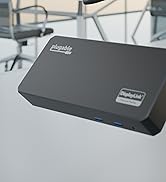
The Plugable 16-in-1 Thunderbolt 4 Dock transforms your laptop into a powerhouse workstation with dual 4K 60Hz display support, 100W charging, and ultra-fast 2.5Gbps Ethernet. Compatible with the latest M4/M5 MacBooks and Windows Thunderbolt 4/USB4 devices, it offers 16 versatile ports including 7 USB, HDMI, DisplayPort, and SD card readers. Recognized as Laptop Magโs 2025 Dock of the Year, it delivers seamless plug-and-play connectivity and robust customer support, making it the ultimate productivity hub for professionals who demand speed, power, and reliability.


| ASIN | B0BQJWKBMF |
| Best Sellers Rank | #619 in Computers & Accessories ( See Top 100 in Computers & Accessories ) #70 in Laptop Docking Stations |
| Brand | Plugable |
| Color | Silver |
| Compatible Devices | Windows 11 Thunderbolt 4 hosts and Thunderbolt 4 Macs with macOS 11+ including, M5 / M4 MacBook Pro and MacBook Air, M1 Pro/Max, M2 Pro/Max, M3 Pro/Max, or base M3 (with clamshell mode required for dual displays), HP Omnibook / EliteBook / DragonFly / ProBook / Spectre x360 series, Dell Pro Max / Plus / XPS / Latitude / Inspiron, Lenovo ThinkPad / IdeaPad / Yoga , Framework (Intel Processors), Microsoft Surface Pro 11 & 10 for Business, Surface Pro 9,8 / Surface Laptop Studio / Surface Laptop 6 / 5, Acer Swift, Predator, Aspire Vero, ASUS ZenBook, ExpertBook, ROG Zephyrus, ProArt Compatible Devices Windows 11 Thunderbolt 4 hosts and Thunderbolt 4 Macs with macOS 11+ including, M5 / M4 MacBook Pro and MacBook Air, M1 Pro/Max, M2 Pro/Max, M3 Pro/Max, or base M3 (with clamshell mode required for dual displays), HP Omnibook / EliteBook / DragonFly / ProBook / Spectre x360 series, Dell Pro Max / Plus / XPS / Latitude / Inspiron, Lenovo ThinkPad / IdeaPad / Yoga , Framework (Intel Processors), Microsoft Surface Pro 11 & 10 for Business, Surface Pro 9,8 / Surface Laptop Studio / Surface Laptop 6 / 5, Acer Swift, Predator, Aspire Vero, ASUS ZenBook, ExpertBook, ROG Zephyrus, ProArt See more |
| Customer Reviews | 4.1 out of 5 stars 513 Reviews |
| Hardware Interface | Thunderbolt |
| Item Dimensions L x W x H | 4.1"L x 1.4"W x 7.7"H |
| Item Type Name | laptop docking station |
| Item Weight | 646 g |
| Manufacturer | Plugable |
| Mfr Part Number | TBT4-UDZ |
| Minimum Required Operating System Version | Mac OS 11 Big Sur, Windows 11 |
| Model Number | TBT4-UDZ |
| Number of Ports | 16 |
| Product Dimensions | 4.1"L x 1.4"W x 7.7"H |
| Total Number of HDMI Ports | 2 |
| Total USB Ports | 7 |
| Total Usb Ports | 7 |
| UPC | 819927012733 |
| Unit Count | 1 Count |
| Warranty Description | 2 Year Limited Parts and Labor |
| Wattage | 100 |
C**S
Very solid construction, top notch support
I bought this to dock a new gaming notebook to the two monitors, keyboard, mouse, speakers, mic, webcam, and other assorted odds and ends at my working desk. All of that is shared with a work notebook which has its own company-supplied "meh" quality off-brand Thunderbolt 3 dock, with both docks switching through a modern KVM so that I can jump back and forth as desired. As the new computer has a Thunderbolt 4 port, I wanted to go with a TB4 dock to allow for the possibility of higher resolution & higher refresh monitors and maybe even more of them at some point. This Plugable dock looked to be the best balance between price and features -- for the features, there just aren't that many docks at this price. A lot of the docks around this range don't even have DisplayPort, just capability for USB monitors. A lot of the ones at this price also tend to supply less power, which aren't enough for this computer. This one also seemed to make the top X on quite a few of the "best Thunderbolt 4 docks" lists. So nothing much to report in the functionality -- plug stuff in, stuff works. I had no issue with the computer locking onto the dock or the dock addressing any of the peripherals. Everything happens pretty much instantaneously. You get a nice green solid light to show successful TB connection with the computer, or white if no connection. The dock supplies 98W of power, which is enough to actively charge my power-hungry Lenovo Legion 5 Pro notebook which needs something close to that to charge while using. It's almost the 100W max for this computer for USB charging. Anyway, that certainly works. I had one hiccup -- toward the end of the first full day of use, it just stopped working at all, unable to ever establish a connection to any computer plugged into it. Swapped cable, same deal. I contacted tech support (after hours) via email and immediately got a human response acknowledging the problem, letting me know the real techs were going to be back in office first thing in the morning and would get with me, and as promised, they did, the very next day. Josh from Plugable, probably one of the most polite and pleasant people I've ever dealt with from a tech support team, was quick to ask for a bit more info, followed by acknowledgement that it appears that the dock is bad, and an offer to send out another immediately in exchange for promise of return from me using the shipping label that was to be included. Each interaction was very quick -- no long waits between emails. The package did arrive in just a couple of days and the replacement so far is working great. He mentioned really being eager to get that other one back with all of the original stuff (i.e., "please use only the new stuff [power supply, cable, etc] because we don't know which part of the old unit is the point of failure") so that they can diagnose the cause of the problem, presumably to know whether there are manufacturing or design issues to address. It's what I like to hear. Anyway, highly recommend this product. If you need it, the tech support is unbeatable. Hopefully you won't need it, and you'll have a really solid and frankly very attractive dock that looks good sitting on my desktop where my old mid-tower system used to be, along with easy access to USB ports and SD-card slots and a headphone jack.
G**R
***** review for a product that died on me - please read!
So yes, this product died on me. After owning it for about 9 months this dock decided it was done. But - that's not the story. Any piece of technology has a chance of failure and I can't hold that against Pluggable. The product's performance and Pluggable's response to this device failure are what earn it an emphatic five stars from me. With the help of a couple of AI chatbots, I did some very extensive troubleshooting on my own, and carefully documented what I did to try and resolve. When that didn't work, I easily found an email link to reach Pluggable for a warranty claim. I forwarded them the device nameplate info, my purchase record from Amazon, and a detailed summary of the troubleshooting steps I followed. To my amazement I got quick response back from what seems like a live person. They agreed with my troubleshooting steps and just wanted to confirm my mailing address for the warranty replacement. By the next business day I received shipping confirmation for this shipment, and it's due to arrive tomorrow - just 3 days later. Absolutely brilliant on the part of Pluggable. As far as my experiences using the device for 9 or so months, I can say this: The device seems very well built, and it performed exactly as I expected. I had bought this to replace another dock (another company...) that didn't do monitors right when connected with my MacBook. To me that is more of an Apple problem with them making life difficult with external docks and monitors. After my own research I found this device should work correctly with Mac, and it did.
P**E
Unreliable and False Advertising On Capabilities
On this model, there are 4 video ports, (2) HDMI and (2) DisplayPorts. I initially found it odd that they are labeled as "Group 1" and "Group 2", asserting that you can only have 2 monitors, with the option of HDMI or DisplayPort, despite that documentation states you can run 4 monitors on Windows. Well, this turned out to be moot anyway, as I found that NONE of the video ports are actually compatible with HDMI or DisplayPort, respectively. Wow! I tried multiple HDMI cables of various versions as well as different DisplayPort cables, as well as across two completely different model Dell laptops. I also tried plugging a flash drive into USB. I tried all the USB ports, and not a single one of them worked. I also tried different Thunderbolt cables between the laptops and the docking station, and the outcome for the monitors as well as the USB port was the same. I have been a big fan of pluggable for a long time, but they blew it on this docking station. I was skeptical that the dock had an adequate power supply for a three of my monitors and any combination of HDMI or DisplayPort connection scenarios, but discovered that this docking station could not deliver HDMI power to ONE 32" 4K monitor, let alone 3, on top of being one of the most expensive docking stations out there at the time of this review. I have plenty of laptop charges, and some that can fast charge two laptops at the same time, and do so for much cheaper, so I don't have a use for a what I found to essentially be a $300 laptop charger. Pluggable needs to go back to the drawing board on this one, or just stop making docking stations with false advertising on its capabilities. This was both surprising and a huge dissapointment. I put the brick back in the box, and sent back to Amazon. Very frustrating for the money and my own personal time spent troubleshooting this PoS. Back to square one and looking for a working and reliable docking station and power supply that is capable of driving (3) 32" 4K Asus monitors either through HDMI or DisplayPort. Unfortunately, this model from pluggable is not a solution. It could not deliver HDMI signal to one 32" 4K monitor, let alone 3. Save yourself some time, money, and frustration, look for something else. Best to avoid this docking station.
D**N
Quality, High End Dock
Before I begin, this in an honest review, and I am receiving no compensation for it. So I found myself in need of a work-from-home setup. My employer issues laptops as a way to work remote using a VPN, but a laptop is not an ideal solution for someone that works with large spreadsheets, and I do. I wanted a dock that offers several display connections, ethernet, and USB. This dock also happens to have a card reader, but it's 2024 and the cloud is a thing. This dock delivers on all those things. If you don't have Thunderbolt 4 on your laptop, this dock probably isn't worth it. I would buy something that uses DisplayLink (Plugable makes every kind of dock, and they have a tool on their website that helps you decide which model to buy). Thunderbolt 3 doesn't support as many displays as T4, and I don't see any reason to spend $300 on a dock unless you need the displays to connect directly to the internal graphics card. I already had a gaming computer at home, so I needed this plus a KVM to be able to use the same desk space and peripherals. I connected a Lenovo ThinkPad T16 Gen 2 to this thing. The product specs says it supports four displays, three external and the native laptop screen. I was able to close the lid and use four external. This computer doesn't belong to me and I don't have administrative privileges. This usually doesn't matter because Plugable offers drivers through windows update (no admin rights required). In my situation, our IT department uses WSUS / SCCM windows update. This kept the laptop from installing the Thunderbolt - Ethernet driver, so I had to get IT to install it while the computer was connected to the dock. Plugable doesnโt have the Ethernet driver easily accessible from their website. I get itโฆ..almost nobody needs it there. Easiest way to find it online is to search the hardware id from device manager. I didnโt see anyone else with this issue in the Amazon reviews or any reviews from external sources. Let me address some of the issues I read in other Amazon reviews. Yes....this thing is expensive. I managed to pick it up at a discount during the Amazon spring sale. It is definitely on the pricier side of Thunderbolt / USB C docks, but I would argue that it is better quality for your money compared to the docks offered by the big computer retailers (Lenovo, Dell, HP). More connectivity and better reviews, for around the same price. Two reviewers complained this dock would not support four displays. One of them was more specific and said that the DisplayPort connections was the issue. I plugged in my VGA to DP adapter, and it worked. I then plugged in an HDMI to DP adapter (StarTech brand, I think). It did not work. After further research, I discovered that I needed an active adapter to go to HDMI. Plugable makes one. If you intend on using the DisplayPorts and your monitor only has HDMIโฆโฆgo to the Plugable website and find the DP to HDMI active adapter. There is a link there to buy on Amazon (15ish dollars, and worth every penny). I am now running four displays (with the laptop lid closed). In conclusion, this is a high end dock that does exactly what the product description says. I highly recommend it for those looking for a work-from-home solution. I currently have four displays, mouse, keyboard, Ethernet, printer, and the Thunderbolt 4 cable connected without issue. I canโt speak for those who do high end video stuff, but itโs a gem for any accountant in the market for a laptop dock.
A**X
Great Dock for Displays & Power, but Ethernet Performance is Inconsistent
Excellent dock overall, but Ethernet performance is inconsistent Iโve been using the Plugable 16-in-1 Thunderbolt 4 Dock for a while now, and overall, itโs a very capable and well-designed dock. What works great: โข Dual monitor support is rock solid (no flickering or disconnects) โข 100W power delivery keeps my MacBook charged without issues โข Plenty of ports; everything connects cleanly with a single cable โข Build quality feels solid and reliable This dock really delivers on its promise of being a full desktop replacement with tons of connectivity, including 2.5Gb Ethernet and multiple display outputs. The downside (and the reason for 4 stars): The built-in 2.5Gb Ethernet port is inconsistent under heavier use. For normal browsing and everyday tasks, it works fine. However, during large file transfers or sustained network activity: โข Speeds can be uneven depending on direction โข Throughput sometimes drops below the expected 2.5Gb performance โข Occasionally requires unplugging/replugging or power cycling the dock to recover Iโve tested my network separately, and the issue only occurs when using the dockโs Ethernet. โธป Bottom line: If you need a dock for displays, charging, and general connectivity, this is excellent, and I would recommend it. If reliable high-speed wired networking is important to you, you may want to use a dedicated Ethernet adapter instead of relying on the dockโs built-in port.
M**N
Solved My Video Conferencing Problems and Provides Reliable Connections to Multiple Devices
Semi-retired and now working part-time from home, I've been relying on my home office far more than I ever anticipated โ virtual meetings, external monitors, multiple peripherals, the works. The problem: my video kept freezing, sometimes locking up the entire session and forcing everyone to turn off their cameras. My first instinct was to blame my internet connection. I had the cable company run a full check โ turns out our speeds are well above what video conferencing requires. After more research, I landed on the real culprit: my old hub. It was a basic, inexpensive unit I'd bought just to connect a few peripherals, and I'd never considered its limitations until they became impossible to ignore. Swapping in this hub fixed the freezing immediately. Beyond solving that core problem, it's transformed how my workspace functions. I now have my external monitor, scanner, external drives, ethernet adapter, cooling mat, and mouse all plugged in โ cords neatly routed through separate cable management โ with a single cable connecting everything to my laptop. It has its own power supply with pass-through charging, front and rear-facing ports, and I still have open USB and HDMI ports to spare. If you're running a serious home office setup and still using a basic hub, this is a meaningful upgrade worth the price. I wish I hadn't waited so long.
M**E
Perfect Dual-Monitor Dock for Mac Mini M4 -- Use the Included USBC Cable!
Iโm using this Plugable TBT4-UDZ with a Mac Mini M4 (2025 base model), and it works perfectly for dual extended monitors, no drivers needed. My main display is a 34โ HP ultrawide connected through DisplayPort, and the secondary 19โ Samsung runs over HDMI. Both show up as separate displays, full resolution, super stable. One important tip: โก๏ธ Use the USB-C cable that comes in the box to connect the dock to your Mac! I originally tried a different cable I had on hand, and the monitors would not work correctly. Once I switched to the included Thunderbolt/USBC cable, everything lit up instantly. The dock gives me plenty of USB-A ports for my keyboard, mouse, webcam, and mic, plus fast Ethernet. Love the flexibility: I can disconnect one USB-C cable from my Mac Mini and plug it into my laptop (or a Windows PC) and immediately have both displays and peripherals ready to go. Exactly what I needed; plug-and-play dual monitors on modern Macs without messy adapters or driver installs. Worth the price. Highly recommended!
S**Y
Best Thunderbolt 4 Docking Station for MacBook Air/Windows
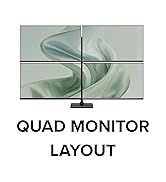
Best Thunderbolt 4 Docking Station for MacBook Air After trying multiple Thunderbolt 4 docking stations including the Anker D7400 and Dell pro smart TB4, I finally found the one that truly delivers the Plugable TB4-UDZ. The other docks failed to meet my needs, but the Plugable TB4UDZ checks every box. It offers a true single-cable solution using a USB-C Thunderbolt cable, keeping my desk clean and clutter-free. What really sets it apart is its support for both dual and quad monitor setups something thatโs notoriously difficult to achieve with a MacBook Air due to its native display output limitations. If youโre a MacBook Air user searching for a reliable, no-compromise docking station that handles multiple external displays without the headache, look no further. The Plugable TB4UDZ is hands down the best investment Iโve made for my workstation setup. Highly recommended! ๐
T**A
Very durable and Easy to setup
I ordered this for my husband. I am not a fan of gadgets, but he loved this dock once he opened it. The quality was extremely durable, and the setup was easy. He simply plugged his 2 screens and laptop. The dock has many options for connecting devices, which ultimately saves you from having to use different devices to connect to the system, like a Bluetooth adapter for a keyboard and mouse, your 2 HDMI ports, a webcam, and more. What else does a person need? Extremely helpful and problem-solving device. My husband highly recommends this.
A**R
Funciona impecable con Linux
Pese a que las especificaciones mencionan que no es compatible con Linux (me di cuenta despuรฉs de hacer la compra...), me funcionรณ perfecto sin tener que instalar o configurar absolutamente nada (en Ubuntu 24.04). Lo uso con 3 pantallas FHD externas mรกs la pantalla FHD interna de mi notebook, las 4 pantallas mostrando contenido distinto. No he probado el puerto de red, pero el sistema sรญ detecta la interfaz, asรญ que deberรญa funcionar sin problema tambiรฉn.
N**L
Great functionality.
Great item with a good number of functional ports. All appears to work well and powers my Dell with 2 monitors.
T**I
4.5 stars for the hardware, 5 stars for the humans behind it!
The Plugable TBT4-UDZ has done what it promises in over a year of my usage. However, recently I ran into some frustrating display glitches, the kind that made me worried about the money I had spent on it for my home workstation. After purchasing the product in January 2025, the issues kept coming and going now and then. Finally, last month, the Ethernet port stopped detecting my internet connection. Obviously, since the return window had closed on Amazon, I reached out through their product page for help. And this is where I was genuinely surprised and relieved to own this product. Josh at Plugable reached out (after I ignored their AI chatbot and thought this was done!) and asked me to send a device report using their debugging software. I wasnโt still sure how this was going to pan out, but I did it. Once he had the report, he assured me that the stated problem was present and that he was going to send me a pre-tested and firmware-updated dock for free, according to their 2-year warranty! Moreover, he stayed engaged across multiple exchanges (read probable dumb doubts and queries I had) and followed up proactively. That level of support is increasingly rare, and it deserves to be called out. The product itself gets 4.5 stars. There are still some minor issues, like one monitor not coming active on a screen wakeup, but nothing that an on/off from the dock power button canโt resolve. And it currently supports my 2-monitor + 1-laptop setup, all with 2560 x 1440 resolutions and refresh rates of 120Hz on the monitors and 240Hz on the laptop. With 16 ports suitable for most kinds of setups involving display, audio, internet, and accessories, this dock is definitely solid, barring the few unavoidable glitches that might pop up. So, would I buy Plugable again? Without hesitation โ not just for the hardware, but because I know if something goes sideways, there's a real person on the other end who gives a damn. And that is something, IMO, we need to support in an increasingly AI-baked techscape in the name of efficiency.
C**R
Very good product, even better Support
Very good product! Well worth the price tag. Features as advertised are all there. And most of all: VERY GOOD PRODUCT SUPPORT team! Very responsive, very helpful. No frills, no fuss, just a really professional approach. More than makes up for any perceived shortcomings.
Trustpilot
3 weeks ago
2 weeks ago