Desertcart purchases this item on your behalf and handles shipping, customs, and support to India.
🚀 Power, speed & versatility in one sleek hub—never miss a beat!
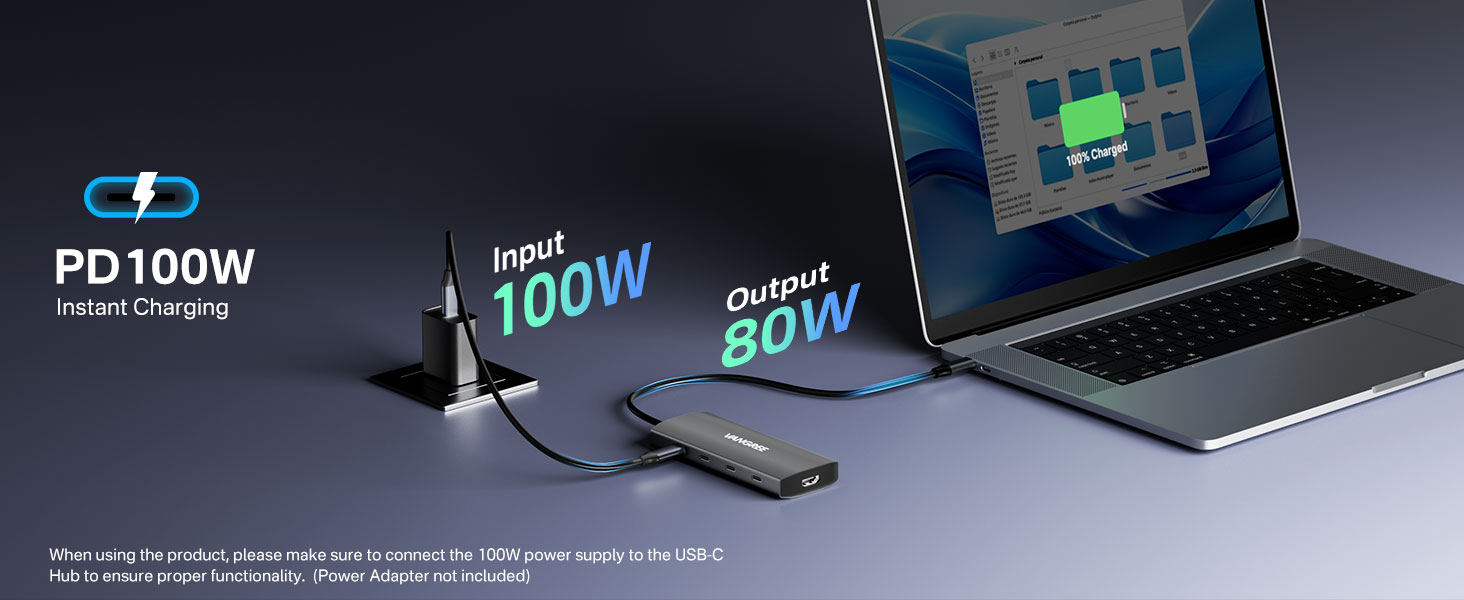
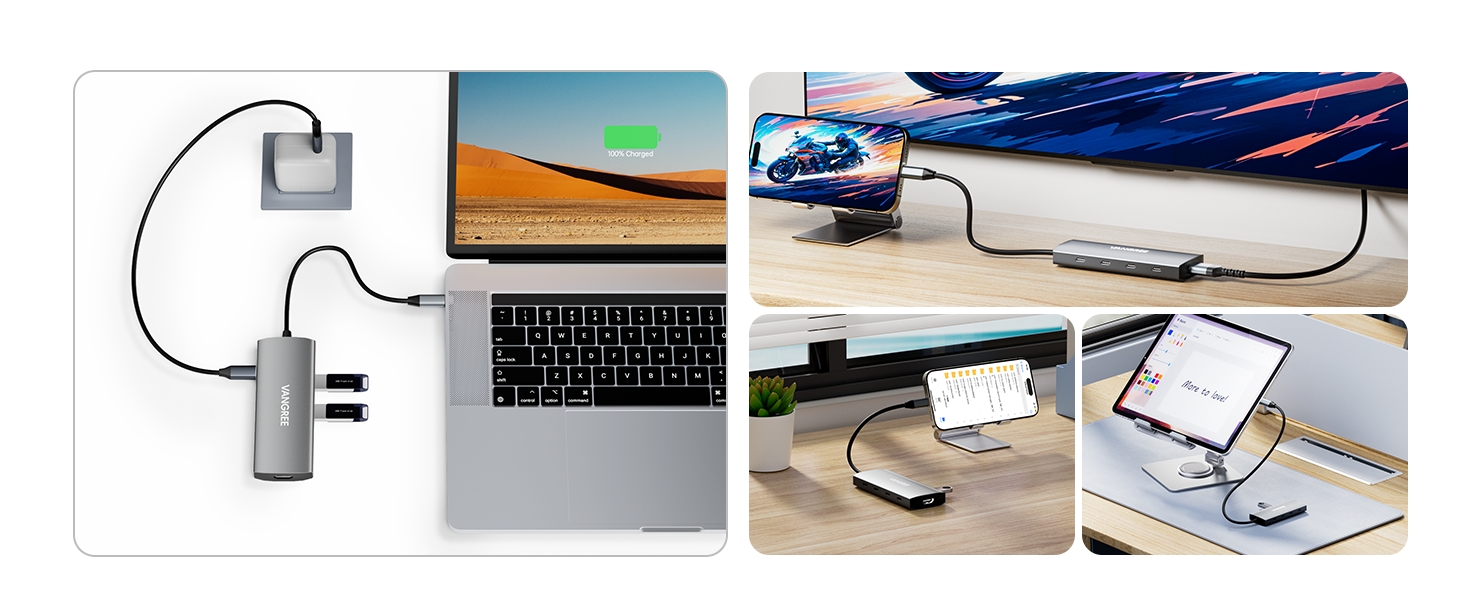
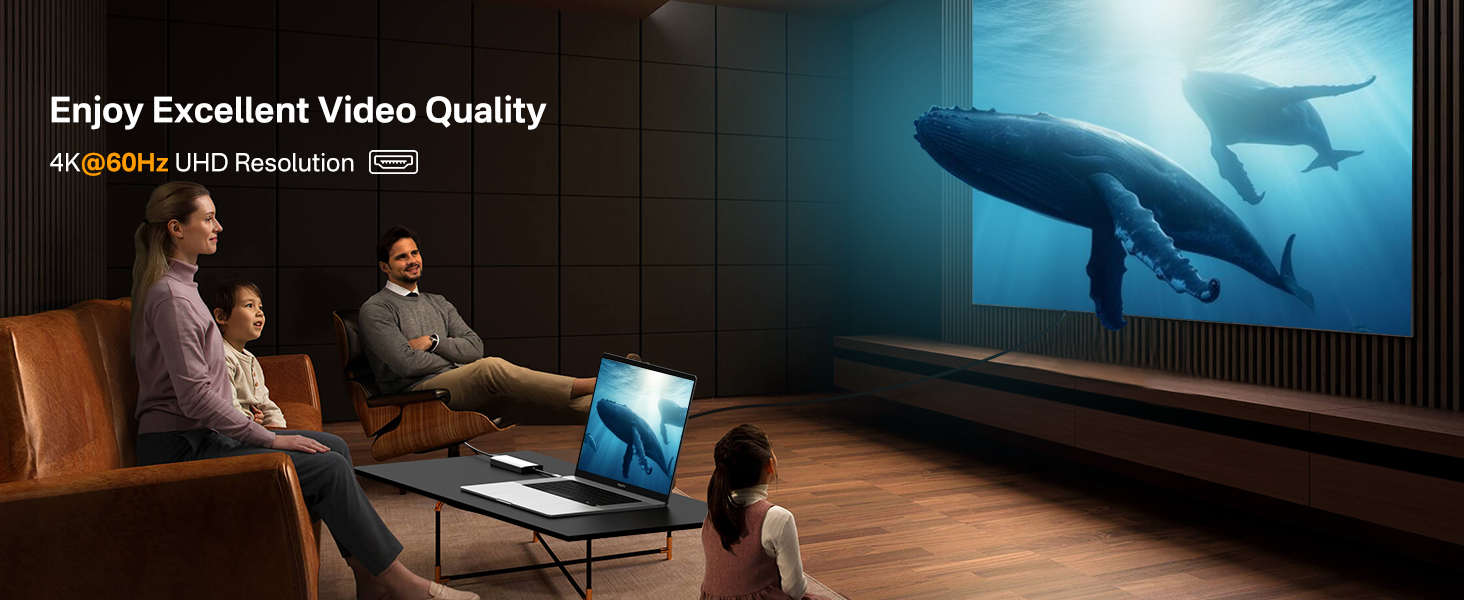
The VANGREE USB C Hub 8-in-1 is a compact, aluminum multiport adapter that expands a single USB-C port into 3 USB-C 3.2 ports, 3 USB-A 3.2 ports, a 4K@60Hz HDMI port, and supports 100W power delivery with 80W pass-through charging. It delivers ultra-fast 10Gbps data transfer speeds, supports cross-platform plug-and-play, and is ideal for professionals needing versatile connectivity for laptops, desktops, and tablets.


| ASIN | B0BL9F5S6R |
| Additional Features | Fast Data Transfer, Heat Resistant, Lightweight, Pass Through Charge, Plug and Play |
| Best Sellers Rank | #116 in USB Hubs |
| Brand | VANGREE |
| Color | Gray |
| Compatible Devices | Desktops, Hard Disk Drive, Laptops, Tablets, USB Flash Drives |
| Customer Reviews | 4.4 out of 5 stars 594 Reviews |
| Data Transfer Rate | 10000 megabits_per_second |
| Enclosure Material | Aluminum |
| Hardware Interface | HDMI , USB, USB Type C |
| Item Dimensions L x W x H | 4.65"L x 1.81"W x 0.6"H |
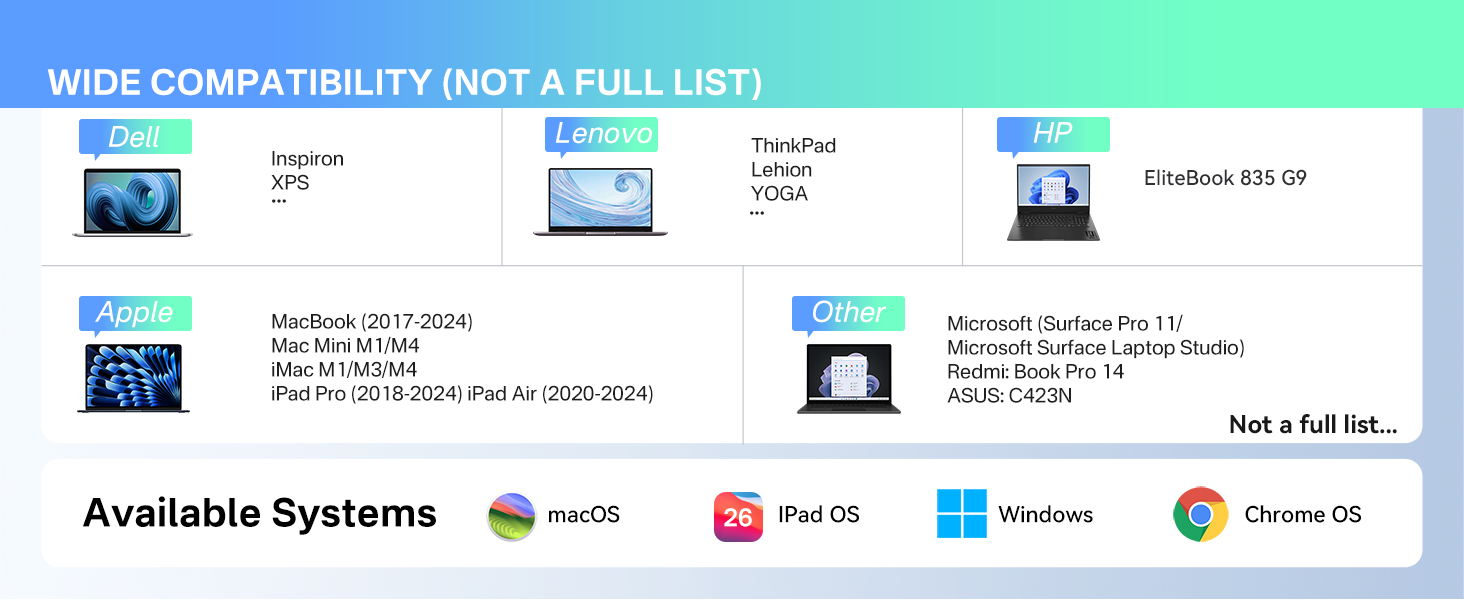
| Item Highlight | USB 3.2 Hub Multiport Adapter, USB C Splitter Extender for MacBook Neo/Air/Pro, iPad Pro, iMac, Mac mini, Dell, Surface |
| Item Weight | 93 g |
| Manufacturer | VANGREE |
| Mfr Part Number | VAN01 |
| Model Number | VAN01 |
| Number of Items | 1 |
| Number of Ports | 8 |
| Operating System | Chrome OS, Linux, Mac OS, Unix, Windows |
| Special Feature | Fast Data Transfer, Heat Resistant, Lightweight, Pass Through Charge, Plug and Play |
| Total USB Ports | 6 |
| Total Usb Ports | 6 |
| Warranty Description | 2 year warranty |
S**1
Works Sometimes on Dell XPS 8950 running Windows 11 Pro. (See updated review)
VANGREE 8 IN 1 MULTIPORT USB C HUB The only way I can make this hub work some of the time is if, (with computer ON): 1. I plug the hub in first with nothing attached to it, 2. Connect 1st USB-A Western Digital external drive, 3. Connect 2nd USB-A Western Digital external drive, 5. Connect USB-A Microsoft Track Ball, 4. Connect 3rd USB-C Western Digital external drive, 6. Connect USB-C Headset, 7. USB-C card reader, 8. And last, connect the power supply. If I reset the computer for any reason, I have to disconnect everything and start the above connection sequence again, otherwise the external hard drives do not work. If I go from the computer being off to on, I have to start the above connection sequence again. If I disconnect the power supply and reconnect, I have to start the above connection sequence again, (I have tried a 45W, 60W and a 100W power supply and it makes no difference). I have tried with no power supply and it makes no difference. I have tried with only a few of the peripherals connected and it makes no difference. When it appears to be working correctly, every 2-3 hrs. it just disconnects everything for no apparent reason and I have to start the reconnection process again. I have only made the HDMI connection work at 60Hz HD (1080p 1024x768) with flickering but I do not need it, my NVIDIA video card has more than enough outputs for the displays I use. I have a $15 ANKER hub that never gives me any problems, it just does not have all the outputs I need. Nor, is it a powered hub which I want to relieve any possible power supply stress on the desktop. Do I have a bad unit or is this the best this hub can do? Do I try to replace it or just return it and get my money back? Not sure if I want to go thru the hassle of replacing the hub and just having to go thru all of this again. Maybe I should just look for another brand! ******[Update: Although I still stand by my initial 1-star review, I must say the customer service team is one of the greatest I have ever seen. On their own, after apparently seeing this review, I was contacted by them with a satisfactory solution to this item’s problem. The customer service team gets 5 stars.] “UPDATE May 17, 2025” Initially I was given a refund, allow to keep the defective unit and was told they would send me an upgraded model as a replacement free of charge, which they did. I was also told that they would let their lab know of my problems with the unit I purchased and send me the same model, free of charge, once their lab made any required changes of hardware/software as needed to correct the problems I was having. I did get the same upgraded original model I purchased a few weeks ago and must say that everything works great. After initially giving them 1 star, I will now give them 5 stars on their product and 6 stars on customer service which is the finest I have ever encountered.”
D**P
It has multiple USB-C ports which apparently no other product has. Also, great customer service
I bought this for my Mac M1 and it works well. I use two USB-A ports for my headset (Jabra) and keyboard (Logitech) and one USB-C port for my YubiKey, leaving 3 USB-C ports for occasional use. Occasionally I have to unplug the hub from the Mac to reset it as the keyboard starts acting erratically. That's the only issue I've seen with it. It happens on average 1-2 times per week. I searched for other hubs with multiple USB-C ports & USB-A as well but this device apparently is the only one I can find. I haven't really tried the power input so I can't review that. I also haven't tried the HDMI port. I do know I can charge my headset or mouse with the USB-A ports, pulling power from the Mac. About to purchase another for my Alienware M15. I need more than one USB-C port on it. So I guess I'm a fan of this hub. Even with the issue above, I haven't found any hub with multiple USB-C and USB-A ports that is easily portable other than this one. Update - now using the HDMI port on this hub for my new Dell P2225H. Working great. 20240918 - Update. I must have done something and now one of them has no power light. I went to the Vangree site and chatted with the tech. They're sending me a new one - great customer service!
L**N
The only multiple USBC data ports adapter that works with my iPad Pro
I switched from computer to only iPad Pro for years and have about 30TB media data stored in multiple external SSD. So, having a multiport adapter to copy data between external drives is essential. My last Anker adapter has two USBC ports but only one can transmit data, the other is power only and the rest are slow USBA ports. So this adapter with three USBC data ports and one power port is perfect. I use mostly Sandisk 2000MB/s and a few 1000MB/s SSD, transfer speed in between is slow but works. The only precaution is the need to use a bigger adapter to power all the devices. I use a 67w MacBook adapter which is good enough to charge my iPad Pro while having two 4TB 2000MB/s SSDs copying data in between. I tried 30W Anker single port adapter which is ok to charge one 2TB 1000MB/s SSD and iPad Pro, once I plug in additional SSD iPad Pro stops charging and often all devices will stop charging and I have to unplug and plug them back in. If there is anything I don’t like is the USBC power port is on the top, so you have one cable on the top connecting to power adapter and three USBC data ports below so it’s a very awkward arrangement, cables get tangle up easily and push SSDs to stack up overheat fast, why don’t they put the power port at the bottom instead? There are three USBA port on the other side which I don’t use. The data transfer speed between ports is slow, I didn't measure it, but I’m guessing 200MB/s when SSDs are cool. Conclusion, it works but if you’re a iPad user get a 67w power adapter.
J**Y
Great except audio noise
This works great to add USB-C ports to any setup. I've not tested the HDMI output yet. However, I did also test it with my desktop and while everything works OK, there was an unacceptable & unpleasant amount of electrical noise over the USB-C connections. If you are doing any kind of hi fidelity audio, do not use this hub. Otherwise its great.
C**L
Many connection options
Having the choice of usb c and A makes everything on my MacBook Pro so easy to connect. A must have!
C**R
Works so far
Bought these to get extra ports for my PC and MacBook. So far they’re working fine.
E**T
Excelente producto.
Excelente producto.
M**E
Works until it breaks
Died a month and a half later. Do not buy get something else.
C**N
Idéal pour de nombreux périphériques USB
J'utilise plusieurs disques externes USB. J'ai acheté ce HUB pour remplacer mon ancien qui était plus versatile avec ses prises SD, Micro-SD et Ethernet, prises que je n'ai jamais utilisé. Il avait par contre trois défauts: - un fil trop court - une seule prise USB-C qui ne faisait que remplacer la prise USB-C de l'ordinateur utilisée par le HUB - un net ralentissement des disques externes SSD connectés à cette prise plutôt que directement sur l'ordinateur. Ce nouveau HUB a un fil deux fois plus long, me donne plusieurs prises USB-C supplémentaires et ces prises sont au moins aussi rapides que la prise USB-C originale de l'ordinateur. Pour mes besoins spécifiques, soit plusieurs disques externes USB, je ne vois pas ce que je pourrais demander de mieux.
C**4
Très bien
Fait le job. Pas de déconnexion. Du coup, j'en ai acheté un pour l'ordinateur de bureau (Mac Studio) et un pour le portable (MacBook air M2) . Merci.
S**H
Repacement came very fast and works great
MY first review was negative because it did not work with my devices, since then i have been on contact with them and they sent me a new one which is working correctly. The customer service were very good and there were no disputes, just very helpful and apologetic. I am very impressed with the service i got. Thank you
L**D
good
good
A**S
Hub de 6 puertos USB de alta velocidad
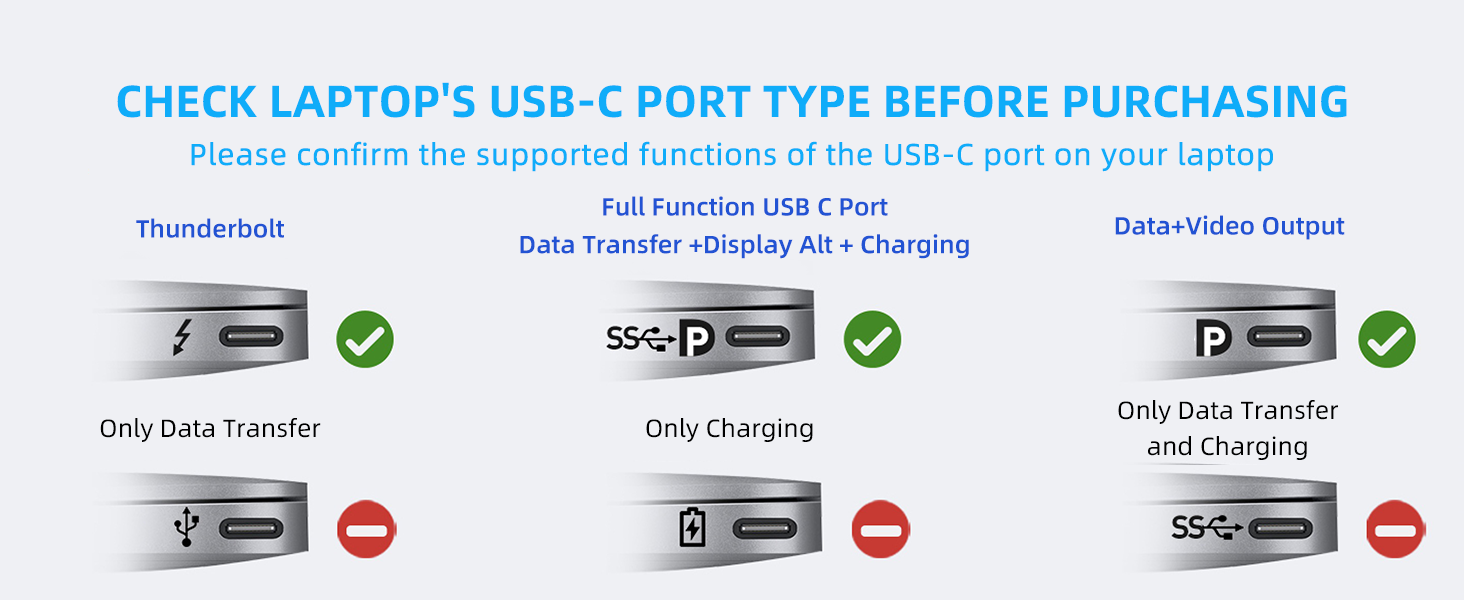
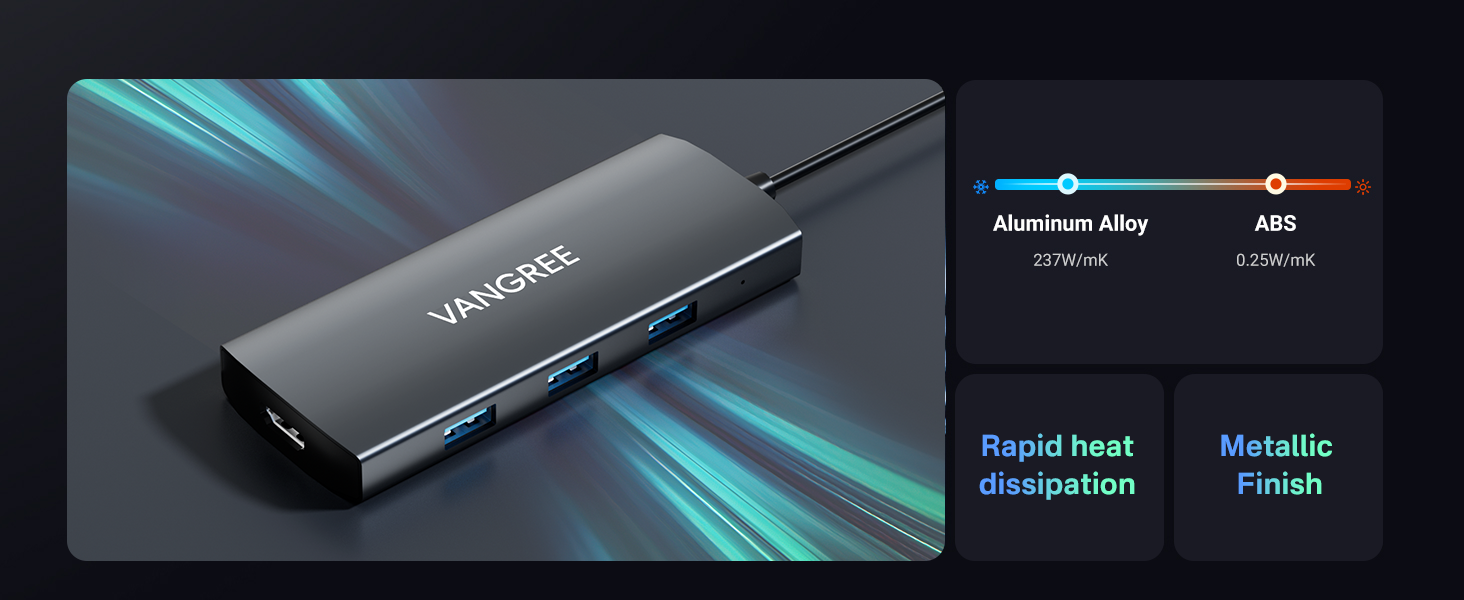
✷ Si tienes un ordenador o un portátil al que le falten puertos USB de alta velocidad, este dispositivo es la ampliación de calidad y solvente que quizá andabas buscando desde hace tiempo. Creo que es perfecto, pero vamos a verlo. ✷ Este dispositivo adaptador, nace por la necesidad de que existen numerosos ordenadores portátiles de perfil muy compacto, que carecen de puertos USB en los que poder conectar más periféricos o accesorios puntuales. No es difícil encontrarnos que en muchos de ellos, sobre todo en los notebooks de 13”, hay solo disponibles un par de puertos USB-A, y a lo sumo un USB-C. Este hub, no solo amplía el número de puertos, sino que además combina 3 puertos de tipo USB-C 3.2 Gen2, y 3 USB-A 3.0. ► Presentado en una pequeña caja blanca, nos encontramos con este compacto adaptador hecho íntegramente en aluminio. El aspecto en color titanio metalizado, lo hace especialmente sobrio y elegante. Sus medidas son bastante compactas: 12 cm x 4.5 cm x 1.5 cm y solo 90 gr. de peso. El cable de conexión no es de nylon trenzado pero se ve correcto. Sin embargo, el encapsulado de la toma USB-C macho, es de acabado premium en aluminio. ► Sus 3 entradas USB-C 3.2 y USB-A 3.0, nos permitirán conectar un pendrive, un ratón, teclado, webcam, gamepad, nuestro Smartphone o incluso un disco duro de 2.5”. Es en dispositivos de almacenamiento donde esta velocidad extra se notará más, especialmente si se pueden conectar en los puertos de tipo 3.2, pues a una velocidad de transferencia de datos de 10Gbps, no habrá el mismo cuello de botella como puede suceder en los de tipo USB 3.0. que van a 5 Gbps. ► También consta de un puerto entrada USB-C 3.0 PD (Power Delivery): Puerto de carga passthrough de hasta 100 W (80W reales, pues el propio Hub consume 20W). Ten en cuenta que este puerto, solo puede cargar tu portátil a través del puerto USB-C si es compatible con PD (como el de los Macbook Pro, por ejemplo). Además, se recomienda utilizar un cargador mínimo de 65 W para que este adaptador sea solvente en todas sus tareas. Este puerto no suministra carga a lo que se le conecte, solo recibe la energía desde el cargador para hacer el passthrough o puente a tu ordenador y cargarlo a través del otro cable USB-C macho que está fijo en el cable. Ten también en cuenta que este puerto USB-C del hub, NO te permite transferir datos, para eso está el otro 3.1 que está justo a su lado. ► Dispone también de una salida HDMI 4K. En ella, puedes conectar tu ordenador a tu TV, Proyector o monitor a través de este puerto. Soporta 4K a 30 Hz, de modo que no tendrás problemas de calidad. Tan solo has de conectarlo a través de un cable HDMI con soporte 4K para disfrutar de una resolución de 3840x2160. 💢 Durante su uso y pruebas realizadas, el comportamiento ha sido el esperado, dando unas tasas de lectura y escritura mucho más elevadas que con mi anterior Hub USB 3.0. Se debe tener en cuenta que la velocidad teórica máxima nominal de 10 Gbit/s de los USB-C 3.2, es difícil de conseguir porque hay muchos otros factores que pueden influir en el rendimiento (desde el propio hardware del ordenador, hasta el mismo sistema operativo, la carga de tareas en ese momento, o si el disco duro interno está en uso, o si incluso tenemos instalado un Antivirus y su configuración). Aun conectándole 3 periféricos simultáneos y estar trabajando durante un par de horas, el Hub apenas se ha calentado. Además, al ser toda su superficie de aluminio, en caso que se caliente, disipará rápido el calor acumulado. 📌 Como única “pega”, me hubiera gustado que se hubiera incluido una bolsita de esas típicas de terciopelo, para poder evitar que se raye (o ralle algo) cuando lo meto en el maletín junto al ordenador portátil. Pero bueno, por lo que cuesta tampoco se puede pedir mucho más. ✪ CONCLUSIÓN: ⭐ Muy buen Hub de expansión pero a un precio que puede asustar un poco, y es que lo 70€ que se piden por él no son como para comprarlo de forma impulsiva. He de decir que la calidad es sobresaliente, y que su comedido tamaño, y ligereza, lo convierten en un buen aliado de tu Notebook. Totalmente recomendable, si andabas buscando algo similar. 💬 Espero que esta revisión y lo que he comentado, te haya sido de utilidad. 👀
Trustpilot
2 weeks ago
3 weeks ago