


Desertcart purchases this item on your behalf and handles shipping, customs, and support to India.
📡 Elevate your TV game—record, watch, and own your viewing schedule!
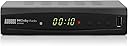
The August DVB482 is a compact Freeview HD set-top box featuring dual tuners for simultaneous watching and recording, delivering crisp 1080p HD output via HDMI without needing internet. It supports USB-based recording/playback on NTFS-formatted drives, includes a 7-day electronic programme guide for easy scheduling, and comes with a smart remote that controls both your TV and the box. Perfect for professionals seeking reliable, no-fuss TV recording and playback with excellent value.


| Asin | B0BX5N5MTZ |
| Audio Output Mode | Stereo |
| Audio Output Type | HDMI |
| Best Sellers Rank | 5,913 in Electronics & Photo (See Top 100 in Electronics & Photo) 13 in Set-Top Receiver Boxes |
| Box Contents | AAA Batteries x 2, DVB482, HDMI Cable, Remote Control, User Manual |
| Brand Name | August |
| Colour | Black |
| Compatible Devices | Personal Computer, Television |
| Connector Type | Coaxial, HDMI |
| Control Method | Remote |
| Controller Type | Remote Control |
| Country Of Origin | China |
| Customer Reviews | 3.8 3.8 out of 5 stars (782) 3.8 out of 5 stars |
| Format | Unknown format |
| Item Dimensions D X W X H | 10.8D x 16.9W x 3.9H centimetres |
| Item Weight | 241 Grams |
| Manufacturer | August International |
| Manufacturer Part Number | DVB482-UK |
| Model Number | DVB482-EC |
| Network Connectivity Technology | HDMI |
| Number Of Channels | 4 |
| Number Of Items | 1 |
| Other Special Features Of The Product | Record + Watch Two Channels Simultaneously |
| Output Power | 5 Watts |
| Output Wattage | 5 Watts |
| Supported Internet Services | Does not support Internet Services |
| Surround Sound Channel Configuration | 5.1 or 7.1 |
| Total Hdmi Port | 1 |
| Unit Count | 1.0 count |
| Video Encoding Format | H.264 |
| Wattage | 5 watts |
User
Exceeds my expectations
Fantastic device. Everything working beautifully.Great picture and sound quality, PVR and timeshift recording (even two timeshift types) on a USB Stick or external HDD flawless, remote controller responsive, dual tuners to record two different channels or watch and record simultaneously, nice other features like favourite channels lists and so on.The only small issue is that the EPG doesn't show programmes on several channels at the same time. Doesn't bother me, the EPG still is usable enough.Coincidentally, I've bought several August devices during several years. Originally mainly because they are so affordable. No problems ever, always happy with them.It is difficult to understand why this August DVB482 gets quite many negative reviews. Maybe people just don't understand how to operate this kind of boxes? (Operating is very simple, especially if you are familiar with TV tuner and recorder devices.)Maybe people expect too much? This device does not wash your laundry, make your dinner or write your emails. It just beautifully shows and records TV programmes (and plays multimedia files from your USB device).Thank you, August.
User
The August DVB482 digital video recorder represents very good value at this price-point
OVERVIEWThe August DVB482 digital video recorder represents very good value at this price-point. It is compact, simple to operate and does almost everything that one might expect of a DVR. I have paired this unit with an Amazon Fire TV and this provides me with the best and most complete options in terms of streaming TV services and live TV.PRESENTATIONThe product is nicely packaged in a strong cardboard box that provides adequate protection against in-transit bumps. The product has a very small footprint, which is a good thing, as it takes up almost no space and can be located almost anywhere near to the TV.WHAT's in the BOX..?In the box you will find the following....DVB482 video recorderMains to 12 volt adaptorRemote with batteriesHDMI cable – good qualityUser Guide – well-written in good EnglishNOTE – The User Guide is also available as an online DownloadINSTALLATIONNOTE – I am assuming that very few users will still be using SCART technology, therefore this section only explains connection using HDMI. However, the procedure is the same irrespective of which technology you are using.On the Amazon website there is a link to an online User Guide. I recommend downloading this guide and while you are waiting for the product to be delivered, read the guide carefully as it contains all the useful information that you will need to obtain the best usage from the product to meet your needs.When you have unpacked the product....Open the battery compartment on the Remote and install the batteries. Press any of the buttons and check that the LED lights to confirm that the Remote is working.Format a USB drive using a Windows computer and the NTFS file formatting protocol. If you don't know how to do this then look online as there are many tutorial-type videos that will show you how.Locate the unit within reach of the antenna outlet; a mains wall socket and the HDMI socket on the TV. Insert the antenna coaxial cable into the "RF In" socket. . Connect the HDMI cable to the TV and to the recorder. (Do not use the RF Out Loop through). Plug the 12v plug into the power socket and the 3-pin plug into the wall socket. Switch on the wall socket. Using the Remote switch on the recorder.PRACTICAL USEVideo & Audio. Video and audio quality are good, better than expected at this price-point.Recording Media. Using a USB drive is exactly what I require. USB drives are inexpensive and are far more versatile than built-in hard drives. The USB can be formatted to the NTFS file format on any Windows computer. The benefit of this is that the recorded video files can be played on most Windows-compatible devices, which means that you can record a program and then take the USB drive with you and view the recorded video on, for example, a laptop. Very convenient for those times when you are away from home.User Interface. Not the most intuitive. Once you get to know (and memorise) the interface, it is relatively easy find your way. But, this aspect of the product can be greatly improved and definitely needs to receive further development. The "look-and-feel" of the user interface just seems a bit "yesterday", it works well, but it won't get any awards for design.Remote. The Remote works as expected. Even though it has a relatively small form, the buttons ore conveniently spaced and are easy to operate, even for a man's hands. The Remote is the centre-piece of this product. It is worth your time to spend an hour getting to know exactly how to use the Remote, once you can do that, using the product becomes much easier and more intuitive.Using only one Remote. The DVB482 Remote is an "intelligent" Remote in that it can "learn" to duplicate the key functions of the TV Remote. The User Guide provides detailed instructions how to do this.Record & View. You can record a live channel while viewing another live channel. However, you cannot record a channel and simultaneously view another previously recorded video. A solution to that issue is to have two USB drives and a TV with a USB port. You can then record a live channel on the DVB482 while watching a previously recorded video on the TV via the TV USB port and TV media player. This is the way that I use the product and it works perfectly.Record Options. You can record the live channel that you are currently viewing by pressing the "Rec" button. The recording menu offers options to record Once, Daily, Weekly. The EPG provides listings of live TV channels up to 7 days in advance.Favourites. The Favourites utility works about as expected. The only issue that I have found is that once you are in the Favourites utility you cannot exit the utility. You can move from one Favourite section to another but there does not seem to be an "Exit" function – the "Exit" key on the Remote does not exit the user from Favourites. The solution to this issue is to simply use the button on the Remote to put the unit into Standby mode and then wake it up again – that is the easiest way to exit Favourites.
User
Brilliant
Pleasantly surprised at how good this recorder box is, it is brilliant for the price. If I could, I'd give it 10 stars!
User
Creates random names for recorded programmes
If I miss the start of a programme which is recording, I cannot get back to the start until it has finished. Had lots of problems, worst thing is, now our Christmas visitors have left, we're catching up on recorded programmes. BUT on the Recordings list, King's Christmas message, Version 1,is exactly that, but then we have Version 2 which is actually 1% Club, Version 3 is the Repair Shop, and Version 4 is Miss Marple! Strangely, the Worlds Strongest Man recordings always show as Blankety Blank. Impossible to keep track of anything. It is very frustrating. I am returning it, and will hunt for something which is usable. As pensioners we wanted something simple to operate, and this is not. Even adjusting the volume during a playback causes it to stop and go back to the recordings list.
User
No frills but basic value
Good points:Very inexpensive.Easy set-up and works straight out of the boxExternal storage via USB is great - you can expand and add as much storage as you like, and your library is portable between devices. Over the last 10 years we have had 3 BT YouView boxes die, and lost all library recordings each time.Setting a program to record is easy, and playback quality is good. How to delete a recording is not immediately obvious - you mark it for deletion in the library (or 'list'), then update settings.Catch-up streaming via iPlayer, ITVX, etc. works wellBad points:The device is pretty basic - which could be a good thing or a bad thing, depending on opinion and expectations.No other streaming service apps (e.g. Amazon, Netflix) are available - but Firestick is cheap and fixes thisElectronic Program Guide is a bit clunky and not nice to look at. Scrolling up and down the EPG or using the Next Page / Previous Page button on the handset result in the unit changing channel to whichever channel is highlighted - you cannot browse without selecting the new channel, so you can't look to see what else is on now or later on other channels and still keep the current program running in the background.Series recording is not available: You can view the EPG and set a program to be recorded, and you can set the frequency of recording (every day, every week, etc.) BUT the setting is for the channel and the start time & end time - NOT the program. If schedules are revised you will miss the program you were hoping to record... I haven't seen a timer as basic as this since mid-1980's VCR's before VideoPlus was a thing!Volume level is really low - For comfortable listening when watching live broadcast through the TV, TV volume setting is around 20 (max volume on the TV is 50) - but when watching the same program via the August box and with the volume setting up full on the August box, the TV volume has to be on 30-40 to get similar sound. So if selecting a different input source (Firestick, DVD player, or live broadcast via the TV) you are suddenly deafened if you forget to reduce the TV volume before switching from the August box.Pairing with TV remote only partly successful - will turn TV off & on, but generally easier to just use two remote handsetsSummary:Until it died last week, we watched all TV through the BT YouView box, almost never watching live through the TV tuner, and using the YouView remote for everything. With the August box it's the complete opposite - I'm only turning the unit on to watch a recording or when there is a program I want to record, but once the timer is set I turn back to watching directly from the TV - and only using the August remote to control the August box, not any of the TV functions. But catch-up streaming works well.
User
August DVB 482 review
I brought many August freeview box's for years and was excited to try their new product, that claims can record two channels at the same time.I find it is best to use a 1TB or 2TB USB harddrive to store your recordings. The recordings saved are stored as TS files. I tried USB sticks but some worked whilst others did not. So I would stick with the larger capacity 1-2 TB harddrives.If you start recording one channel and try to swap to a different channel, pressing the page+ or page- button will return will a 'Invalid operation !' error message. Don't be alarmed, instead press the OK button to bring up the channel list dialog. You can press the buttons above/below the OK button to navigate the list of channels. Once you have selected the new channel you may choose to just watch or record this second channel.Sometimes I forget which channels I am recording (previous August models used to have an onscreen prompt -yellow circle- to show which channel you are recording). To remind yourself which two channels you are recording, press the stop button and you will be prompted to select which of the two recording channels you wish to cancel. It will give you the channel numbers you are recording -information acquired-, so just cancel out of this operation.I was initially confused on how to delete recording. The manual just instructs how to select the recordings to delete, but not tell you how to actually trigger the deletion. So press LIST (red button) to get your list of recordings. Press the yellow button on the recording you wish to delete. Then to delete the recordings you have selected, press EXIT button. This will do the delete operation.Overall I am very happy with this new August model and allows me to record two channels at a time.
User
August Freeview recorder. Simple set up
Simple to connect to TV and set up Freeview channels. Not tried recording yet, but hope that will be equally simple.
User
Very misleading description "Watch and Record Live TV From 2 Channels at a time" - nonsense
I'm writing this review as a savvy user of a variety of technologies for many years, including freesat & freeview boxes.Yes, it will record to an SD card but you cannot create a recording directly from the EPG, you have to write down the start/end times, exit EPG and go into the recording menu to create manually.You cannot schedule the recording of a series, which means the the above is even more of a pain, especially since you only get one week ahead available in the EPG.Some recordings fail with no indication as to why and you get dumped out regularly when playing back, again for no apparent reasonAs for "Watch and Record Live TV From 2 Channels at a time" - utter nonsense. You can't even open the EPG when the box is recording - it tells you that's not possible if you try.So, for the price, if you have a TV which does not have an inbuilt freeview tuner then this will serve as a freeview set top box (it has both CSART and HDMI outputs) which will allow you to record programmes, but doesn't offer much more recording functionality than a smart TV with a USB socket to record and the smart TV allows you to stream programmes for freeview catchup, series binge watch etc. which this box doesn't.Thankfully I have a freesat box which does everything seamlessly and conveniently and I bought this thinking it would allow me to something similar with Freeview, but no, it doen't even come close.Way too much faff for little, unreliable reward. I returned within the 30 days for a refund.
User
Très bien, double tuner
Fonctionne bien, permet d'enregistrer un programme et d'en regarder un autre, de redémarrer là où on s'est arrêté dans la vision de la fois précédente, un peu comme les magnétoscope d'avant. Facile à installer, une seule télécommande pour TV et enregistreur en FAT32.
User
TNT
Très excellent et presque toutes les clés USB fonction la dessus.
User
Mine doesn’t work!
Okay for recording manually, but on timer recording, PVR switches on, but doesn’t record. All settings are correct, time and region, but no amount of fiddling will cure the problem. If flash drive was faulty, PVR would not record anything onto it in manual mode.
User
Pequeñin pero muy lioso.
Si no sabes uno de los dos idiomas ke trae el manual, te vas a enredar tanto ke puede ke te tires 1 día entero para descifrar el registro y la conexión del aparato a tu/s TV/Ss. Las instrucionesno vieben muy específicas ke se diga.
User
Une catastrophe
Après environ 8 mois d'utilisation presque quotidienne je peux témoigner des soucis de cet enregistreur.Il crée des fichier dans un format très lourd et endommage les clé USB très rapidement et de façon irrémédiable.On se retrouve souvent bredouille le weekend à constater que les enregistrements de la semaine sont corrompus ou introuvables...Avec disque dur externe ça fonctionne un peu mieux, mais le disque fini toujours par lâcher au bout d'un moment, et on se retrouve avec le même problème.Autre soucis : La télécommande de ma TV utilise la même fréquence et fais n'importe quoi ou se promène dans les menus si je ne fais pas attention et que l'appareil est allumé.Pour ceux qui cherche une solution facile pour enregistrer la TV en 2024, passez votre chemin.
Trustpilot
3 weeks ago
1 day ago