


Desertcart purchases this item on your behalf and handles shipping, customs, and support to India.
📚 Elevate your reading & creativity—because your ideas deserve the best canvas.
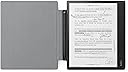
The Kobo Elipsa 2E is a premium 10.3-inch E Ink e-reader with a high-resolution anti-glare display and adjustable warm light, designed for avid readers and note-takers. It features an advanced stylus for seamless note-taking and sketching, 32GB of storage for thousands of files, built-in Wi-Fi for access to millions of e-books, and a long-lasting battery. The included SleepCover offers durable protection and a versatile stand for hands-free use, making it a versatile tool for professionals and creatives alike.
| ASIN | B0C52PXLJ9 |
| Battery Average Life | 14 hours |
| Best Sellers Rank | #298,650 in Electronics ( See Top 100 in Electronics ) #413 in eBook Readers |
| Brand | Kobo |
| Built-In Media | Case |
| Color | Black |
| Compatible Devices | Devices that can connect to the Kobo store via Wi-Fi and handle PDF files |
| Connectivity Technology | Wi-Fi |
| Customer Reviews | 4.1 out of 5 stars 2 Reviews |
| Display Technology | Electronic Ink |
| File Format | |
| Human-Interface Input | Touchscreen |
| Item Weight | 13.62 ounces |
| Manufacturer | Kobo |
| Memory Storage Capacity | 32 GB |
| Mfr Part Number | N605-KU-BK-K-BU+N605-AC-BK-E-PU |
| Model Name | Elipsa 2E |
| Model Number | N605-KU-BK-K-BU+N605-AC-BK-E-PU |
| Native Resolution | 1072x1448 |
| Number of Items | 1 |
| Processor Speed | 2 GHz |
| Screen Size | 10 inches |
| UPC | 681495099801 |
| Warranty Description | 1 Year Manufacturer Limited Warranty |
G**D
It's almost like a computer tablet.
I was torn between a Kindle (I own the 7" one) and the Kobo Elipsa. In my mind, they seemed to compare admirably. The deciding factor was the ability to transfer over my 300+ Kobo books to a format I was already familiar with. Believe me, it is a tough call between the Kindle 10" and the Kobo 10".
S**S
Decent, but pdf file names and accidental page turning are issues
Pros -It’s dead easy to add files from my computer, thank you for this -The reader has a large storage capacity and I can build up a library of reference pdfs over time My two biggest cons -When I attempt to write on a document, the heel of my hand hits first, which frequently flips the page forward or backward, or sometimes to an “in-between” state where two pages are ghosted on top of each other. This is frustrating and almost a deal breaker for me. I understand this is a tricky technical problem - distinguishing between page turning contact and writing with the stylus, but it seems solvable. How about requiring a longer swipe rather than a touch to flip pages? Or (as a user selectable option) limit the page flip hot spots to the upper or lower edge or corners. This way the device can distinguish between the two types of gestures more easily. -Naming of files. I added a pdf and it showed in my book list as “Glossary”. (it was a research paper with a glossary, but not a glossary) Why? Because apparently “Glossary” is in the pdf’s metadata as the title. I get that the pdf’s metadata isn’t a bad place to draw the initial title from, but… I thought okay, this is easy, the Kobo surely has a way to edit the display title. Nope, not that I could find. Over time my library of carefully curated and annotated pdfs is going to be a mess of junky titles. Please, please add the ability to change the display titles on the Kobo. This should be a trivial fix.
Trustpilot
2 months ago
1 month ago