Desertcart purchases this item on your behalf and handles shipping, customs, and support to India.
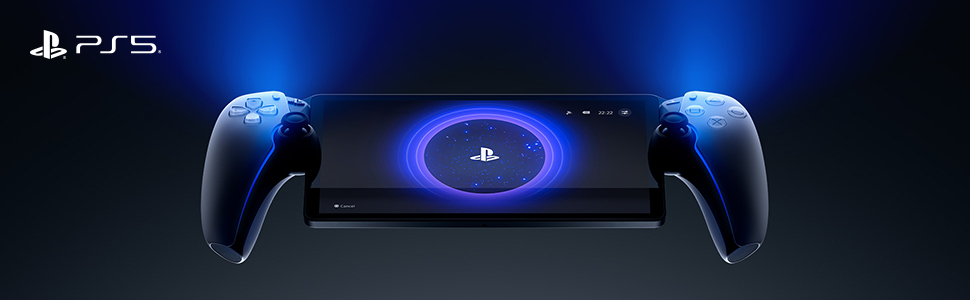
🎮 PlayStation Portal: Your PS5, untethered and unstoppable.
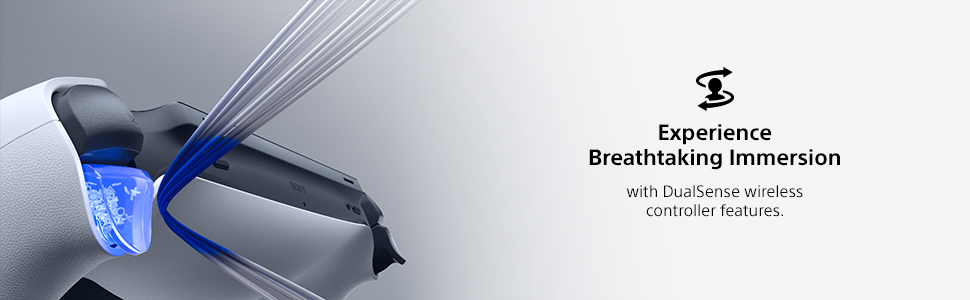
The PlayStation 5 Portal Remote Player lets you stream compatible PS5 and PS4 games installed on your console or from PlayStation Plus Premium’s cloud library directly to an 8-inch 1080p screen at up to 60fps. Featuring Tempest 3D AudioTech and DualSense controller support, it delivers immersive gaming anywhere with Wi-Fi connectivity, putting your entire PlayStation experience in the palm of your hand.


| ASIN | B0CJT5DJ16 |
| Additional Features | Wireless |
| Best Sellers Rank | #166 in Video Games ( See Top 100 in Video Games ) #6 in PlayStation 5 Controllers |
| Brand Name | PlayStation |
| Button Quantity | 15 |
| Color | White |
| Compatible Devices | Playstation 5 |
| Compatible Video Game Console Models | Sony PlayStation 5 |
| Connectivity Technology | Wi-Fi |
| Controller Type | Remote Controller |
| Customer Reviews | 4.5 4.5 out of 5 stars (7,185) |
| External Testing Certification | Não Aplicável |
| Global Trade Identification Number | 00711719579779 |
| Hardware Platform | Gaming Console |
| Included Components | Item |
| Item Dimensions | 14 x 3.88 x 6 inches |
| Item Dimensions D x W x H | 13.7"D x 6.1"W x 3.9"H |
| Item Weight | 2.6 pounds |
| Manufacturer | Sony Interactive Entertainment |
| Manufacturer Part Number | CFI-Y1000 |
| Model Name | PlayStation Portal Remote Player |
| Model Number | 1000041319 |
| Package Quantity | 1 |
| Power Source | Battery Powered |
| UPC | 711719579779 |
| Unit Count | 1 count |
| Warranty Description | 1 year manufacturer |
J**R
Works as advertised
The portal feels lighter than it looks, feels a lot like dualsense PS5 controller. After a firmware update, you no longer are required to own a PS5 to use this product, as long as you have a Playstation plus premium subscription. With the subscription, you're allowed to use the beta feature to stream certain selected games (around 100). The portal functions like a Wii U gamepad essentially & it shows whatever is on your PS5 displayed on the portal screen. The portal will not play cloud streaming games if you try to access them through the PS5, nor will it function with any media apps. I started using my portal by connecting it to my PSN account. Then I made sure I used an ethernet cable for my PS5, because it allows for a smoother experience & lets you use the portal anywhere there's wifi available. I have not tested the quality of this feature, but I have spent dozens of hours playing games at my house when my gf or roommates are using the tv my PS5 is set up with. If several people are using the broadband then the portals connection to the PS5 will become unstable, but I can safely say that this is not a frequent issue. There's a bit of a delay but honestly it's not that much worse than modern wireless controller input delay. I wouldn't think to play games online with my portal but I've played a ton of elden ring on it & it feels great. I love handheld consoles but this isn't really a console, it's mostly an accessory. Despite that, I really enjoy it. It's hard to recommend to people because most people will be content playing their Playstation library on their tv screen, but if you live with several people & don't own several tvs, then it's a nice option for gamers.
Y**A
A Dream Come True for Cozy and Remote Gaming
As someone who loves gaming but doesn’t always want to sit in front of the TV, the PlayStation Portal has been one of my favorite gaming purchases. The device feels comfortable to hold, the screen is beautiful, and the controls feel just like using a regular PlayStation controller. Setup was simple, and I was playing my games within minutes. What really makes the Portal shine is the flexibility it offers. I can stream games directly from my PlayStation console and continue playing from the couch, bed, or anywhere with a solid internet connection. The performance has been smooth, and it feels surprisingly close to playing on the console itself. The addition of cloud streaming has made it even better. With a PlayStation Plus Premium subscription, I have access to a huge library of over 1,000 games without needing to download them to my console first. Between remote play and cloud gaming, the Portal has become my go-to way to enjoy PlayStation games. If you’re already invested in the PlayStation ecosystem, this device is absolutely worth it. Highly recommended!
A**R
I love this thing, but not for everyone.
I love the PS Portal. I didn't get it. I still don't. But I love it. Pros: - Can game anywhere in your home wifi network pretty well. Graphics look almost as good as the PS5. It has had a few drop outs while in the bathroom for some reason and it stutters. But generally only has happened a few times. - Works decently on phone hotspot. It's playable, granted it hiccups more than I'd like it too. And the graphics don't look as sharp as home network. - Feels like playing PS5 on the go, in bed, or lying on the couch. Almost the same graphical power and look- it doesn't look quite as good as tv but it's very close- especially coming from the antique switch. Cons: - No browser, so you have to use hotspot/wifi over connecting it directly while on restaurant/hotel wifi - No blu tooth audio, that's a big issue, but maybe due to latency? Wired headphones work great though. - No downloadable playable media. If it had this, this game system would be the king. - Hard to get (check out the app Hotstock. I found one in less than two days casually looking on the app). - Screen is quite reflective, so hard to play outside in the sun. - It sometimes drops wifi connection and it's laggy or slow during those moments, not great for multiplayer games where speed and accuracy is an asset. - It takes around 20-30 seconds to boot up. So if you're a grab and play for a few minute kind of person, huge disadvantage vs a switch, where I could pick it up and play immediately for 5-10 minutes. This is a bit more of a time commitment. - YOU HAVE TO keep your PS5 on rest mode or this won't function at all. If you have a home power outage while on a trip, you're carrying around a portal for nothing. Not only does it need to be on, but you need to be logged into your account on your machine. - My hands aren't quite as large so the controller is a little big in my hands compared to the smaller switch, so it's a little less comfortable, but doesn't bother me that much. - get a case, this thing is big and more delicate. The case makes it feel really solid. I got a clear case with a screen protector, it's nice. Reasons I got a Portal: I love handheld gaming - I've played my switch 90/10 to my ps5. My biggest drawback to using a switch or a steam deck, I like being able to play on the TV and on handheld- but the switch has huge graphical drawbacks, so I never hooked it up to the TV. It's really cool to have your games all be on one cohesive network of games and saves. The screen is really nice and looks about as nice as playing on my TV. Anyone that approaches this with an open-mind will love it. I'll probably keep my switch for trips and keep the portal at home for playing in bed or lying on the couch. I've enjoyed it- once they get a PS5 connected handheld that can download games and create a cloud saving- I'm completely in.
M**Y
So glad I got this!
So I was very skeptical with this and got the Asus first. That didn’t work for the games I have on my PS5. I heard horrible things about this like it doesn’t work at all, it breaks easily, doesn’t play the games etc. Talked to my husband and his best friend and they said to get this. I am OBSESSED! I literally turned it on, connected it to my PS5 and started playing. My computer screen on my PS5 came on as I was playing the portal and it was mirroring which was awesome to see. It plays ALL the games I have. I was most worried about Battlefield 6. It played this like a pro! No hiccups, no lag, no nothing bad at all! The speakers could be louder but it’s all good! Got a case and kit for it to protect it. Had the PSP back in the day and this is just as great! Haven’t traveled with it yet. I wasn’t planning on it though because we typically pack up my husband’s Xbox and take it everywhere. Haha I got this due to my medical issues. Can’t get out of bed half the time so this has made gaming very enjoyable again. I had to stop playing for a couple months but not anymore! It’s definitely sturdy, sleek, comfortable, reliable, and very easy to use. Thank you SONY again! Never switching like I’ve always said!
T**E
Glad I bought this
First people need to understand this is not a switch or steam deck. I heard a lot of mixed reviews about this guy, turns out I was very surprised by how good it is. Playing while BBQing in my back yard or laying in bed is awesome. No lag, no rubber banding no dropped signal at all. It has been nothing but smooth playing on every game I have tried so far. Looks great, if feels comfortable and I have pretty large hands. I have heard it gets pretty bad stick drift but not for me yet....just buy the warranty, it's cheap.
R**I
A great device (with minor quirks) if you own a PS5
I love this thing. It lets me connect to my PS5 and play the games on it without having to be at the PS5. It's perfect for when I want to lay in bed or not kick people off the TV in the main room where my PS5 is located. It's got a large enough and clear enough screen to make playing the games a good experience, but not so large that it feels cumbersome. It feels natural in your hands, and the buttons feel fine. There is no touchpad on it like the PS5 controllers have. To use a touchpad feature, you double-tap on the screen and a small transparent rectangle shows up that you can touch/swip/drag/etc. like the touchpad on the PS5 controllers. As long as you remember to double-tap the screen when you need to tap the touchpad, you'll be fine. Battery life is good and it's generally a really good device. Now for the minor issues I have. The charging port is behind the unit halfway up the back of the screen. When inserted, the USB charging cable is almost flush with the back of the unit. You can't just reach back there and feel for the port, you have to turn it around to see it. It'd be nice if the port was maybe angled outward or had some shaping around it to let you just reach behind and plug in the power cable, but you pretty much need to be looking at it to do so. It's not an issue if you have a charging stand that you can just drop this into. The vibration isn't as smooth as a PS5 controller. It feels rougher and like something is almost shaking the controller, as opposed to the PS5 controllers that give a smooth rumble. The PS button is somewhat obnoxious. The PS button is for both the Portal AND the PS5. When you press it, a menu pops up to the right making you choose whether you want the button press to apply to the Portal or the PS5. I would have much more preferred it to have a separate menu button for the Portal and have the PS button automatically directed towards the PS5 or whatever streaming game you are playing.
D**A
does what its supposed to, and does it well
the playstation portal serves the purpose i need it to! I want to play my games from my bedroom that I have on my ps5, and the portal let's me do that. as far as im concerned that's exactly what its meant to do and does it well. nice display, connection is easy to set up (tip: download the PS app and it will make it even easier). overall, exactly what I wanted
J**E
It's trash when sharing but works great if you're not!
This is going to be short, the reason I am giving this 1 star is because the ability to have multiple users on it is very lacking. It isn't like your PlayStation where you can have multiple users and select the user you want to login as, you actually have to log out of your user and log into the new user using either the PlayStation app or manually using your email address and password each and every time you want to swap users. So, if I wanted to share this with my wife, she can't just select her user, she has to log me out and log herself in, every time she wants to use it after I did and I have to log her out and log myself in every time I want to use it after she did. In my option, that's a stupid stupid stupid setup. I should be able to add multiple users on it and select which PlayStation I want to remote control; that would take it from a 1 to a 5 but considering you can't do that; it makes it a trash product for people who might want to share it with another user in the household (vs having to simply buy two); no one wants to keep logging into stuff over and over in order to share a product. The PlayStation allows us to have multiple users but this device does not, so it makes it a trash product if your intention was to share and that was my intention. The other problem with it is that the touchpad portion requires you pressing the touchscreen and like you have to do it multiple times; a lot of games I play require me to press the touchpad to activate something and trying to do it through this is, well, just unfriendly.
M**.
Empfehlenswert
Funktioniert nur mit PS5 Account. Top Teil…
A**P
It's Genuine and Authentic Product
Chat with the seller and discuss all your queries before buying like I did. Its authentic product and works perfectly. There will be no warranty on this product though because you are buying from third party. Now when it comes to PS Portal it's an accessories not and handheld don't get confused or deluded by negative brain dead comments by illiterate users......its for time crunch on your games when you are not using PS5 and while you are travelling. Just connect your PS5 to ethernet with strong internet connection and your good to go. Perfect if you wanna play while you are away from your home and wanna play games of your console.
S**R
PS5 remote control
I love it, super useful especially for playing in the bedroom or when you are out of home
C**S
Vale la pena cada maldito centavo!!
Excelente producto!! calidad Sony Para empezar debes saber que no es una consola portátil, esto debe quedar claro. este funciona de manera muy sencilla esto funciona a manera de extensión de tu pantalla, es decir si no te dejan jugar en la pantalla por que la están viendo puedes prender control y ver ahí tus juegos, sin necesidad de interrumpir la película del crio. Cabe resaltar que debes tener buena conexión a internet ya que de lo contrario te encontraras con una gran frustración al realizar tus comandos para esquivar o atacar y que no se realicen en tiempo es decir un delay. Otra cuestión, si se actualiza tendrán que ver de nuevo su consola en el televisor para configurarlo de lo contrario les dirá que no encuentra la consola
S**I
Very good.
Works well, but you need to make sure that you have an internet speed AT LEAST 5 Mbps before using it outside the house, or it'll be very laggy and won't connect.
Trustpilot
3 weeks ago
4 days ago