


Desertcart purchases this item on your behalf and handles shipping, customs, and support to India.
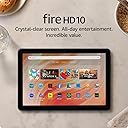
๐ฅ Elevate your everyday with the Fire HD 10 โ where power meets portability!
The Amazon Fire HD 10 (2023) is a sleek, lightweight tablet featuring a vibrant 10.1-inch 1080p Full HD display, powered by an octa-core processor and 3GB RAM for smooth performance. It offers up to 13 hours of battery life, 64GB internal storage expandable up to 1TB, and durable aluminosilicate glass thatโs 2.7x tougher than competitors. Designed with sustainability in mind, it includes family-friendly features, Alexa voice control, and supports a stylus for creative productivity.
| Display | Brilliant 10.1โ 1080p display (1920 x 1200) with over 2 million pixels (224 ppi), for bright, vivid image quality. Screen strengthened with aluminosilicate glass. |
| Size | 9.69โ x 6.49โ x 0.34โ (246mm x 164.8mm x 8.6mm) |
| Weight | 15.29 oz (433.6g) Actual size and weight may vary by configuration and manufacturing process |
| CPU & RAM | Octa-core processor - 2x Arm Cortex-A76 up to 2.05 Ghz and 6x Arm Cortex A55 up to 2Ghz 3 GB RAM |
| Storage | 32 GB (24 GB available to user) or 64 GB (54.3 GB available to user) of internal storage. Add micro-SD slot for up to 1 TB of additional storage. Some apps may require that they are installed on internal storage. App or feature updates may impact available storage. |
| Battery Life | Up to 13 hours of reading, browsing the web, watching videos, and listening to music. Battery life will vary based on device settings, usage, and other factors such as web browsing and downloading content. Certain software features or apps may reduce battery life. |
| Charge Time | Fully charge in under 4 hours with USB-C cable and 9W power adapter included in the box. Fully charge in under 3 hours with 15W adapter and USB type C to C cable (adapter and cable sold separately). |
| wifi Connectivity | Dual-band wifi. Supports public and private wifi networks or hotspots that use the dual-band 802.11a/b/g/n/ac standards with support for security standard of WEP, WPA3 OWE, WPA/WPA2/WPA3 Personal and WPA/WPA2/WPA3 Enterprise. Wi-Fi 6 (802.11 ax) is currently not supported. |
| Ports | USB-C (2.0) connector for charging; micro-SD slot for external storage |
| Audio | 3.5 mm stereo jack, dual integrated speakers; external volume controls |
| Sensors | Accelerometer, ambient light sensor |
| Camera Specs | 5 MP front and rear-facing cameras with 1080p HD video recording |
| Printing | Printing documents to a nearby wifi enabled printer is supported. Learn more here |
| Microphone | 1 built-in microphone |
| Certifications | Fire HD 10 has received the following certifications: ENERGY STAR USI2.0 for stylus protocol Recycled Content Certification for Electrical and Electronic Equipment (RCCEEE) |
| Location Services | Location-based services via wifi |
| Available Colors | Black, Lilac, Ocean |
| Bluetooth | Built-in Bluetooth 5.3 with support for A2DP compatible stereo headphones, speakers, microphone, and LE accessories support |
| Accessibility features | To enable features that personalize Alexa to your abilities, go to Settings โ Accessibility. โข VoiceView screen reader enables access for customers who are blind or visually impaired. โข Screen Magnifier enables customers to zoom in/out, and pan around the screen. โข Tap to Alexa enables access to Alexa via touch, instead of speech, through on-screen tiles or a keyboard, including the ability to save your favorite actions. โข Switch Access enables access for customers who have motor impairments, and are unable to touch the screen, via compatible Bluetooth devices. โข Kindle Read Aloud will have Alexa read your Kindle books aloud. โข Fire tablet Accessibility features also include settings for Closed Captioning, Font Size, Display Size, High Contrast Text, Color Inversion, Color Correction, and Convert Stereo to Mono audio. (Captions are not available for all content.) |
| Alexa Privacy Features | Alexa and Fire HD 10 are designed to protect your privacy. For example, you can view and delete your voice recordings or use the Alexa Hands-Free Mode on/off toggle at any time. |
| Warranty & service | 1-year limited warranty and service included. Optional 1-year, 2-year, and 3-year extended warranty available for U.S. customers sold separately. Use of Fire HD 10 tablet is subject to Amazon's Conditions of Use and these terms. |
| Included in the Box | Fire HD 10 tablet, USB-C (2.0) cable, 9W power adapter, and Quick Start Guide |
| Generation | 13th generation - 2023 release |
| Software Security Updates | Learn more about these software security updates. If you already own a Fire tablet, visit Manage Your Content and Devices for information specific to your device. |
A**R
Great Tablet for Everyday Use
I've been really happy with my Amazon Fire 10 tablet. The 10-inch screen is bright and clear, making it great for watching videos, reading, browsing the web, and playing games. It runs smoothly for everyday tasks, and the battery lasts long enough to get through the day without constantly needing to recharge. It's easy to use, feels sturdy, and offers excellent value for the price. Overall, it's a great tablet for both adults and kids, and I'd definitely recommend it.
M**H
Amazing tablet for entertainment use
I bought this tablet because I was going back and forth on. Did I really need a tablet for my cozy hobby room? Truth is yes I did. I have a great app and I also put on a Stihl classics planner and let me tell you it has been so much fun. It downloads perfectly fast for me. Some people said that it didn't download that they were having problems loading or that the picture was not as clear as they would want. Now sometimes like if I'm watching YouTube sometimes the video is a little fussy. It isn't as clear as as if you were watching on a TV, but it's pretty darn good for its size. I absolutely love the size. It's a little big and obnoxious yes to some people but for what I'm using it for there's nothing really obnoxious for me to say about it because I write on it. I read on it. I love that it has a built-in Kindle I've already put. I don't know how many books on here and I'm so excited because I was able to get a lot of the books that I have had in my list to buy as physical books. Now I have them on my Kindle and they were way less cheaper which is awesome. So I have reading material which I'm totally excited to start my reading goal for 2025. It charges super fast. Let me tell you it is super super fast what else it is sleek it is thin it. The volume was great on it. The power button works great. The only thing that I would say that isn't great about it is the advertisements when you first turn it on and use the slidescreen. I'm a little annoyed by that that you have to pay a $15 fine or fee on it. I mean we already have bought the tablet for what $119 or $130 to some of us or if some of us were really lucky during Christmas time we got it for $79 well me I paid $139 for it. I think the the advertisements should be waived if you pay the full amount. I'm just saying that I'm a little annoyed by it. Every time I turn it on. There's an advertisement that doesn't really you know concern me. I don't like that. I like to be able to turn it on and see my own home screen but I will be taking it off for sure. I will be paying the $15 sadly. But $15 I guess is not so bad. But like I said, if you're paying a hefty price for the tablet already, you should get the the advertisements waived already. Just saying that's the only thing that I would say. That is kind of annoying to me but everything else about the tablet is super fast. It's easy to connect to your internet and I haven't had any issues so far. I'm just very excited to be using my tablet and using it for whatever I need and take it wherever I need to go. So definitely would recommend but also watch out for the ads on the lock screen. So beware. This is March 29th and I still love this tablet. It has gone everywhere with me. I leave it on during the night unplugged till the early morning where it it's at 54% battery in an 8 hour sleep. Also would like to add that you can get Google Play, just google it and follow the step by step on Youtube. I was able to all my apps thst were missing on The Amazon app store. Getting the Google Play app has really made my enjoyment better with the Fire Tablet.
H**S
Gorgeous video quality
Being a senior newbie in ownership of the first tablet ever, I really like this tablet. I've had it now a month and being disabled, I have been using it faithfully every day for many many hours per day. Since I've never had a tablet before I can't really compare it to another. But, there are a couple of issues I have been having and don't know if this is normal behavior for a tablet or not. First issue that is really bothered to me is that after watching a lot of videos from streaming most of the day that suddenly the videos start getting "choppy." This means that I'll be watching a video and it hits a snag and stalls briefly and then starts up and continues to do this nonstop. It gets so irritating that I have to stop watching videos completely and turn the tablet off. No, this isn't a WiFi buffer issue. I have a similar issue with my flat screen TV because it's not a Smart TV, and it's older. With the TV, though, I'm lucky if I can watch more than a movie before the subtitles go off sync with the video and have to restart. I'm suspecting that the video stalling issue might be other than the tablet, but don't know for sure. But, I'll have watched videos most of a day before this stalling starts to happen. Since I can't be certain if the issue is with the tablet and not the streaming service, I give the benefit to the tablet. The second issue is with the video selection on the tablet. I'll have the screen with a bunch of squares of different videos to select from and when I select one on the screen, it responds by opening up something completely different that is on a different part of the screen. Again, I don't know if this is a tablet issue for sure, but it is a little annoying when I'm trying to decide on what I want to watch next and something else pops up that I didn't select. Also, when I'm watching a video, the tablet doesn't respond always when I touch it to pause it. Again, don't know if this is a tablet issue or not. BUT, I love both the video and audio quality of the tablet. I got the tablet for the purpose of watching my streaming videos and it's been a wonderful experience. One thing that really pleasantly surprised me was the audio!! Absolutely fantastic! It's like having surround sound when watching videos! I got the case to go with the tablet as well and it's really nice. It took me a bit to adjust to the case in maneuvering it in my bed when laying down, but it's satisfactory. After all, these things aren't really designed with the disabled in mind. But, it is a nice quality case cover for the tablet. I have a few cats, so the case cover protects it very nicely against their tendencies to lay atop the tablet. It's a good protection for falling off the bed when I've fallen asleep! So, for my first experience with a tablet, this is great. Makes me wonder what took me so long to buy one!
J**L
Good crippled Android tablet
It's a good product, although it's frustrating that Amazon takes an Android tablet and cripples it to make a Kindle Fire. I would love to be able to have the other apps that I have on my phone on here as well without having to do the crazy back-door methods I've seen online, but there's just a very limited number of apps ported over to Kindle's locked-down OS. That's easily my biggest gripe: knowing that it could easily have access to all the apps I normally use, but doesn't because Amazon deliberately made them inaccessible (without a lot of work). It is nice for reading my Kindle books, though, which is admittedly the point of a Kindle... It also worked well for downloading and watching a Prime movie on a flight. Of course, the lockdown forcing you to use Amazon on the Amazon tablet is part of why I got it so much cheaper than comparable uncrippled Android tablets, but still annoying knowing they had to o extra work to disable features built into the underlying Android OS. Battery life could be better, but it's not bad. It takes ALL day to recharge. My old Kindle was one of the early eInk readers, so no color, no movies, etc, but the battery would last forever. Not so here, but that's the tradeoff we make. It's a good size for reading, and could be a good size for writing and drawing if you can find some decent drawing apps in Amazon's very limited library. Amazon does put a bunch of bloatware on there, which is my 2nd gripe. The Silk browser seems to work well, and surprisingly, ran one of my engineering apps pretty well when I was at a conference recently. I do wish it had a microSD port though. That would be nice for being able to easily have photos on it. But otherwise not bad for the price.
L**D
Good quality and easy to use
Nice tablet, easy to set up and use. Battery seems to last and the appearance is high quality.
S**C
Great Tablet!
Bought this for a colleagues kid. I bought the ad free version. Totally worth it. I recommend getting a foam type case for it to prevent it from getting damaged since kids might drop it.
L**G
Amazon Fire HD 10 (13th generation) tablet
I have an 11th generation Amazon Fire HD 10 and I wanted a newer version of a tablet. Not necessarily Amazon. I did my research and didn't make a decision for a week or so. I decided to stick with the same tablet just the newest model bc I had zero issues with my older one and I had it for years. Plus, I subscribe to Kindle and I shop on Amazon often. It just made sense. I will "warn" you in case you don't read everything, you CAN'T download any app that you want on this product. The ONLY Playstore is Amazon. Nothing else. That might not be good for a lot of people. These are the apps I use and have been able to download onto this tablet: OneNote, OneDrive, Instagram, Facebook Lite, Zoom, Sirius XM, Hulu & Netflix. Of course, you can download other apps. I recommend a quick Google search to see if the apps you want can be downloaded onto this tablet. On the 11th generation I was able to download Tidal, it's a music app. It's not available on this one. Why? I have no idea. There are features that I absolutely love. It is much faster than the 11th generation and it turns on a lot quicker. You can do split-screen with 2 windows. I use that all of the time. I read my Kindle books. I want a Kindle but the screen is too small. This works great for reading. It has a dark mode setting which I use for everything & you could use when reading so it's not too bright at night. The price, for me, was a little high, that's the only reason I didn't get the Amazon Fire 11. As far as the ads go, DO NOT pay for No Ads. The ad is literally when you first turn it on or after sleep mode and you "wake" it up. It doesn't bother me at all. The weight is a little lighter than my previous one. Set-up was quick & simple. Battery lasts forever. I played music for about 4 hours and it didn't need to be recharged after. The sound quality is amazing. The picture is amazing. Crisp. Clean. Vibrant. You can tell its built with good quality products. It's not cheaply made. It would be great for kids too. They would have fun watching movies or playing games on it. Honestly, it has everything that I need. I don't do anything major on it or use it for hours a day. I might use it one hour a day or not at all for a day or 2. If you need something for work or to download any app possible this isn't the tablet for you. It's perfect for me, that's why I bought a newer version. I have zero complaints and absolutely recommend the Amazon Fire HD 10 (13th generation) tablet.
A**V
Tablet for Kids and Adults
The device runs smoothly and fast, and I love the kids account to keep track of everything they can cannot do and time limits, making the parental controls so easy to implement. I love the Lilac color and the display picture is very vivid. I would recommend a case for it. The buttons are easy to use too.
Trustpilot
3 days ago
1 month ago