Desertcart purchases this item on your behalf and handles shipping, customs, and support to India.
🚀 Elevate your WiFi game—connect faster, farther, and safer!
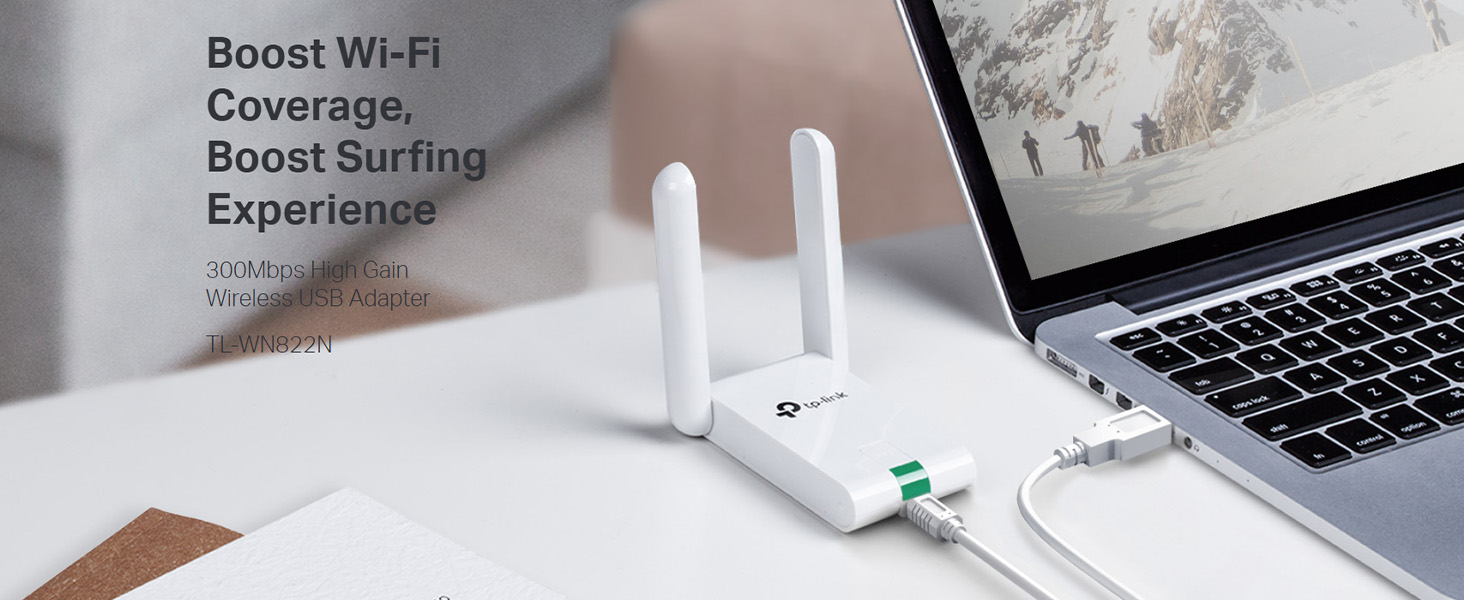
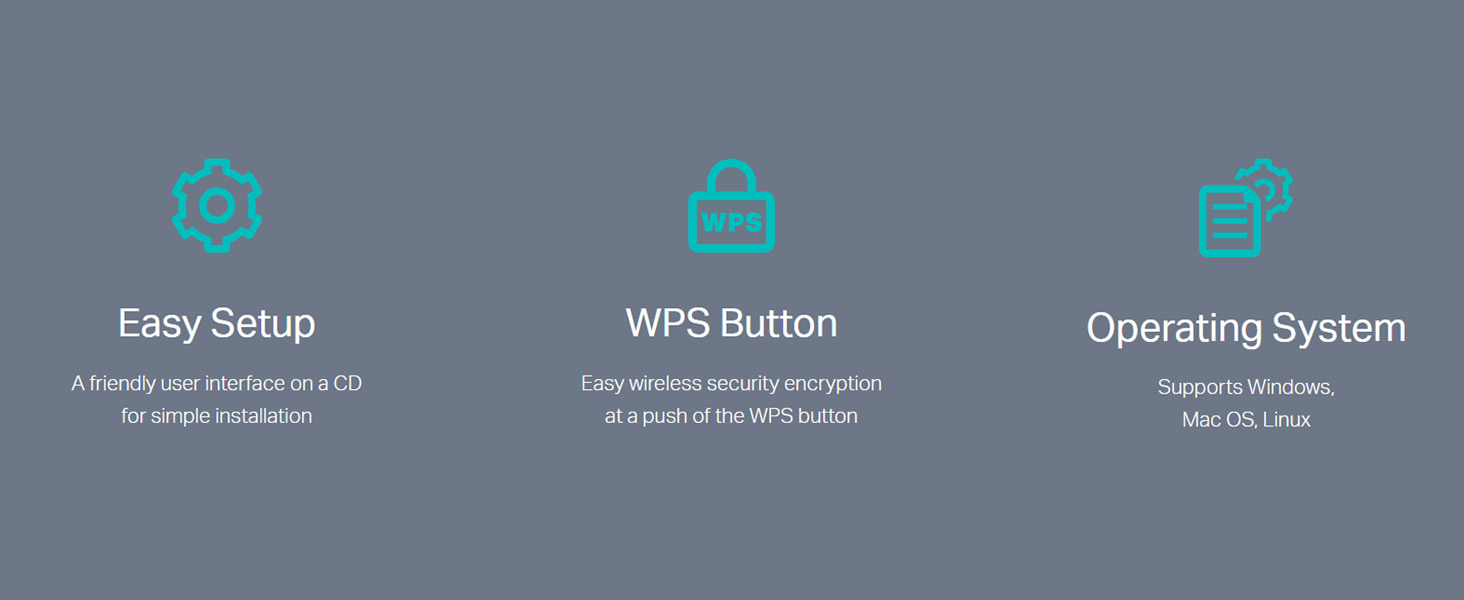
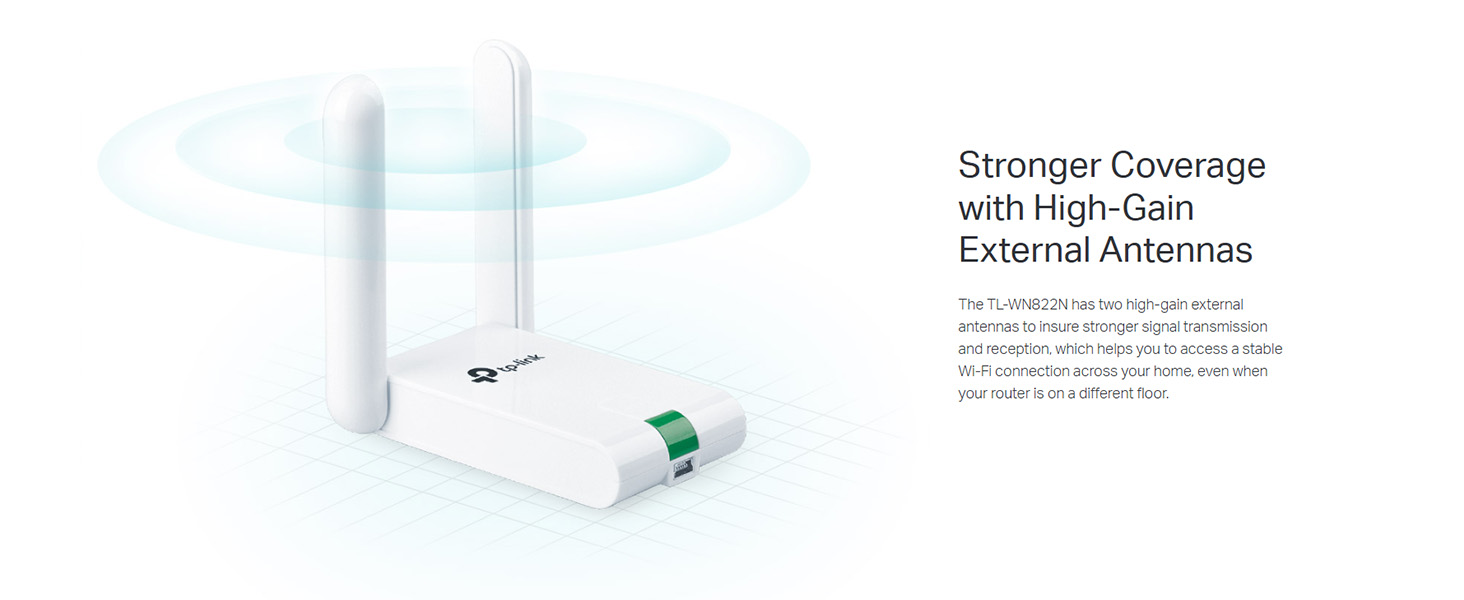
The TP-Link TL-WN822N USB WiFi Dongle delivers up to 300Mbps wireless speed with enhanced range via dual 3dBi external antennas. Compatible with Windows, Mac OS, and Linux, it features a mini USB 2.0 interface and a one-touch security setup button for quick, secure connections. Ideal for professionals seeking reliable, high-performance WiFi on desktops and laptops.


| ASIN | B00416Q5KI |
| Best Sellers Rank | #501 in Computers & Accessories ( See Top 100 in Computers & Accessories ) #6 in Wireless USB Adapters |
| Box Contents | Wireless Adapter TL-WN822N, Resource CD, Quick Installation Guide, 1. |
| Brand | TP-Link |
| Brand Name | TP-Link |
| Color | White |
| Colour | White |
| Compatible Devices | Desktop, Laptop |
| Compatible Operating System Family | Linux, Windows |
| Country of Origin | India |
| Customer Reviews | 4.1 out of 5 stars 11,298 Reviews |
| Data Link Protocol | USB |
| Data Transfer Rate | 300 Megabits Per Second |
| External Testing Certification | CE, FCC, RoHS |
| Hardware Interface | USB |
| Importer Contact Information | TP-Link India Private Limited Office No.1, Tower 2, Level 2, Raiaskaran Tech Park, Andheri Kurla Road, M.V Road, Andheri East-400072 Contact: Toll Free 1800-209-4168, [email protected] |
| Item Dimensions L x W x H | 9L x 6.8W x 1.8H Centimeters |
| Item Part Number | TL-WN822N |
| Item Type Name | Wireless Adapter |
| Item Weight Unit of Measure | 50 Grams |
| Manufacturer | TP-Link Systems Inc, TP-Link Systems Inc. 10 Mauchly, Irvine, CA 92618, USA or TP-Link India Private Limited Office No.1, Tower 2, Level 2, Raiaskaran Tech Park, Andheri Kurla Road, M.V Road, Andheri East-400072 |
| Manufacturer Contact Information | TP-Link Systems Inc. 10 Mauchly, Irvine, CA 92618, USA or TP-Link India Private Limited Office No.1, Tower 2, Level 2, Raiaskaran Tech Park, Andheri Kurla Road, M.V Road, Andheri East-400072 |
| Manufacturer Part Number | TL-WN822N |
| Minimum Required Operating System Version | Windows XP |
| Model Number | TL-WN822N |
| Number of Items | 1 |
| Number of Packs | 1 |
| Packer Contact Information | Pacific Technology Private Limited Survey No, 57/3/55, 57/2/56, 57/1/57, Silver Industrial Estate, village Bhimpore, Nani Daman, daman Dadra and Nagar Haveli and Damn and Diu, India 396210 |
| Product Dimensions | 9L x 6.8W x 1.8H Centimeters |
| UPC | 777004581483 777304566319 141086617123 777004581063 132018353783 351895906701 851905159856 777005000006 736159053450 112840003162 749276119879 809385674109 160921437061 731215277030 807320172031 191120005515 767531561188 565264157452 806293535102 163120466931 012300426794 845973050542 745449833986 320127553099 102931029461 719040108071 777104569275 809186279268 |
| Unit Count | 1 Count |
| Warranty Description | 2 year manufacturer |
A**A
Very good product must buy worth the price.
Using since 2 - 3 months working fine with no issues yet. Very good product
A**M
.
Nice product so far provides Better bandwidth
B**I
Highly recommend!
Easy plug-and-play setup on Windows 11. High-gain antenna, perfect for 4K streaming and gaming. Compact and reliable. Highly recommend!
S**R
Thanks
Very good quality and working fine
F**T
Dual antennas but performance is average.
bought this WiFi adapter because it has dual antennas and I expected better signal strength. But in real usage, the performance is disappointing. The range is not as strong as expected. It struggles to capture WiFi properly from a distance, and the connection is not stable. Sometimes it disconnects randomly. Even though it has dual antennas, I did not notice any significant improvement in signal quality. This product might be okay for basic browsing, but not recommended for gaming or heavy use. Overall, not worth it if you need stable and strong WiFi performance.
Z**0
Bye Bye Low Signal Strength
Just got this on the 13th of May, 2020. My desktop was too far away from my house Wi-Fi and both Wi-Fi card and dongle dropped the signal frequently. When they did connect, the speed was only about 20%. So I ordered this TP-Link TL-WN822N N300 Wireless High Gain USB Adapter (White) to solve this issue. All I can say now is: problem solved. In fact I'm writing this review on the very desktop to which the device has now been installed. Pros: 1. Reasonable pricing (I bought this for 899 Rupees) 2. Easy Installation on Windows 10: Plug and play 3. Speed seems to be at about 80-90% as per my internet connection plan 4. Long wire enables variety of placements for best signal strength location 5. Compact and light. I was surprised it's so light. 6. Stable and consistent connection. 7. Driver CD provided in case you are using older operating systems Cons: Nothing really negative comes to mind on first usage. So far so good. Conclusion: If you have similar low signal strength due to long distance from the Wi-Fi router, then this is certainly an option to consider. Cheaper alternatives are available but since I've used small donlges, they are not suitable if your desktop/laptop is not in the same room as your Wi-Fi router. I was looking at the more expensive alternatives as well, but decided to go for this one as it has two antennae and costs below 1000 Rupees.
J**I
Not up to the expectations. It's okay product
Easy to install and easy to use but the problem is it is not effective in receiving/capturing the Wi-Fi signal/speed. The signal strength is very low it can only capture 25% of your signal/speed even without any hindrance/obstructions like walls or doors in between. It can only pull the signal from 10 to 15 feet distance beyond that strength and speed of the internet falls drastically. It's somewhat okay better not to have high expectations but it serves the purpose if your router/modem is within the range of up to 15 feet
S**H
It works! But only without its driver.
Well it only works without the driver. Why? If I install the v6 driver then my wifi will not appear, it works when i uninstalled the driver. It took some time to find out. It catches signal very well from 1 floor down and speed is good, my max speed is 30mbps so i cant tell about its max speed.
A**O
Inmejorable
El tiempo de recepción menor al estimado,así que perfecto por me urgía bastante. Embalado y estado del pedido perfecto también. Muy pequeño cabe el la palma de la mano, el cable parece resistente. La instalación es muy sencilla. incluye un mini CD con los drivers y en menos de 2 minutos está funcionando. Lo he instalado y probado en un portátil HP en otro Samsung y en un ordenador sobremesa en el que finalmente se ha quedado fijo. En todos los casos ha sido instalado en Windows 7. Lo quería por que el router me quedaba bastante lejos como para tirar un cable hasta el pc de sobremesa, ya que esté está algo escondido. Desde el primer momento el funcionamiento y el rendimiento perfecto. En los test de velocidad, hechos un sábado por la mañana, obtenía el 100% del servicio que me ofrece ONO: 50 mbps. Realicé una descarga importante de más de 40 gigas en descarga directa de un juego cuando lo instalé hará ya un mes y he de decir que es muy estable y no se me ha colgado en ningún momento. Y he llegado a alcanzar tasas de descarga de mas de 6MB/s lo que me parece increíble con más dispositivos conectados al wifi de casa (2 iphone y 2 ipad obviamente no funcionando a pleno rendimiento a la vez ). El ping también es aceptable, mejor desde luego que el de la tarjeta de mi portátil HP. El resumen muy recomendable. Calidad/precio inmejorable. Estoy por pedir otro para las zonas de la casa con menos cobertura.
D**F
An absolutely amazing product!!! See Update at the end.
This thing is amazing! I honestly hadn't expected much, but was VERY pleasantly surprised. We have a wifi network in our house. It works well, except for my wife's computer which is only about 60 feet from our router, but with three walls between the router and her computer. It would hang up when loading websites, and sometimes would never load the page at all. I blamed the problem on the computer or browser; probably the computer, as I was not having a problem with mine, nor did she if she moved it much closer to the router. This antenna arrived about a week ago, so we've had plenty of time to test it. Installation was simple. Plug the unit in, run the enclosed CD, click on to the network, enter the pass code, and that was it. My wife's computer problems are gone! All websites snap right up. Not one problem with any of them. We have a custom program on her computer that we use to run our business. Running it on my computer from hers, over the network was always slower than running it on her computer. That was to be expected. Now it runs about 50% faster across the network. I installed this antenna on my computer (Windows 8.1) just to see what would happen. Amazingly, it sped page loads up dramatically, even though I'm within about 30 feet of the router (albeit the signal still has to go through two walls), and did not have nearly as many problems as she did. I have just ordered a second one to go on my computer for that reason, and because I expect our in-house program will run even faster across the network using one on each computer. I will update this review after I find out. Given the results with this antenna on our two computers, I enthusiastically recommend it so anyone who suspects a internet connection problem, even if it's only a small one. I simply cannot believe the results, especially at this price. Amazing! 01/15/15: I received my second antenna about a week ago. As expected (hopes for!), it did speed interaction across the network between our computers. No more hung pages on the internet. I can't wait to see how it works in hotels when we travel.
R**N
Its fine.
Description is pretty accurate. It has been working fine for years, the range however isn't that good.
W**E
Worked well.
I am in the building next to my landlord. Prior to getting this device I could only rarely see the wi-fi signal. Now I get a reliable signal. I did have to hang it from my ceiling and made sure the pair of antennae point toward his router.
P**O
SEMPLICE, PRATICO ed ECONOMICO
Da circa un mese ho acquistato questo piccolo adattatore per sostituire una precedente "penna wireless" di 54 MB - una TP-LINK TL WN321G ora non più in commercio - con cui collegare senza cavi ethernet il proprio PC SERVER/DESKTOP ad un ROUTER (il ROUTER senza modem NETGEAR R 7000): il risultato è stato ovviamente molto soddisfacente, per i seguenti motivi: 1) la connessione wireless si è velocizzata di molto, passando immediatamente dalla precedente velocità di 54 MB ad una velocità minima di 144 MB sino a quella massima di 300 MB: ciò ha significato un miglioramento rilevante non solo per la gestione dei dati tra PC e SUPPORTI HARDWER connessi tra loro senza cavi, in modo più fluido e veloce - (persino i backup non interferiscono sulle prestazioni del PC) - ma anche lo STREAMING è divenuto davvero piacevole senza più gli inconvenienti dei blocchi delle immagini; Ovviamente ciò è dovuto anche al fatto che tale adattatore TP LINK lavora in perfetta simbiosi con il Router R 7000 che ha caratteristiche sue proprie per il miglioramento dello streaming. 2) Oltre la velocità, è da apprezzare anche la particità del pannello di controllo di tale adattatore, che consente di leggere quali e quanti connessioni ci sono oltre alla propria, e soprattutto anche i CANALI CON LE RELATIVE FREQUENZE GHZ su cui tali connessioni accedono: pertanto con un buon router - quale es. quello in mia dotazione R 7000 - è possibile spostare la propria connessione TP LINK su una altro canale meno affollato, per aumentare la velocità dello stesso adattatore TP LINK (portandola es da 144 MB a 300 MB); 3) Terzo motivo circa la buona qualità di tale adattatore, è la funzione che consente, con la semplice pressione di un tasto dell'adattatore TP LINK medesimo, di eseguire automaticamente la connessione WIRELESS in modo protetto al ROUTER, senza dover reinserire manualmente i codici SSID e PASSWORD: ovviamente tale funzione presuppone che anche il ROUTER sia abilitato a tale specifica modalità di connessione (che non rende necessario di re-inserire manualmente tutti i codici); 4) Da ultimo, pratico e funzionale è la particolare funzione definita "SoftAP", cioe' la funzione che consente di trasformare tale adattatore in uno strumento con cui AGGIUNGERE UN PUNTO DI ACCESSO A I INTERNET OLTRE A QUELLO GIA' FORNITO DAL PROPRIO ROUTER (o MODEM/ROUTER): infatti tale funzione è assai pratica, perchè ad es. se con il MODEM/ROUTER si ottiene un accesso "RISERVATO" ed un accesso "GUEST", con tale adattatore TP LINK, è possible appunto aggiungerne UN TERZO ACCESSO, con conseguente alleggerimento del traffico sugli altri due punti di accesso: in altri termini si possono connettere più dispositivi ad internet utilizzando accessi diversi, così da ridurre le interferenze reciproche, o meglio LA COMPATIBILITA' DI TALE TP-LINK CON GLI STANDARD WI-FI 802.11 b/g/n, CONSENTE A PIU' DISPOSITIVI MOBILI, TRA I QUALI SPECIE GLI SMARTPHONE SINO AD ORA MESSI IN COMMERCIO, DI NAVIGARE SUI 2,4 GHZ DEL MODEM/ROUTER DOMESTICO ANZICCHE' TRAMITE IL TRAFFICO DATI DELLE RISPETTIVE SIM, CONTEMPORANEAMENTE, SENZA INTERFERENZE RECIPROCHE; 5) Consiglio infine questo adattatore TP LINK, soprattutto per i PC SERVER DESKTOP, non solo per le maggiori periferiche che ad esso si possono collegare via WIRELESS, ma anche perche il cavo USB con cui esso si collega al PC, è di una lunghezza davvero comoda e funzionale, poichè consente il posizionamento di tale adattatore in modo da ricevere e trasmettere senza essere "costretto" negli angoli delle pareti con conseguente degrado della velocità, oppure senza il rischio di inciampare sulla "penna USB" sporgente dal server. Davverro strumento frutto di esperienza. 11/7/14 PAOLO
Trustpilot
2 weeks ago
1 month ago