Desertcart purchases this item on your behalf and handles shipping, customs, and support to India.
🚀 Upgrade your network, upgrade your life!
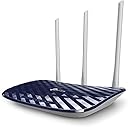
The TP-Link Archer C20 AC1350 Wireless Router leverages Wi-Fi 5 (802.11ac) technology to deliver up to 867 Mbps on the 5 GHz band, supported by three fixed antennas for strong, reliable coverage. Dual-band functionality reduces network congestion, while WPA2-PSK security ensures your connection stays safe. Ideal for multimedia streaming and multiple device households, it includes all necessary accessories for quick installation.
| ASIN | B016LL724S |
| Antenna Location | Security |
| Antenna Type | Fixed |
| Best Sellers Rank | #154,602 in Computers & Accessories ( See Top 100 in Computers & Accessories ) #2,926 in Computer Routers |
| Brand | TP-Link |
| Built-In Media | Package Contents AC750 Wireless Dual Band Router Archer C20Power AdapterRJ45 Ethernet CableQuick Installation Guide |
| Color | Purple/White |
| Compatible Devices | Personal Computer |
| Connectivity Protocol | Ethernet, Wi-Fi |
| Connectivity Technology | Wireless;USB |
| Control Method | Touch |
| Coverage | strong |
| Customer Reviews | 4.5 out of 5 stars 6,681 Reviews |
| Data Transfer Rate | 867 megabits_per_second |
| Frequency | 5 GHz |
| Frequency Band Class | Single-Band |
| Global Trade Identification Number | 06935364080730 |
| Item Weight | 590 g |
| LAN Port Bandwidth | 100 Mbps |
| Manufacturer | TP-LINK |
| Maximum Upstream Data Transfer Rate | 867 megabits_per_second |
| Mfr Part Number | Archer C20 |
| Model Name | ARCHER C20 |
| Model Number | Archer C20(US) |
| Number of Antennas | 3 |
| Number of Items | 1 |
| Number of Ports | 4 |
| Operating System | Linux [guess] |
| Other Special Features of the Product | WPS |
| Router Network Type | hybrid |
| Security Protocol | WEP, WPA-PSK, WPA2-PSK |
| Special Feature | WPS |
| UPC | 845973080730 |
| Unit Count | 1 Count |
| Voltage | 220 volts |
| Warranty Description | No Warranty |
| Wi-Fi Generation | Wi-Fi 5 |
| Wireless Communication Standard | 802.11ac |
| Wireless Compability | 802.11ac |
H**O
You can turn the Wi-Fi signal on and off with a simple button.
Perfect for those who prefer to avoid too much wireless EMF radiation this router gives the option to turn it off and on with an easy button without having to reconfigure anything in the setup. It also give the option for it not to be used as a router but as an access point to become an extension of the ports of your internet provider base. Accessing configurations and setting it up is still not as user friendly so you need to be prepared to do some reading if you plan to customize this to your needs but once you figure it out, it works well every time.
R**R
Problems Setting Up
I was having several problems with setup. After a couple hours I decided it was not worth the effort and am returning it. I only bought this to use while my main, more expensive router, was getting warranty work, and as a future backup. My guess is that once set up it probably would be a good router. Price is certainly very attractive.
C**R
Good
The setup was very easy, and the UI is great for anyone to navigate.
V**O
Not Very Happy With This Router
My previous router had become increasingly unrealizable, to where I had to reboot it frequently every day, so I decided to replace it with this super-cheap router. For the $20 I paid, I probably shouldn't complain too much, but it doesn't work particularly well for me. Basically the signal is terrible. One small room away, the signal barely reaches, and two rooms away there's nothing. I have a decent IT background and thought it was really easy to set up. I first tried to set it up as a range extender (it's one of the setup options), but the software was so full of bugs that I had to abandon that configuration and set it up as an access point. In the end, I kept this router because it was at least fully reliable, and I no had to keep rebooting it. I would add that it's ridiculously light (in a bad way), and has plastic, not rubber feet, causing any Ethernet cable plugged into the back to pull it right off the shelf (cable is heavier than router. You'll have to mechanically secure it somehow. If you're on an extremely limited budget and only need a router to work within one medium-sized room, and don't need super-high speeds, this might be okay for you. I'd recommend purchasing a better one which will probably costs more, as this isn't a good way to save money. Fast shipping; packaged well.
R**K
internet speed 85mbps
Not satisfied with this wifi. 300mbps plan i have and this wifi give only 80mbps speed. west of money
A**R
ethernet cord
was crushed after rolling breaking the wires in several spots and rendering it useless.
R**Z
Won’t get over 100 mbps
This product is advertised with a very high Mbps and most of us will never get these speeds because the WAN connection (your wired connection to your cable modem) is limited to 100 MBps by the hardware.
T**L
Dropped speeds. Slow
The router is only 3 feet from the adapter and it keeps dropping speed. You have to wait for webpages to load and I haven't seen that in long time. Either the WiFi chip gets too hot or the firmware is not good
R**E
High quality and easy to set up
Very easy setup! The setup guide allows me to reconfigure the router myself without having to call the network provider. Been getting really good connection and speed after I got the new router!
H**Z
Excelente compra. Buena marca. Calidad-Precio
El router esta excelente. Cumple lo que dice: procesa mejor la información y al manejar las dos bandas no tienes problema de velocidad o latencia. ###### CARACTERÍSTICAS ###### Con esto ya puedes ver transmisiones HD sin ser molestado por los cortes, ya que permite seleccionar un ancho de banda mínimo para los equipos y su prioridad. Tiene control parental para que cuides el contenido que ven tus hijos. Tiene una descripción corta de qué son y cómo usar las diferentes opciones que tiene. Tiene una red para invitados y puedes configurar el horario en el que se habilita, ideal para un pequeño negocio donde tienes que dar internet gratis pero solo por unas horas. Aumenta la cobertura y lo mejor es el IGMP snooping y el etiquetado VLAN. Para los ingenieros/técnicos en redes es sencillo de usar y soluciona el problema de lentitud y corte de la señal IPTV. ##### Considera lo siguiente ##### Si nunca has configurado tu router, si eres un usuario acostumbrado a solo conectar y usar, es probable que no sepas que hacer al principio, pero seguro lo podrás lograr. No es tan complicado como parece, saludos
M**S
Tempo recorde
Produto excelente
T**I
good quality and nice connectivity and good range
B**Y
Router Connection Issue Resolved
I bought the Router in early December. But I was unable to connect to my modem and get wifi connection. I tried all means and ways but was unable to do anything. Eventually I called up my service provider wanting to switch to another service provider. That's when they suggested that I should call TP link customer care. After a long wait I managed to connect to a Technical Support Staff Named Yolanda Huang, who guided me patiently for almost 30 minutes. Eventually I was able to connect to all the devices in my home. I am grateful to Yolanda for her. In fact she also sent me an email, indicating that I can email her directly if in case there are any issues in the future. She indicated that she will reply and callback if need being personally. Cheers to TPLink for a such a wonder technical support staff.
Trustpilot
1 day ago
1 week ago