


Buy anything from 5,000+ international stores. One checkout price. No surprise fees. Join 2M+ shoppers on Desertcart.
Desertcart purchases this item on your behalf and handles shipping, customs, and support to India.
โจ๏ธ Elevate your workspace with the sleekest, smartest keyboard in the room!
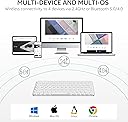
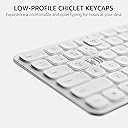
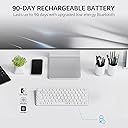
The Rapoo E9050L Blade-Series is a rechargeable, ultra-thin wireless keyboard featuring a durable aluminum alloy frame, 78-key compact layout, and seamless multi-device Bluetooth connectivity. Designed for professionals on the go, it supports up to 4 devices with easy switching, offers a quiet and comfortable typing experience, and boasts an impressive 90-day battery life with fast USB-C charging.



| ASIN | B0DG2JK2XV |
| Additional Features | Portable, Rechargeable, Support 4 Devices, Ultra-Thin, Wireless |
| Antenna Location | Business, Education, Everyday Use, Multimedia, Personal, Student, Video Editing |
| Best Sellers Rank | #70,229 in Computers ( See Top 100 in Computers ) #1,940 in Computer Keyboards |
| Brand | RAPOO |
| Built-In Media | 1 x Charging Cable, 1 x E9050L Wireless Keyboard, 1 x User Guide |
| Button Quantity | 78 |
| Color | White |
| Compatible Devices | Desktop Computer, Laptop, Smartphone, Tablet |
| Compatible Operating System Family | Windows |
| Compatible devices | Desktop Computer, Laptop, Smartphone, Tablet |
| Connectivity Technology | Bluetooth, RF |
| Connectivity technology | Bluetooth, RF |
| Customer Reviews | 3.7 out of 5 stars 79 Reviews |
| Enclosure Material | Aluminum |
| Hand Orientation | Ambidextrous |
| Is Electric | Yes |
| Item Dimensions L x W x H | 15.2L x 7.6W x 5.1H centimeters |
| Item Weight | 292 Grams |
| Keyboard Description | Compact |
| Keyboard Layout | QWERTY |
| Keyboard description | Compact |
| Manufacturer | Shenzhen Rapoo Technology Co., Ltd. |
| Model Name | E9050L |
| Model Number | E9050L |
| Number of Keys | 78 |
| Power Source | Battery Powered |
| Recommended uses for product | Business, Education, Everyday Use, Multimedia, Personal, Student, Video Editing |
| Special features | Portable, Rechargeable, Support 4 Devices, Ultra-Thin, Wireless |
| Style Name | E9050L (TKL, Rechargeable) |
| Switch Type | Scissor-Switch |
| Theme | Office |
| Unit Count | 1.0 Count |
C**K
Light and convenient
Lightweight and rechargeable via usb c. Can connect via Bluetooth or wireless usb receiver provided.
T**S
Highly recommend
Great wireless keyboard, with support for multiple devices. I've got this linked to my laptop, a mac mini, and a tablet, and easy to switch between. Couple of things to note, this is grey rather than black. Also, doesnt have any wee legs at the back, so it will sit mostly flat, though there is a slight incline from the case itself. Typing feel is really nice, and keys have fingerprint divots, so your hands rest nice on them. Overall very happy with this purchase.
A**R
Stopped working
This wireless keyboard has stopped connecting whether by Bluetooth or using the USB-C cord. I initially had it working using my laptop but when i disconnected to try and connect using another laptop it was not being recognised and will no longer work with the initial laptop that i used it with. And no it was not out of battery the last time i checked.
M**S
How to turn on keyboard when no obvious switch is seen
The keyboard had great promise, it was the size I needed. I was able to to get the bluetooth on my apple laptop to recognise the keyboard. I couldn't figure out how to turn on the keyboard, the instructions didn't cover or explain this. On previous bluetooth keyboards, I was able to activate it by attach the keyboard to the sleeve magnetic sleeve or I activated by using the computer top screen keyboard settings. My apple laptop has USB-C input, so it wont accept USB-A. I tried an adapter which has a short cable between them. Doesn't accept it. I'm aware that sometimes a single integrated adapter is needed sometimes. Finding the right type of shop to buy it as it is a specialist item can be difficult. Not having an ON/OFF switch on the keyboard is not easy to discover the combination of keys to use to wake it up or turn it on.
A**A
Doesn't detect 1st keystroke
Doesn't detect 1st keystroke, which is very annoying. Connecting the Bluetooth and dongle to the computer was a pain. Not seamless at all. I was about to return this but decided to work a few days later. Doesn't have legs, so it's very flat on the surface. And the keys are way too flat you can't type without looking, unlike other keyboards where you can sort of feel the keys even without looking.
Trustpilot
2 weeks ago
2 weeks ago