Buy anything from 5,000+ international stores. One checkout price. No surprise fees. Join 2M+ shoppers on Desertcart.
Desertcart purchases this item on your behalf and handles shipping, customs, and support to India.
🚀 Elevate Every Touch: Turn Any Screen Into Your Interactive Command Center!
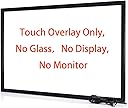
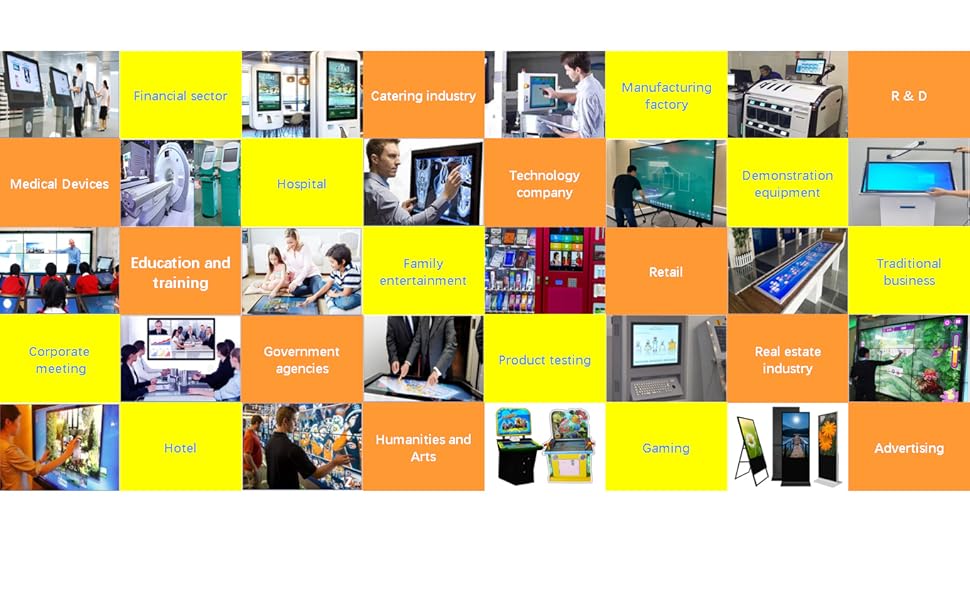
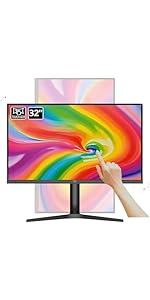
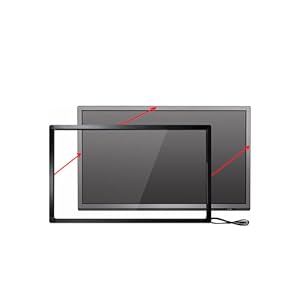
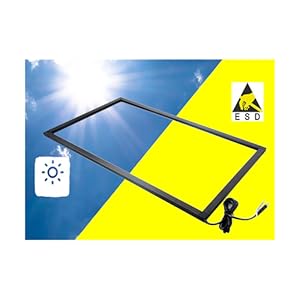
The Chengying 70" Multi-Touch Infrared Touch Frame is a sleek, lightweight overlay that converts standard flat-panel displays into responsive, 10-point touchscreens. Compatible with ultra-high resolutions up to 8K and plug-and-play via USB HID, it’s designed for seamless integration in professional environments like conference rooms, classrooms, and retail kiosks. With developer-friendly SDK support, it offers limitless customization for cutting-edge interactive solutions.


| ASIN | B07D23P244 |
| Additional Features | Touch Pointing Device, No Monitor, No Screen |
| Amazon Bestseller | #24,965 in Computers ( See Top 100 in Computers ) #715 in Computer Monitors |
| Aspect Ratio | 16:9 |
| Brand | Chengying |
| Color | Black |
| Compatible Devices | Laptop, Desktop |
| Connectivity Technology | USB |
| Customer Reviews | 4.2 out of 5 stars 416 Your Review |
| Display Resolution Maximum | 3840 x 2160 |
| Hardware Connectivity | USB 2.0 |
| Has Color Screen | No |
| Is Electric | Yes |
| Item Weight | 1 Kilograms |
| Manufacturer | Chengying |
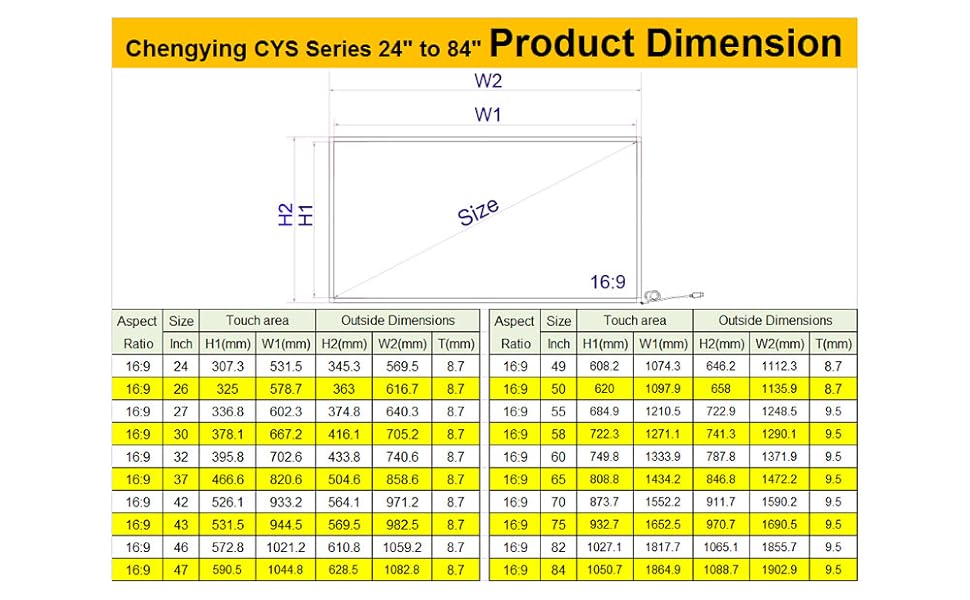
| Model Name | CYS-70-p10 |
| Model Number | CYS-70-p10 |
| Mounting Type | Panel Mount |
| Native Resolution | 32768 x 32768 |
| Number of Component Outputs | 1 |
| Power Consumption | 2 Watts |
| Refresh Rate | 450 Hz |
| Resolution | 32768 x 32768 |
| Response Time | 10 Milliseconds |
| Screen Finish | Glossy |
| Screen Size | 70 Inches |
| Screen Surface Description | Glossy |
| Shape | Rectangle prism |
| Specific Uses For Product | Education |
| Total Number of HDMI Ports | 1 |
| Total USB 2.0 Ports | 1 |
| Total Usb Ports | 1 |
| UPC | 673169391397 |
| Unit Count | 1.0 Count |
| Voltage | 5 Volts |
| Warranty Type | 1 Year Manufacturer Warranty |
A**ー
27インチモニターをタッチパネルにする
27インチモニターがタッチパネルなり面白いですね。 ノートパソコンのような操作まではいかなくてもそれなりの動きをしてくれます。 マウスのポインターが何処へ行ったのか一瞬分からなくなってもペンでタッチできるので助かります。
A**R
安価で新しい発見
安価なのに使いやすい。ダブルクリックやキーボードが出せる方法があったらよい。今のところ模索中
す**ま
動いた。こういう機械があるんだね程度の印象
製品の枠の幅がもっと狭くなって欲しい。テレビのベゼルよりデカい。 感度は描画するほどには向いてないと思う。画面をタッチして操作するにも、慣れが必要だと思う。 Windows11PCに取り付け後、なんの設定もなく操作を開始できた。
.**.
限定用途なら一応使えるが過度な期待は禁物
使用環境 Macmini M2バージョンで使用。 ParallelsでWin11上とMac上で使用。 Macではマルチポイント使用できず、HIDドライバーが必要とあるが何処から入手するのか今ひとつ不明。 ブラウザなど縦のスクロールもできず。 アプリケーションの横スクロールなどでは動く。 範囲選択もできるが画面すみはタップ検出率が悪く上手く動かないことが多い。 例:アップルマークやファイルメニュー、アプリウィンドウの上部メニューなど。 Win上ではデスクトップでのダブルタップできず。 ポイントのみ可能だが、アプリウィンドウ上ではタップで操作できるがスクロールせず。 スクロールバーを使えばスクロール可能。 マルチポイント使用不可。 この条件はデバイスをMacに直接繋ぎ接続先をMacとして登録後、システム終了をいたらこの動作となった。 因みにMac・Winどちらもタッチデバイスとして認識されていない状態となっている。 単体接続時はWin上でスクロール・デスクトップ上でポイント、ダブルタップで操作できていた。 使用環境が特殊なのであまり参考にならないかもしれないが、少なくとも何方か単体でデバイス再登録すれば一応シングルタップ、ダブルタップ、縦横スクロールは出来ていた。 自分の使用用途はモニターをアームに繋いで電子書籍アプリのスクロール、動画視聴アプリのタッチ操作だったので一応叶っている。 23.8インチ4Kモニターをごろ寝しながらタッチモニターの様に操作をする。 iPadでは画面が小さいので大画面を試してみたかった駄目人間。 因みに 枠サイズとモニター表示サイズが合致していれば(実際の寸法)基本キャリブレーションの必要はないはず。 Win11ではOSにデバイスドライバーが含まれている模様で特別なインストール操作は基本不要のはず。 OEMで各社から同様の商品が販売されているが、各社のHP等にキャリブレーションツールなど有ったりする。 ドライバーらしき物もあるが未使用につき不明。
M**S
5 star seller
Perfect and well packaged
S**N
Great service and product
I was nervous about ordering this product but after doing so I am very happy with the product. After placing the order I was contacted to confirm that the sizing was correct and that I was happy with the actual item in the order, in case it wasn't what I expected, I thought this was excellent, saving them and me any hassle returning goods over such a distance if not what I thought it was meant to be, it then arrived well packaged ahead of schedule. Works as expected.
U**S
Works great with Xiami
Works well with XIAOMI TV Box.
T**E
Love it! Works great!
I bought this earlier this year and it was very easy to install. It works perfectly as advertised and has never messed up. Works perfectly. Very responsive. I was actually surprised it came together as planned and worked as I had hoped. I’m very surprised actually. The sticky has never even messed up that adheres the panels onto the frame. Very tight and not loose as I had a feared over time. They have maintained their sticky. But to be sure… just make sure you wipe down your tv or monitor frame real good that you use it on. I have a 50 inch Toshiba tv. I can use it for about anything(software) I want and have tried to pull up on the screen. As you can see I have TradingView up now for my cryptos and it works just fine. You can see I have 8 charts up and my watchlist to the right. The scrolling and the touching… precision perfect! I definitely have confidence in this and will buy again for other uses with other computers. I don’t think you can have multiple screens per computer though. I have Windows Professional 10 on this computer. Very happy with the purchase and it was worth it.
C**N
que funciona como lo dicen
lo devolví porque me equivoque de tamaño pero se aan portado muy bien conmigo me rembolsaron el de 32 inch, y compré el de 42 inch es una pasada la próxima será la de 75 inch
Trustpilot
1 week ago
3 weeks ago