Buy anything from 5,000+ international stores. One checkout price. No surprise fees. Join 2M+ shoppers on Desertcart.
Desertcart purchases this item on your behalf and handles shipping, customs, and support to India.
๐ Effortless USB sharing for the multitasking pro
The USB2-SWITCH2 by Plugable is a compact, plug-and-play USB 2.0 sharing switch that lets professionals toggle a single USB device between two computers with one button. Featuring LED indicators for active device control and compatibility with a wide range of USB peripherals, it streamlines multi-computer workflows without the need for drivers or complex setups.


| ASIN | B006Z0Q2SI |
| Actuator Type | Push Button |
| Best Sellers Rank | #451 in KVM Switches |
| Brand | Plugable |
| Brand Name | Plugable |
| Circuit Type | 1-way |
| Color | Black |
| Compatible Devices | USB-enabled computers, USB 2.0/1.1 devices (excluding USB docking stations and USB graphics adapters) |
| Connectivity Protocol | Usb |
| Connector Type | Usb 2.0 |
| Contact Material | Plastic |
| Contact Type | |
| Control Method | Touch |
| Control Type | Toggle |
| Controller Type | Push Button |
| Current Rating | 500 Milliamps |
| Customer Reviews | 4.4 out of 5 stars 1,761 Reviews |
| Global Trade Identification Number | 00649241924500 |
| Included Components | 1x Plugable USB 2.0 Sharing Switch 2x USB-A to USB-B Cables (1.5m/5ft) |
| International Protection Rating | IP44 |
| Item Dimensions | 3.6 x 2.25 x 1 inches |
| Item Weight | 2 Ounces |
| Manufacturer | Plugable |
| Material Type | Plastic |
| Model | USB2-SWITCH2 |
| Mounting Type | Plug-In Mount |
| Number of Items | 1 |
| Number of Positions | 2 |
| Operating Voltage | 5 Volts |
| Operation Mode | Toggle |
| Part Number | USB2-SWITCH2 |
| Smart Home Compatibility | Not Smart Home Compatible |
| Specification Met | True |
| Switch Type | Touch Switch |
| Terminal | Button |
| UPC | 649241924500 |
| Unit Count | 1.0 Count |
| Warranty Description | 2 Year Limited Parts and Labor |
| Wattage | 2.5 watts |
E**.
Great Product!
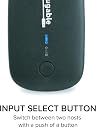
I work at home 4 days /wk, and have on my home office desk, my personal home computer, wireless mouse and keyboard, printer and monitor and right next to it is my company owned computer, wireless mouse and keyboard (which I purchased), printer and 2 monitors. The desk has 1 roll out typing drawer under the top of the desk, it can hold 1 keyboard and mouse at a time. I also have both printers on the shelf above the wall. I wanted to use just 1 keyboard and mouse to use with both computers, went to 2 "box" electronic stores, and all the "experts" told me you can't use the 1 keyboard and mouse between 2 computers, so before work I put the work computers board and mouse there, then after work switch them out with my own. Then for printers, I have purchased 2 printers for my home computer, I use it so infrequently for home software, the ink usually dries out and when I go try to find ink the printer has been obsoleted and ink is only available on line at premium prices. I thought there must be a solution, then came across this little beauty. For less than $15 and free shipping, I was able to run 1 line to the companies printer , and two lines to each of my computers. Now I can do all my printing off 1 current printer with good ink. After I saw how well that worked, I bought a second one to try with keyboard and mouse....Worked perfect! Put the transmitter in the one end, and a line to each computer. This switch is fantastic, much less costly than many other models I saw. It requires no software or confusing hookups. One end has 1 USB connector you plug in the line coming from whatever you want to share, the other end has 2 connectors labelled "A" and "B". You plug one end of the supplied cables (all cables needed are INCLUDED) into the box and the other end is a USB, plug that right into the computer where you removed the old plug from. Then do the same with the other cord to the other computer, you are finished, both computers now share whatever you want. If you have multiple boxes, just keep all connections for 1 computer in the "A" plugs, and use the "B" plugs for the other computer. The easy to push switch has a light that glows green for "A" switch and blue when B switch is active, so if all switches are green, that means all the "A" plugs are active, blue would mean the "B" switches are active. No power to connect either, hate those little red lights that glow using power all day or all year? These lights only glow when computer is on, when off, they do not light. Just a fantastic product for the price....
G**N
Simple, Cheap, and Works Well
Nowadays, many of us like to have everything "wireless", especially peripherals, like printers, so they can be shared. I have two laptops that I use in my home and everything is wireless and shared except for my Epson scanner. I could have purchased a wireless scanner but couldn't justify the extra cost for my needs at that time. Now, I want to share this scanner with my second laptop located across the room. At first, I looked into wireless devices, like print servers. Over the last 20 years I've had several and none of them worked well. The connection was either unreliable or communication was only one way or something else that ultimately resulted in getting rid of them. I usually had too much trouble setting them up and there wasn't a good manual or support. So, here we go again, I thought! Before purchasing this switch, I was looking at a $70 I/O Gear wireless unit that had less than stellar reviews. But, it was cheap. Searching for just a "USB switch", I came across this unit and purchased and it works just fine. I did take it apart to look at the quality. The solder joints and everything else looks fine. In the past, I've found that some cheap devices, like cheap USB hubs, simply don't work reliably and have poor workmanship. Here, this IS just a switch, but there are some R's and C's in addition which says there was some engineering design. The unit comes with two identical USB cables, one to connect the peripheral to the switch, and one to connect the switch to the PC where you had connected the peripheral initially. You have supply the third cable which runs from the switch to the second device. As it turned out, I had to use extra long USB cables, which I already had, to connect the switch to the two PC's. Using long USB cables can be "iffy" if they are not of good electrical quality. During initial hookup, I had some problems with the computers recognizing that the USB peripheral had been connected (the driver did not load). Restarting the computers fixed this. I don't know how all this works, but I have observed that sometimes a USB connection (driver loading) will not occur after it has been unloaded without a PC restart. I was initially concerned that simply switching form one computer to the other would require a restart which you switched back to the first PC. But, this was not the case. So, for once, a 5 minute job was a 5 minute job!
L**3
Excellent Device!
In my home office, I use two computers every day... I keep my laptop on my desk and my personal desktop underneath. I have a 23" monitor with two inputs. My work laptop connects to the VGA input of my monitor, and my desktop connects to the DVI. This allows me to use the input button on my monitor as a video switch. I thought about purchasing a KVM, but I didn't need the V (Video) as mentioned above. Lucky for me I stumbled upon the Plugable USB 2.0 switch while shopping Amazon (something I do more than I probably should, really). Anyway, this little device takes a single USB input and allows me to split (or more accurately, switch) the signal. When paired with the 'Amazon Basics USB 2.0 4-Port Ultra Mini Hub' I finally got this desktop properly organized. Follow me here - It's relatively simple... I plug my keyboard, mouse, printer and wireless headset into the 4-Port Ultra Mini Hub. The output of the 4-Port Ultra Mini Hub goes into the input of the Plugable USB 2.0 switch. I simply press the button on the splitter, and the LED goes red to indicate that all the above-mentioned devices are connected to my desktop. I press the button on the switch again, and the LED goes green to indicate that the above-mentioned devices are connected to my laptop. In the two days I have had this setup, it's not failed me once. The lag after pressing the toggle button is 2-3 seconds. This is the time Windows takes to recognize the device and apply the proper drivers. In summary... This is an excellent little device and gets a solid 5 stars! Recommendations to Plugable - I'd like to have 4 inputs (or more) on the switch itself, at which point I could do away with the need for the 4-Port Ultra Mini Hub. I'd also make the toggle switch larger (as others have mentioned). The switch is tiny, and my gut tells me it's not going to last as long as I would like, though time will tell.
N**R
Good mouse/keyboard switching solution
I use this to use a logitech wireless keyboard/mouse solution between two computers. There is a second or two delay after pressing the button but it doesn't feel too long. Mine is an old Logitech wireless solution, not the unifying kind, but it works well right out of the box. I have ordered a new Logitech keyboard and mouse with unifying received and I've read here that it works fine as well. It comes with the two USB cables needed to connect to two computers. No need to buy more USB cables. Everything works well. Only downside, if I have to list something, would be the button must be pressed with some force. I wish that the button takes a lighter touch. Update (3/18/14): I had this for over a a year now and I wanted to add few things. The button is small and narrow and it takes some pressure to press the button. If you're switching back and forth frequently, it gets annoying. Also, frequently one channel will not recognize mouse/keyboard;I have to switch back and forth to make it work (usually once flip will do.) Since I purchased this, I've noticed that there are other choices (listed below). I haven't tried them yet but they have received good reviews. Both of these devices appear to have bigger buttons so at least that solves one of my complaints about Plugable switch. Caveat is they are a lot more expensive at $35 and $30 each. SIIG SuperSpeed USB 3.0 Switch 2-to-1 Adapter (JU-SW0012-S1) IOGEAR 2 x 4 USB 2.0 Peripheral Sharing Switch (GUS402) Review on USB3.0 version (5/30/14): Plug USB2 has been acting up a lot lately. One channel consistently works but the other channel is consistently flakey. It may work off and on, and has gotten worse over time. Since I had a good experience initially, I decided to give Plugable another chance by purchasing USB3 version. USB3 version has two buttons (w/blue LEDs), one for each channel instead of one button in USB2 version. It is smaller. Each switch takes 4-5 seconds. It feels slower than USB2 version but so far it has been working consistently. As in the description, it comes with 2 USB3 cables. I have it connected to USB2 ports and it works fine. Button itself is wider than the USB2 version so it's not as hard on the fingertips. It's easier to operate. So far so good with the exception of 4-5 second delay but I am not aware of any other products with better performance.
V**N
Best solution in my case. Works great, uncomplicated and doesn't break the bank!
When I installed a PC to run Mach3 for my CNC machine I found out, the PC should rather be dedicated to the CNC and not running anything else to avoid issues and timeouts with the CNC. Installing a second PC and a second monitor was no problem. But 2 keyboards and 2 mice? Not enough real estate on the worktable. Ordering a keyboard mouse combo with one USB micro receiver EagleTec K104 / KS04 2.4 GHz Wireless Combo Keyboard and Mouse - Black which serves both and getting this USB switch Plugable USB 2.0 Switch for One-Button Swapping of USB Device/Hub Between Two Computers (A/B switch) was the solution. The 2 cable needed to connect the switch to both PC are included. After installing the micro USB receiver in the USB slot on the switch while both PC were up and running was all that was needed. Initially it took a while until the Keyboard mouse combo installed itself on the first PC. After pushing the button to switch to the second PC again it took a little while to initiate. After restarting both PC the response time after switching is now much quicker (1 to 2 seconds for the PC to re-recognize the Keyboard Mouse combo). Reasonable time I can easily live with. As I might at times run only one or the other PC, I checked out what happens if I turn down one PC : Keyboard and mouse still work on the other PC. The product performs exactly as described It is very easy to install. No software or driver to load. No bluetooth protocols to observe or hotkeys for switching to remember. No batteries required either. Just pushing the button on the top of the switch to activate Keyboard and Mouse one or the other PC. It doesn't get much simpler or more cost effective.
E**C
Awesome simple to use USB A/B Switch!
You would think that a USB A/B switch would be simple and straight forward right? Well I learned to do my research before buying anything online. I discovered that a lot of USB switches had KVM software components that were incompatible with some computers and required that software and/or drivers be loaded in order to get it to work. They also required extra keyboard key sequences to complete the switching process from one computer to another. This switch was advertised as "plug and play" with none of the above required. Much to my delight, the switch worked as advertised. I had a PC with a USB attached printer that I needed to share with a laptop. For various reasons it was impracticable to connect the printer to a network or share it as a host based printer off the PC it was attached to. As soon as I installed the switch to the PC, laptop and printer, and switched the switch to the laptop, the laptop immediately recognized the printer as a new device and asked if I wanted to install it. After I installed it I was able to switch seamlessly between the 2 computers and print immediately with no 7 second lag time as noted by another reviewer. While in Windows 7 Devices and Printers on the PC, if the switch was switched to the laptop, the printer icon would show up but be greyed out. As soon as I pushed the button on the switch to go to the PC the printer icon would come to life and be available to print. I am extremely happy with this product and the only recommendation I would make for improvement would be to make all the connections come out the back of the switch. This would make placing the switch on the desk where you can push the button much more esthetic. The way it is now you pretty much have to position the switch at an angle so that the cables don't come out the front and loop around taking up space on your desk, and it doesn't look as professional as it could be.
L**N
Works amazingly well with a shared USB card. Switches instantly between sources.
I am using this to share a USB sound card between my PC and my PS4. I am using the Sound Blaster X G6, paired with the Beyerdynamic Custom Game headphones. Before this switch, I was using the Plugable USB Switch 3.0 found here: https://www.amazon.com/Plugable-Sharing-One-Button-Swapping-Computers/dp/B00JX3Q28Y/ref=pd_yo_rr_psims_2/133-2274799-0834266?_encoding=UTF8&pd_rd_i=B00JX3Q28Y&pd_rd_r=4db5db57-8c04-44f2-a6db-a554972551a4&pd_rd_w=6i679&pd_rd_wg=cYwMR&pf_rd_p=93e0e08e-a359-4b83-8c36-9a937f08616e&pf_rd_r=61H06XC0B5DJXJ02AJNH&psc=1&refRID=61H06XC0B5DJXJ02AJNH The problem with that one was that, when I switched between the PC and PS4 (and vice versa) it would take a few seconds for it to actually make the switch, since for some reason it would turn off the sound card and turn it back on again each time. With this one now, the switch is instant. When I press the button for switching, it takes about 2 second for the system (either PC or PS4) to recognize the sound card. Also, the sound card never turns off, and you can use it with your PS4 while listening to your PC. And vice versa, you can have it on your PC, and still listen to your PS4 (so you could, play some PS4 games while listening to music on your PC, for example). You do have to switch it to the PS4 if you want to use a microphone, though! In all, an amazing product, and works flawlessly for what I wanted. I would assume that it would work just as well for any other device.
V**T
Hit or miss as to whether the glue will hold with yours.
This is a very good design in all but one very bad respect. As soon as I took it out of the box and connected it I was mystified by (a) the difficulty of selecting the desired port (it would occasionally switch to one and then a moment later switch back to the other), and (b) the apparent lack of correlation between the selected port and the LEDs. Opening it up revealed the problem. It uses one double-pole double-throw (DPDT) mechanical switch to switch between ports A and B, and a similarly-sized single-pole double-throw (SPDT) switch between the green (A) and blue (B) LEDs. (I didn't look inside the LED switch and it may just be a second DPDT switch using only one pole, for a simpler Bill Of Materials (BOM).) The two switches are ganged together by the externally accessed black button which sits on top of both switches. When the button is up port A and LED A are selected, and when down port B and LED B. Except for the external button being so small that it is fiddly to operate, this would have worked better if the button had been properly epoxied to the two little white buttons actuating the two cheap little switches (which look bound to fail after some use anyway). But the glue was more like Elmer's school glue and the big button ended up pushing the switches independently, rocking to the left when port A was selected and indicating LED B, and to right when vice versa. Furthermore both switches must go down completely in order to switch properly; if one or both switches goes down only halfway then it will switch momentarily but go back when released. The effect is that your device will always be reliably connected one port or the other, and exactly one LED will always be on, but the unit will seem to contain a demon that has its own mind which port you wanted, and furthermore tosses a coin when reporting which one it is. When I get time I will glue them together as obviously intended, and maybe also make the big button bigger (though that may introduce a torque that could further reduce the life of these tiny flimsy up-down switches). In the meantime I've left the top cover and external button off and am finding it easy to press both small white buttons simultaneously with my forefinger. If they're not both up (A) or both down (B) I can feel it immediately and push again to make them level. Though since I can feel and see whether each switch is up or down I really only need to operate the port switch and ignore the LEDs. I believe this is the first time I've given only one star for a device I'm able to actually use, but this design flaw was so obviously bad I could not bring myself to give a second star. My recommendation for a redesign would be a single less flimsy triple-pole-double-throw (3PDT) switch, or ideally a 3PDT IC like the NX3DV642, $0.31 in quantity and indestructible compared to a mechanical switch.
D**S
Macht genau das was es machen soll
Die Lieferung erfolgte sehr schnell, trotz des Weihnachtsrummels. Das Ding ist einfach anzuschlieรen, USB Kabel sind mit dabei). Einfaches umschalten per Druckschalter auf die beiden Ports. Jeder Port hat eine eigene Leuchtdiodenfarbe, so weiss man immer mit einem Blick welcher Port eingeschaltet ist. Gerรคte funktionieren einwandfrei. Kann ich nur empfehlen.
S**E
Really happy with this device
I was surprised at the quality of this device due to it's low price. It came packaged quite securely and is a good, solid little unit. I have it connected to 2 PCs and a cheap 4-port USB hub and it all works like a charm. I can press the button to switch between computers, or if I shut one computer down it automatically switches to the other. Extremely impressed with Plugable's quality and would purchase their devices again.
H**D
efficacite
Un produit simple qui fait le travail. Je partage actuellement mon clavier et ma souris (avec un hub usb en plus) avec mon pc fixe et mon macbook pro.
L**N
I think I must have a newer model as it comes in a nice box, not a clam shell package as was ...
I've been using the USB2.0 switch for a few days now and it works as described. I think I must have a newer model as it comes in a nice box, not a clam shell package as was described by another user, and the lights are a small led, green and blue, not red and large as a previous picture showed. I have it hooked up to the AmazonBasics 4-Port USB 2.0 Ultra-Mini Hub, with a keyboard, mouse and 2 printers and everything works great. One Computer is using Win 10, the other is a multiboot system with Win7/Ubuntu 16.04/Linux Mint/Mate/KDE/XFCE/Cinnamon and again, everything just works which is really nice. I would have liked a bigger A/B switch as it's really tiny and it would have been nice if the single Port was also on the back with the other 2Ports, then I could have hidden the unit better on my desktop without the single cable sticking out the front. I think the unit is a great value though and would recommend it, worth a 5 star rating in my opinion !
P**R
Terrific piece of kit.
After browsing other similar items on amazon (which were either pricey or a bit cheap looking) I eventually googled my problem and found a youtube video demonstrating this box in exactly the set up I was hoping to use it; it. One brand new Mac Mini and one ancient Dell PC sharing the same (wired) keyboard & mouse. Though the Dell box took a moment to figure out the new configuration (partly, I suspect, because both the keyboard and mouse have to be plugged into a USB small hub which then plugs into the switch) it worked effortlessly from then on. My only gripe - if it is a gripe - is the blister pack this unit comes in which you need a set of industrial bolt cutters (or really sharp kitchen scissors) to get into. What's wrong with a simple cardboard box? Anyway, let's not mention it again and pretend that never happened. Five stars. Thanks guys - terrific work.
Trustpilot
2 days ago
3 days ago