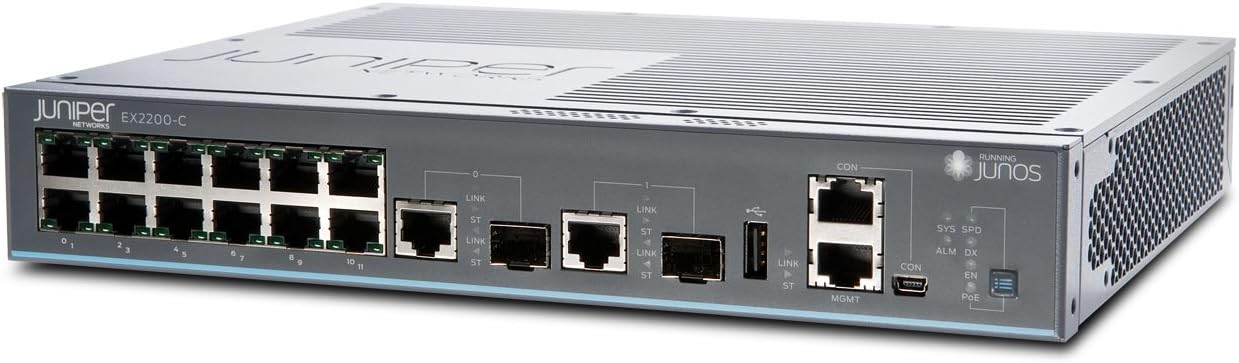
I bought this switch in order to enable a SOHO customer to get greater throughput than an older, very cheap, unmanaged switch allowed. I want to learn JunOS basics and the creation of VLANs and link aggregations (through LACP) in the process. I am not expert with Layer 2/3 switches at all. I've never attempted to configure a Layer 2/3 switch through the command line interface before. I know how important good preparation and advance study is. Besides this switch, I had purchased the paper book "JunOS OS for Dummies 2nd Edition." I studied sections of the book related to working with JunOS on the command line interface and with setting up EX-series switches such as this one. I also posted a question on the Juniper Networks forums regarding earth grounding of this switch. My biggest worry was whether I really needed to provide an earth ground for the switch. I do not have such a connection available in the setting I am working with. The switch arrived in a sturdy box and was well packed. All the items shown in the packing list were present and accounted for. The switch has a March 2012 manufacturing date. The switch itself is light and easy to handle. A very high quality power cable with strain relief and a serial cable was also in the box. I connected the switch to a serial port on one of my desktop boxes that is running CentOS 6.3. Then I started the screen program to begin serial communication with the switch, and I plugged in power to the switch itself. I could watch the switch boot JunOS right there from the CentOS box. ("screen" is a lot easier to use than minicom. And for you Microsoft folks, I'm talking Linux here.) The boot process took about 4-5 minutes, maybe a little longer. Soon I had access to the CLI. Following instructions in the Dummies book, I did all the initial configuration of the switch. This would normally take 10 minutes at most, but I was quite slow, consulting the book frequently as questions popped into my mind. I used the "commit confirm" command to delay truly committing the changes to the switch for 10 minutes while I plugged in network cables and turned on devices to test whether it was switching packets. It certainly was! The red "alarm" light was on, though, and as of this writing I still need to determine what that means. That is why the switch is not getting 5 stars for my review. One star is knocked off for not providing any printed documentation in the packaging for how to investigate the reasons the alarm light being lit up. There is a definite increase in switching throughput vs. the cheap unmanaged switches. I will soon be converting to Category 6 ethernet cable for this user. I have also noticed that I'm able to connect to a corporate VPN with ease now, compared to the experience with an unmanaged switch. The unmanaged switch apparently dropped the VPN connection constantly. My customer is noticing this, too. There is still more I can do to boost the network throughput. One is connecting the customer to the switch over Category 6 cable. Another is setting up a VLAN and link aggregation so that the customer can more speedily push data to an network attached storage (NAS) device. I expect that to be a considerable learning experience for me. Overall, after several days of watching operations with no changes to configuration settings beyond the initial setup, I am extremely satisfied with the switch. I'm anxious to learn more about JunOS. I believe that Juniper is a superbly built switch of excellent quality, and this switch does meet the needs of a SOHO setting.