Buy anything from 5,000+ international stores. One checkout price. No surprise fees. Join 2M+ shoppers on Desertcart.
Desertcart purchases this item on your behalf and handles shipping, customs, and support to India.
๐ Own Your Network, Own Your Security โ No Cloud, No Compromise!
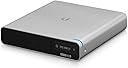
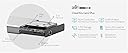
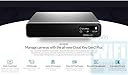
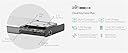
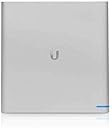
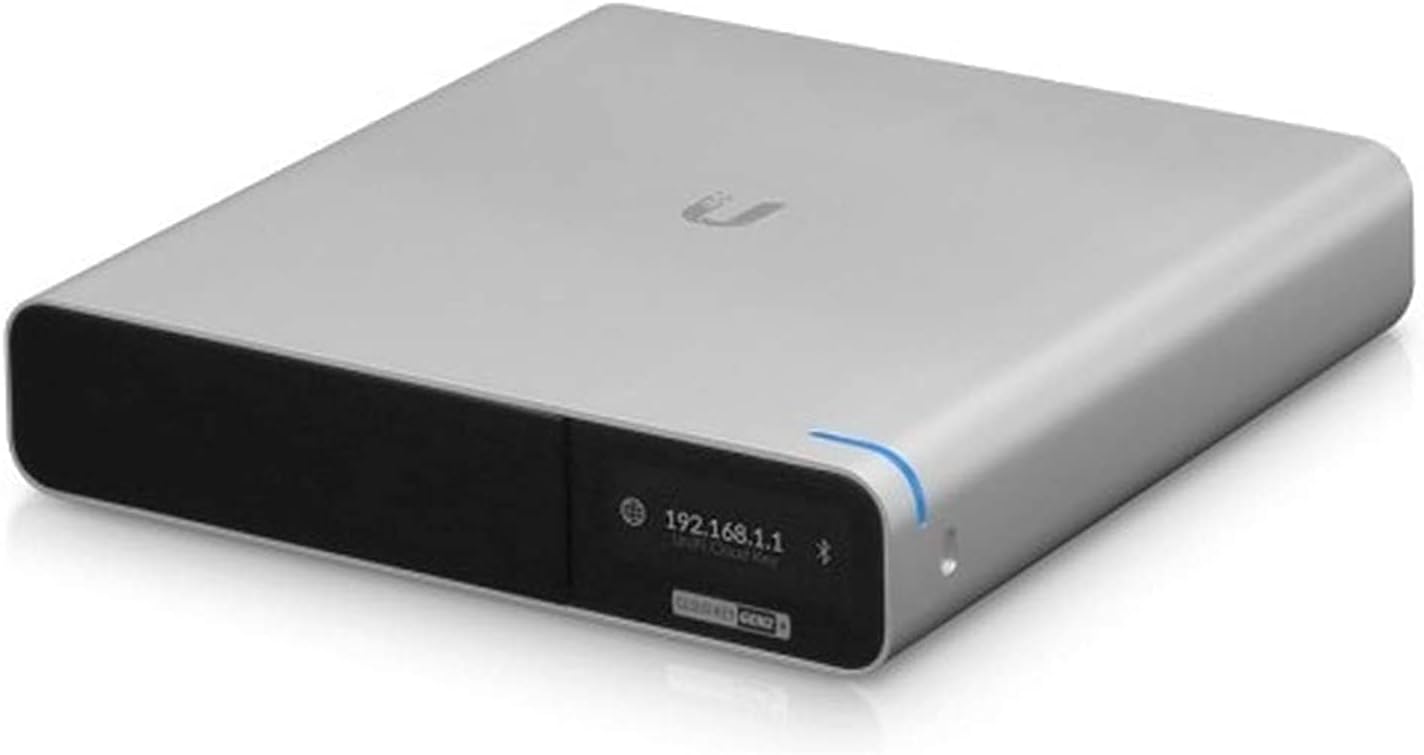
The UbiQuiti UCK-G2-PLUS is a sleek, high-performance wireless controller and NVR designed for professional-grade network management. Featuring 1 Gbps Ethernet, built-in battery backup, and support for up to 20 cameras, it offers local video storage with no recurring cloud fees. Its PoE connectivity and app-based SDN control make setup quick and scalable, ideal for expanding multi-AP networks with advanced security protocols like WPA3.


| ASIN | B07HLLC1TC |
| Antenna Location | Home |
| Antenna Type | Internal |
| Best Sellers Rank | 18,617 in Computers & Accessories ( See Top 100 in Computers & Accessories ) 52 in Mobile Broadband Devices |
| Box Contents | Wireless Controller |
| Brand Name | Ubiquiti |
| Colour | Silver |
| Compatible Devices | Devices with Ethernet port |
| Connectivity Protocol | Ethernet, USB |
| Connectivity Technology | Ethernet |
| Control Method | App |
| Controller Type | Software Defined Network (SDN) Controller |
| Customer Reviews | 4.5 4.5 out of 5 stars (2,501) |
| Data Transfer Rate | 1 Gigabits Per Second |
| Frequency | 2 GHz |
| Frequency Band Class | Dual-Band |
| Global Trade Identification Number | 00817882024532 |
| Has Internet Connectivity | Yes |
| Has Security Updates | Yes |
| Is Modem Compatible | No |
| Item Dimensions L x W x H | 13.1L x 13.4W x 2.7H centimetres |
| Item Weight | 0.5 Kilograms |
| LAN Port Bandwidth | 1 Gbps |
| Manufacturer | UbiQuiti |
| Manufacturer Part Number | UCK-G2-PLUS |
| Maximum Upstream Data Transfer Rate | 1000 Megabits Per Second |
| Model Name | 267587 |
| Model Number | 267587 |
| Number of Ports | 1 |
| Operating System | Linux |
| Other Special Features of the Product | Built-In Battery, Motion Detection |
| Product Warranty | 2 years |
| RAM Memory Installed | 1 GB |
| Router Network Type | wired |
| Security Protocol | WPA2, WPA3 |
| UPC | 817882024532 680665925650 |
| Unit Count | 1.0 count |
| Voltage | 9 Volts |
| Wi-Fi Generation | Wi-Fi 4/5 |
| Wireless Compability | Bluetooth |
C**R
Must buy
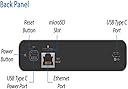
Amazing little NVR (Network Video Recorder) I use it along with my G4 wireless door bell. It makes things super convenient and secure as its all stored locally on the Hard drive provided however It did swap the hard drive for as ssd and it makes its super quick and snappy with loading times. For people who don't know you make a ubiquity account and you can live steam and get updates/motion detections at home and away from home on your phone as long as you have 4g data on. No Cloud involved hence why you don't have to pay monthly. I think its ridiculous that loads of company's expect you to pay monthly to see your own private videos. You need to power this via USB c or through POE. I used a cheap POE injector that runs too the NVR and a Ethernet cable from the router in to the injector. You can have up to 20 cameras connected either through POE or wireless. If the cameras you want are the 5 lots of g4 Pro for example. They need to be POE you will have to get a ubiquity switch to plug them all in to and then feed that in to the NVR. Bare in mind you have to be close to your router unless you have POEs already routed to the from the place you want to keep you're NVR. Yes its a little bit expensive but you have all the data under your control locally and noone but you can access it. No cloud service monthly payment is a win in my book. You'll end up paying more over the years with other brands that use cloud based services. All in all its a very smart little machine and it's a doddle to set up took me 5 minuets.
I**N
Just the ticket
You'll know what you're buying before you look for this so I won't go on about what it's meant for! All i will say is that it does the job amazingly. The unit looks smart, performs very quickly and installed without issue. The hard disk makes a small noise, so be aware of that if putting it on a shelf, alternatively swap it out for an SSD and it's silent! Connectivity is super easy via the PoE input ethernet connection, response time is snappy and playback of the NVR is flawless. Point to consider, however: If you've one AP and it's working, you don't need this. If you've been sat on the shelf with one AP in standalone mode and were thinking of adding a second and running the controller then this is a good solid choice, maybe consider the none plus edition if you don't need the NVR (video recording) side of things. If you have more than one AP, and you might be thinking of adding a camera then it's a no brainer, this will be what you need. If you're looking to make a complete network change and go to Ubiquity for your entire network, you'll need this, a switch, some AP's and the USG (gateway). By the time you add the cost of all those together, you might want to be looking at the DreamMachines they offer as they are a more combined unit, and could be more cost effective.
R**N
Simple to use - But do your homework!
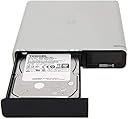
This is a brilliant product for a seasoned IT person who wants to create an in house network with wireless access points AND cameras. If like me you don't want to spend the premium for branded products like Netgear or Google Nest (although I have some) then this is a suitably affordable option with lots of flexibility. How it works: You plug it into your network and it discovers other Ubiquiti products. Instead of having a 'cloud' console like Meraki or Google Nest this acts as your cloud. So if you need 'on premise' capabilities and don't want to use a PC/Mac or Server to run the application then this device does it all for you. It also comes with a 1TB hard drive (Toshiba spinning disk) which I replaced with a solid state drive. I did this because I have 3 cameras that it will be recording for me and I didn't want lag. Please note; this device comes with a hard drive so you dont need to do what I did and go get a new one.But they do tell you that you can go up to 5TB's in this device, so in effect... It's usually worth it to buy a 1TB SSD to see how you get on. It doesn't come with a power supply!!!! It's a product that can be powered using USB C or Power over Ethernet. If like me, you bought a PoE Ubiquiti switch, then this plugs straight in and powers itself. I'd recommend getting a PoE switch because you more than likely are getting a camera or 2 to go with this product, and then you can power the cameras. Not all Ubiquiti cameras can take power e.g. G3 Flex's are PoE only. Please do your homework on this product. It's a very good, solid brand and has a very easy to use interface. All products are modern, smart looking and powerful. Search Youtube for more details.
J**S
Works incredibly well
Purchased to replace a Gen-1 cloud controller (now obsolete), the unit migrated settings from the Gen-1 device with no problems. I carried a couple of upgrades with mine - I replaced the mechanical hard drive with an SSD; not because of speed, but because some have commented that the hard drive was quite noisy in operation - I don't need the capacity of a mechanical drive, as I'm not using it with cameras for recording. My second upgrade was to fit the Gen-2 controller into the 19-inch 1U panel designed for it, in order to fit the whole into a 19-inch rack, resulting in a very 'neat' installation, with the USG 4 and switch fitted below.
O**R
Lange Zeit habe ich zur รberwachung meiner Ubiquiti UniFi Netzwerkkomponenten den UniFi CloudKey der ersten Generation (aber schon mit USB-C) verwendet. Er war eher hรครlich und besaร bis auf eine kleine, durch den weiรen Kunststoff durchscheinende, Status LED keinerlei Anzeigemรถglichkeiten. Ein weiterer, fรผr mich sehr gravierender, Kritikpunkt war das stรคndige Aufhรคngen der Software. Ganz besonders zuverlรคssig hing sich das gesamte System nach dem Unterbrechen der Spannungsversorgung auf. Hรคufig half dann nur noch der Reset und das Einspielen eines Backups. Das Prozedere integrierte ich bald in meine wรถchentliche Todo Liste. รuรerst ermรผdend und heutzutage eigentlich vรถllig รผberflรผssig. Offenbar dachten sich das auch die Ingenieure von Ubiquiti! Mit der 2. Generation ihres UniFi CloudKey und dem hier rezensierten UnFi CloudKey Gen2 plus haben sie wirklich alles besser gemacht was vorher "weniger" gut war. Aber der Reihe nach. Hier mein Bericht nach 4 Monaten Dauertest. Die Hardware: Schon beim Auspacken aus der Apple-Style Verpackung merkt man, dass man etwas gekauft hat was den Anspruch hat zu funktionieren und zu gefallen. Das Alugehรคuse wirkt wertig und der verwendete schwarz glรคnzende Kunststoff nicht ganz so billig. Auch wenn, besonders deutlich in der Frontblende der Schublade fรผr die HDD zu sehen, sogenannten Sink Marks* deutlich im Gegenlicht zu sehen sind, macht das ganze noch einen ordentlichen Eindruck. Aber lassen wir die Kirche mal im Dorf - Es ist eine Netzwerkkomponente kein Kunstwerk. *(Einfallstellen im Kunststoff an Stellen die auf der Rรผckseite durch dickeres Material verstรคrkt sind. Sowas passiert beim Spritzen der Teile wรคhrend der Produktion und ist recht aufwรคndig zu verbessern) Zum Thema Wรคrmeentwicklung: Das Gerรคt ist passiv gekรผhlt. Das heiรt es verfรผgt รผber keinen sich drehenden Lรผfter, sondern benutzt sein Alugehรคuse als Kรผhlkรถrper mit dessen Hilfe es die Wรคrme an die Umgebung abgibt. Also ja, das Gehรคuse des CloudKey wird im Betrieb recht warm. Und das ist auch vรถllig ok. Eine Prozessortemperatur von ca. 50 ยฐC ist normal und auch gut so. Dafรผr ist das Gerรคt flรผsterleise. Um der Luft ein wenig mehr Angriffsflรคche zu bieten habe ich noch vier kleine Gummifรผรchen an der Unterseite des CloudKey angebracht. So wird nun auch die Unterseite von Luft umstrรถmt. Neben einer etwas besseren Wรคrmeabfuhr konnte ich so auch die Vibrationsgerรคusche der 1TB Festplatte verringern. - Die Vibrationen sind ohne diese Maรnahme รผbrigens ausreichend gewesen das Gerรคt mit der Zeit etwas wandern zu lassen. Der CloudKey stand รผber Nacht stets leicht verdreht. Ein Aufrรผsten der Festplatte ist kein Problem. Bis zu 5TB HDDs im 2,5 Zoll Format sind laut Hersteller mรถglich. Auch SSDs sollen kein Thema sein und UniFi Protect einen Turbo in Sachen Ansprechverhalten und Zugriffszeiten auf das Videomaterial verleihen. Aber Achtung: Nicht jede Platte lรคuft im CloudKey. Groรartig ist, dass nun ein kleiner Akku in das Gerรคt integriert wurde der wie eine USV funktioniert. Sobald die Spannungsversorgung (ob รผber Netzteil am USB-C Port oder รผber PoE vom Switch) getrennt wird hat der CloudKey noch genug Reserven im Akku um sauber herunterzufahren. Sobald wieder eine Spannungsversorgung hergestellt ist fรคhrt er selbststรคndig wieder hoch und lรคuft ganz normal weiter als wรคre nichts gewesen. Das hรถrt sich trivial an. Aber jeder der die erste Generation des CloudKey hatte wird diese Neuerung sicherlich genauso feiern wie ich! Denn das bedeutet endlich keine Backups mehr einspielen zu mรผssen sobald man mal aus Versehen das Netzwerkkabel zieht, oder das Firmware Update vom Switch zu frรผh gestartet hat. Wow. Abgerundet wird das neue Design von dem nun endlich vorhandenen Display an der Vorderseite des CloudKey. Hier werden einem im Wechsel drei verschiedene Statusanzeigen eingeblendet: Die Netzwerkadresse und der Name des Gerรคtes, der SDN (Controller) Status und der UniFi Protect Status. Leider hat man zur Zeit keinerlei Mรถglichkeiten die Anzeige anzupassen oder auszuschalten oder auf den Inhalt Einfluร zu nehmen. Die Software: Kurz, die Software ist genial. Auf dem CloudKey Gen2 plus ist der UniFi SDN Controller und UniFi Protect vorinstalliert. Der UniFi SDN Controller lรคuft bei mir in Firmeware Version 5.10.26 und ist groรartig. Ich verwalte darรผber ein recht kleines Heimnetz mit 3 Switches, 1 AP AC Pro und dem USG 3P. Mit der Zeit habe ich fast alle Features die das System so bietet mal ausgetestet und bin jedes mal wieder auf Neue von dem Konzept begeistert die Verwaltung aller Gerรคte einer eigenen Komponente (--> CloudKey) zu รผberlassen. Wo man bei anderen Systemen umstรคndlich jede IP von jedem Gerรคt einzeln aufrufen und die Einstellungen mรผhsam vornehmen und organisieren muss macht man bei UniFi alles zentral an einer Stelle. Alle anderen Gerรคte werden im Hintergrund provisioniert und hinterher lรคuft einfach alles. Mit dem CloudKey (auch schon mit der alten Version) ist es รผbrigens auch mรถglich ein Gastportal mit Voucher Funktion einzurichten. Fรผr den Privatgebrauch vielleicht etwas รผbertrieben, aber bei Partys doch manchmal recht nรผtzlich. :-) UniFi Protect (bei mir Version 1.11.3) ist exklusiv nur auf dem CloudKey Gen2 plus (nicht auf dem ohne "plus") verfรผgbar. Damit lassen sich bis zu 20 รberwachungskameras der UniFi Serie einbinden und verwalten. Ich nutze zur Zeit drei UniFi G3 flex zur รberwachung meines Grundstรผcks. Das System ist klasse. Das Einbinden der Kameras war kinderleicht und die Software wird regelmรครig aktualisiert und um Features erweitert. Manche Dinge haben noch einen leichten Beta Beigeschmack, aber aus Erfahrung der letzten 4 Monate bin ich mir sicher, dass sich das bald รคndert. Wichtig zu wissen ist, dass sรคmtliches aufgenommenes Videomaterial lokal auf dem CloudKey gespeichert wird. Nicht wie bei vielen anderen Anbietern wo ein Abo fรผr Cloud Speicher abgeschlossen werden muss. Beim CloudKey bedeutet "Cloud" nur, dass man das System auf Wunsch รผber die sichere UniFi Cloud von รผberall auf der Welt erreichen und so auch immer sehen kann was am รผberwachten Ort los ist. Wenn man das nicht will, muss man das nicht aktivieren. Schlieรlich bietet das UniFi USG auch einen einfach einzurichtenden VPN Zugang mit dem genau das auch mรถglich ist. Ganz ohne Cloud und fremde Server. Der Speicherplatz der werksseitig verbauten 1TB HDD von Toshiba reicht รผbrigens bei Einbindung von drei Kameras fรผr die Aufzeichnung von ca. zwei Wochen Videomaterial in voller 1080p Auflรถsung bei 25fps und einer Bitrate von 6000Kbps. Wer mehr Aufzeichnen will hat die Mรถglichkeit eine bis zu 5TB groรe 2,5 Zoll Platte nachzurรผsten. In den Mikro SD Karten Slot oberhalb des LAN Ports habe ich noch eine 32GB SD Karte eingesetzt. Auf ihr werden alle Backups gespeichert sowie der Endgerรคte-Datenverlauf. Das System ist bei mir in keinster Weise ausgelastet. Der 2.0 GHz Achtkern Prozessor wird bei mir stets nur zu unter 10% gebraucht und die 3GB Arbeitsspeicher nur zu 50%. Ein gutes Gefรผhl Reserven zu haben. Was mir nicht gefรคllt: 1. Der Preis. Er ist verdammt hoch fรผr etwas das ohne noch weitere Komponenten des Systems zu besitzen zu nichts zu gebrauchen ist. Das reiรt ein heftiges Loch in die Argumentationskette mit der/ dem Liebsten. 2. Die Backup Strategie von UniFi Protect. Der Austausch einer defekten Kamera hat mich mal ein paar Stunden gekostet da die Backup Strategie fรผr mich nicht schlรผssig war. Das Ende vom Lied war, dass ich jede einzelne Kamera mit der "Leitermethode" vor Ort resetten musste um sie neu an das System anzulernen. Ich hoffe auf ein Update was dieses Problem adressiert. Fazit: Klare Kaufempfehlung fรผr jeden der Spaร an funktionierender Technik hat. Fรผr die Privatperson vielleicht etwas รผbertrieben... aber eigentlich auch nicht. :-)
S**T
Very easy setup, made creating a WiFi network a breeze. Adding/adopting access points fast and simple. Easy to understand iOS app and web based portal.
G**S
Works great and a great product for homes and smal businesses.
D**.
el mejor controlador wifi, un software potente, el equipo esta realizado con material de calidad y convina con cualquier mueble.
F**A
Super satisfeita
Trustpilot
2 days ago
2 months ago